Rhino 7(犀牛)for Mac is a powerful professional 3D modeling software designed to handle NURBS* geometric shapes. It efficiently completes the entire workflow from concept design to finished manufacturing, including tasks such as creation, editing, analysis, rendering, animation, and format conversion. The software is capable of handling complex, high-precision, or large-scale models without any limitations on accuracy, complexity, degree, or size.
Core Advantages: Rhino 7 offers advanced modeling tools previously found only in high-end, expensive software at a more affordable price, achieving a perfect blend of creative freedom and engineering precision.
One, Main Features
- Free-form Modeling Capabilities: Provides unrestricted free-form three-dimensional modeling tools, allowing any imagination to be transformed into a concrete model.
- Exceptional Precision: Meets the stringent requirements for size accuracy across industries such as aerospace and jewelry design, fully compatible with design, rapid prototyping, engineering analysis, and manufacturing processes.
- Widespread Compatibility: Works seamlessly with numerous design, drafting, CAM, engineering, analysis, and rendering software, and possesses excellent IGES file reading and repair capabilities.
- Ease of Learning and Use: An intuitive user interface allows designers to focus on their creativity rather than software operations, significantly shortening the learning curve.
- Efficient Performance: Hardware requirements are modest, allowing for smooth operation on ordinary laptops.
- Strong Development Platform: As the foundation for hundreds of professional 3D applications, it has high extensibility.
- High Value for Money: Offers comparable pricing to its Windows version, without high maintenance fees, and has a high return on investment.
Two, Core Modeling Functions
2.1 Creation Tools
- Points: Point objects, point clouds, grid points, points extracted from objects, various reference points (intersection points, evenly spaced points, endpoint points, nearest point, etc.).
- Curves: Straight lines, polylines, circles, arcs, ellipses, rectangles, polygons, helices, parabolas, TrueType text, interpolated curves, control point curves, and freehand curves.
- Entities: Basic geometric shapes (cubes, spheres, cylinders, toruses), pipes, cones, pyramids, and complex entities generated through extrusion, lofting, and boundary generation, supporting TrueType and Unicode text generation into entities.
- Meshes: Convert NURBS to meshes, generate meshes from closed curves, basic mesh geometries (planes, cubes, cylinders, etc.).
2.2 Editing Tools
Main Editing Operations: Delete, merge, trim/untrim, split, explode, extend, chamfer/side, manage object properties and build history.
Transformation Tools: Move, rotate, mirror, scale, align, array, bend, tuck, twist, offset, along curves, project, and unfold.
Surface Editing: Fine control through control point editing, adjusting degree, matching, fusing, Boolean operations (union, difference, intersection), and unfolding.
Entity Editing: Chamfer, shell, Boolean operations on entities.
Mesh Editing: Explode, merge, weld, unify normals, convert to NURBS surfaces, optimize face count.
Three, User Interface and Auxiliary Tools
3.1 Interface Characteristics
- Dynamic and dockable command line, recent commands menu, click-to-select commands.
- Highly customizable interface: pop-up toolbars, middle mouse button menus, icons, work directories, and right-click context menus.
- Support for multiple monitors, camera-based view operations, background image matching.
- Enhanced graphics display: OpenGL hardware anti-aliasing support, dockable dialogs.
3.2 Auxiliary and Precision Tools
- Infinite undo and redo.
- Precise numeric input, supports feet, metric, and other units.
- Comprehensive capture system: object capture, grid capture, orthogonal mode, planar mode.
- Efficient layer management, grouping, object visibility/hiding/locking functions.
- Flexible selection methods: layer-based, color-based, type-based, or last-selected selection.
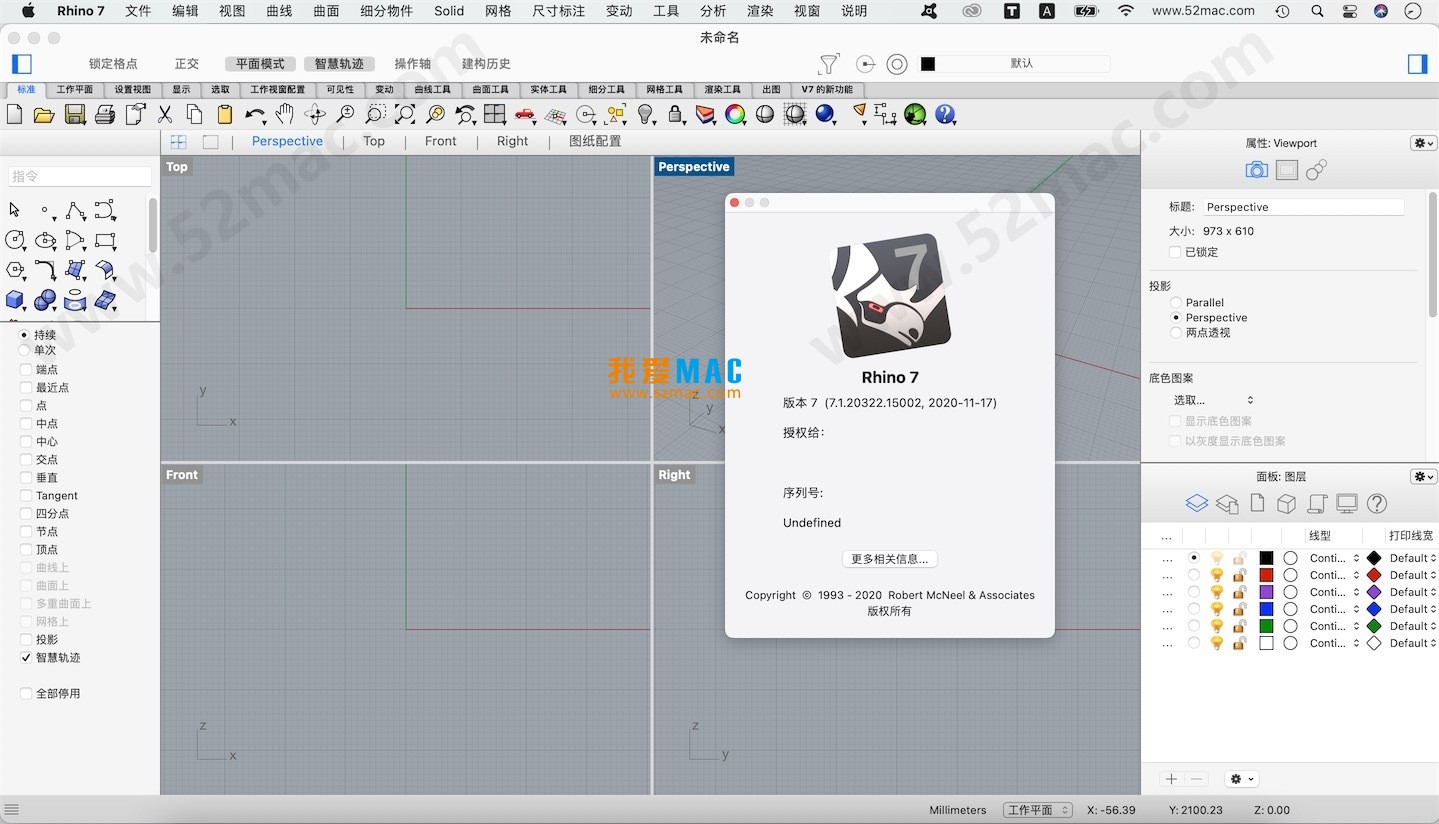
Four, Software Interface Screenshots
The following are examples of the Rhino 7 for Mac interface, showcasing its work environment and modeling capabilities.


* NURBS (Non-Uniform Rational B-Splines) is a precise mathematical representation method used in computer graphics, particularly suitable for describing complex curves and surfaces.





Ratings & reviews
4.9
(Maximum 5 ratings, total 22 user reviews)
Let’s rate it.