CAD迷你看图 for Mac is a high-performance CAD drawing viewing and annotation software designed for the macOS platform. It excels in its compatibility and smooth operation, perfectly supporting DWG formats of both two-dimensional and three-dimensional drawings from AutoCAD 2014 to 2018, making it a valuable assistant for engineers, designers, and architects.
Core Features: Quick startup, wide compatibility, intuitive operation, and comprehensive functions.
One, Core Function Overview
1.1 Drawing Viewing and Navigation
- Wide Format Support: Native support for opening .dwg, .dxf, and .dwf format files, including encrypted drawings.
- Quick Access: Associated with related drawing formats to enable double-clicking files for quick startup and opening.
- Smooth Navigation: Supports operations such as pan, box zoom, full screen display, undo, redo, and clear view.
- Advanced Compatibility: Perfectly supports the conversion of drawings by Tianzheng Architecture plugins, ensuring the correct display of professional content.
- Layout Management: Supports switching between model space and layout space.
- External References: Supports loading and displaying external reference drawings (Xref).
1.2 Annotation and Measurement
- Smart Annotation: Provides professional annotation tools such as linear, aligned, radius, diameter, angle, and coordinate.
- Precision Measurement: Supports quick measurement of area and perimeter of graphics, as well as precise calculation of distances between any two points.
1.3 Font and Display Management
- Automatic Font Adaptation: Smartly identifies and automatically adapts missing fonts in the drawing to ensure perfect display of all graphics, text, and symbols.
- External Font Extension: Users can copy custom font files to the software package’s
Contents/Resources/Fonts directory to extend the font library.
- Custom Display: Allows users to customize the background color of the drawing and the sensitivity coefficient of the touchpad/mouse for zooming.
1.4 Layers and Output
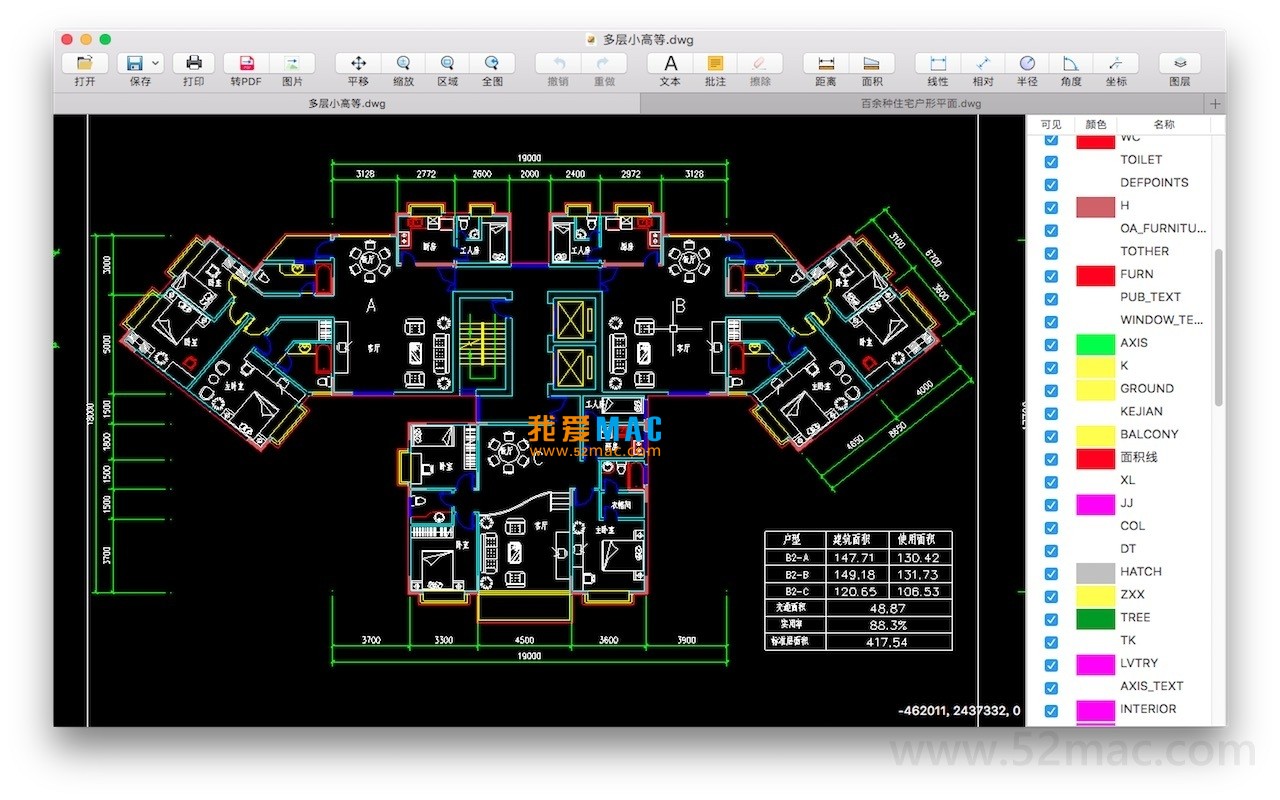
- Layer Control: Provides an intuitive layer management panel for easy viewing and control of the display and hiding states of each layer.
- Flexible Printing: Supports printing in selected areas, the entire drawing, or the current view area, and allows switching between “default color” and “grayscale” print styles.
- Convenient Export: Supports exporting drawings in high quality to PDF format, defaulting to the colored style.
- Screen Capture: Supports quick screenshotting of the current display area, window, or the entire drawing.
Two, Version Updates
Latest Version v4.4.2 Update Content:
Fixed the key issue of some specific DWG drawings not being able to open, improving the stability and file compatibility of the software.
Three, Software Interface Screenshots
Here are screenshots of the application interface of CAD迷你看图 for Mac v4.4.2 in Chinese version:


Note: This article introduces the software’s functions and features. Please follow the official copyright regulations for obtaining and using the software.




Ratings & reviews
4.8
(Maximum 5 ratings, total 77 user reviews)
Let’s rate it.