
Warning: Attempt to read property "slug" on null in /www/wwwroot/www_23mac_com/wp-includes/taxonomy.php on line 4763

Meta for Mac v2.4 Digital Music Tag Editor Activation Download

  • Introduction
Download
Download now
Join VIP Free download

Description

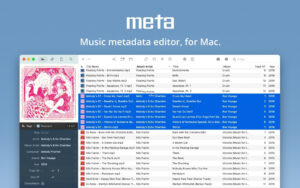
For musicians, DJs, or music enthusiasts, managing your digital music collection is likely to be a top priority. Meta can help you manage all aspects of your digital music collection, whether it’s converting vinyl records to digital format or downloading music from third-party platforms, saving you time.

Core Features:

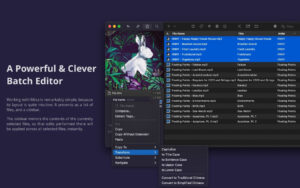
  • Batch editing of tags and album covers
  • Batch adjustment of album covers (resizing, cropping, compressing)
  • Batch string conversion
  • Batch renumbering of tracks
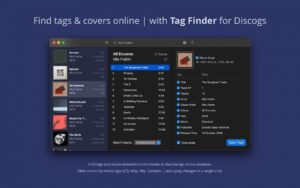
  • Online lookup of tags and high-quality album covers
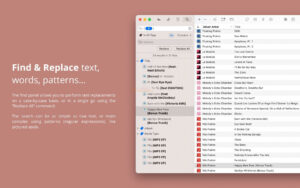
  • Text, word, and regular expression search and replace
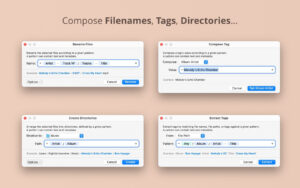
  • (Based on tags) File renaming
  • (Based on tags) Creating directory structures
  • (From file names, paths, other tags) Extracting tags
  • (Based on text and tag combination patterns) Arranging tags
  • Inbuilt file management tools (move to recent location, preview, display, delete)
  • Playlist import/export
  • Tag import/export in CSV format
  • Can sync with your preferred music libraries (iTunes, Music, Doppler, etc.)

Widespread media format support:

  • Meta supports all mainstream audio file formats, including:
  • MP3 (ID3v1, ID3v2, APE tags)
  • MP4, M4A, M4B, M4V (Atom tags)
  • FLAC (Vorbis annotation tags)
  • OGG, OGA, OPUS, SPEEX (Vorbis annotation tags)
  • AIFF, WAV (ID3v2, RIFF-Info tags)
  • DSF, DSDIFF (ID3v2 tags)

Customizable Interface:

  • Meta allows you to customize the tag panel (sidebar) configuration, which is the group of tags you most often edit. You can choose which tags to display and name them, then switch between different layouts and edit the corresponding tags (e.g., release-related, classical music, podcast layouts).

Fast, clean, and reliable:

  • Meta is a native macOS application developed based on Taglib (a mature and widely trusted open-source tag processing engine), ensuring stable performance. Tag editing operations are generally immediate and do not require manual saving — see as you do.

Version 2.4 Update Content:

  • Re-designed the tag search preference settings
  • Supports importing composer and cast artist information from the Discogs music database
  • Fixed a bug where the program might crash when the filter box loses focus
  • Corrected the localization text error for the word “play”
  • Restored the search tag shortcut to Command-Shift-F based on user requests
  • Moved the album cover sub-menu to the tag menu

Software Screenshot:


Download info

This resource requires login to download

Log in
Note: This resource is for informational purposes. By using this resource, you agree that you accept full responsibility to the copyright holder. For questions, please contact us.

Ratings & reviews

No rating

Let’s rate it.

  • 5 stars
  • 4 stars
  • 3 stars
  • 2 stars
  • 1 stars

You may also like

More
×
Meta for Mac v2.4 Digital Music Tag Editor Activation Download
iMac — One-stop Mac Software Download Platform
Social login
captcha
Social login