

Acorn for Mac v8.7 Lightweight Image Editor Activated Version Download
Acorn is a fully-featured, lightweight professional image editing software centered on a clean and efficient interactive experience. It covers diverse creative scenarios such as photo retouching, graphic design, creative painting, and batch processing, providing creators with a lightweight and cost-effective image productivity tool.
Features:
### 1. Full-stack layered editing system
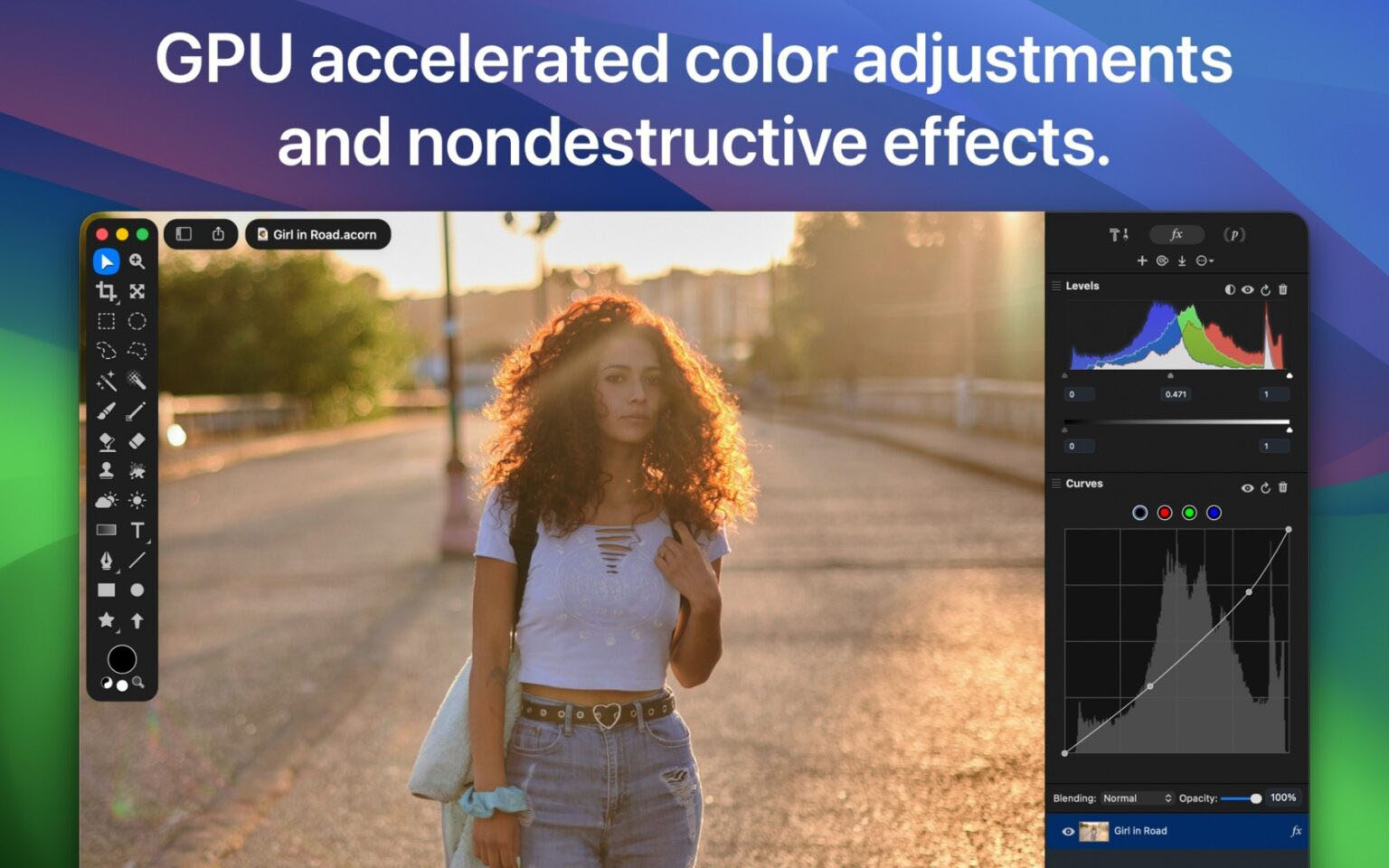
Adopts an industry-standard layered editing architecture, supporting mixed editing of bitmap layers, vector shape layers, text layers, layer groups, and masks. You can freely adjust the opacity, blend mode, and stacking order of each layer. Equipped with a non-destructive layer filter system, all color adjustments and special effects can have their parameters modified at any time, with no loss to the original image pixels throughout the process.
### 2. AI-driven intelligent retouching and selection tools
– **Smart subject selection**: Equipped with machine learning-driven subject recognition, it precisely isolates subjects such as people and objects in the image with one click, automatically generating fine selections and masks, greatly reducing manual cutout work.
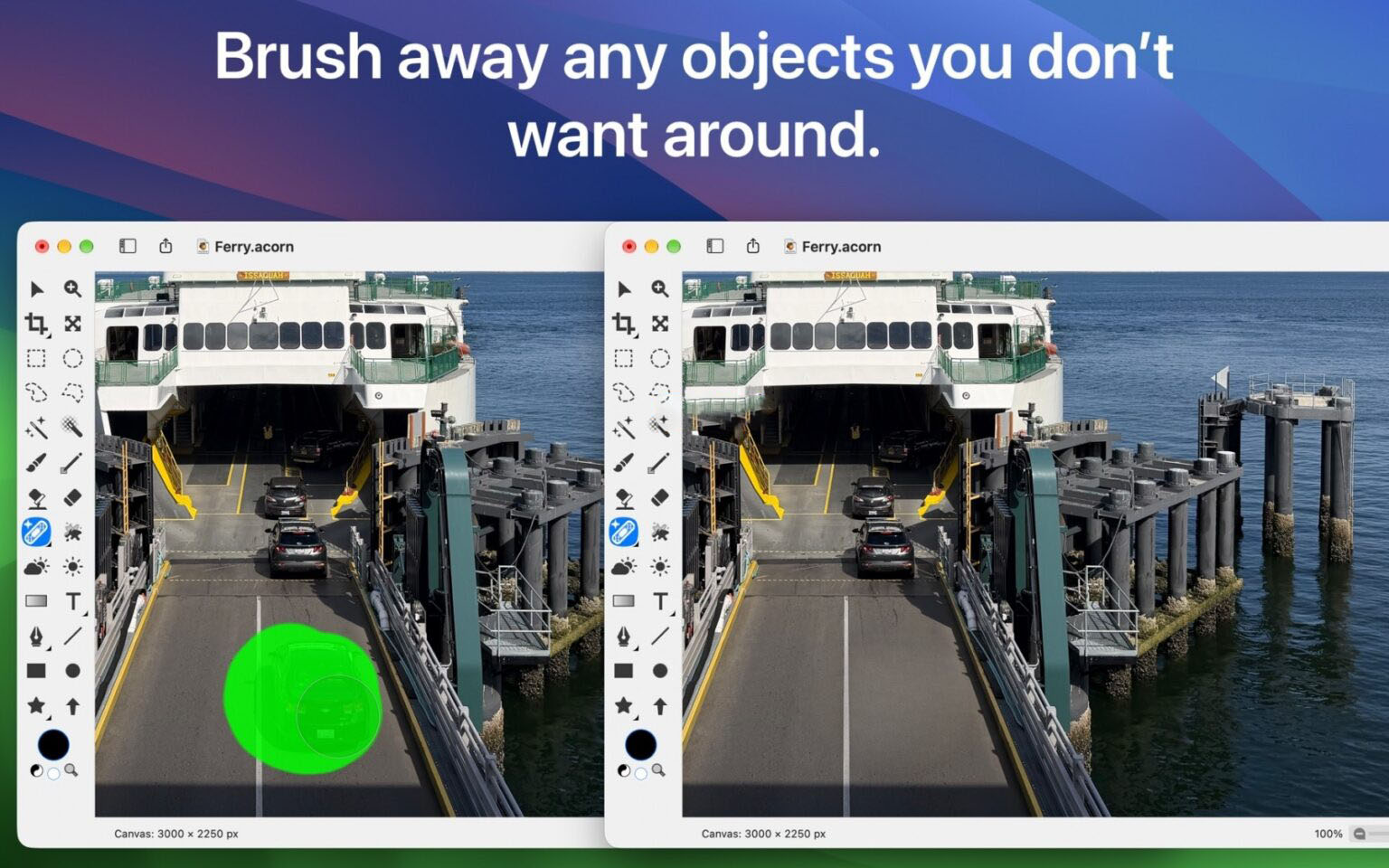
– **Synth Fill object removal**: Built-in Synth Fill brush; simply paint to remove unwanted people, clutter, blemishes, and other elements from the image, automatically matching surrounding pixel textures for seamless blending.
– **Repair brush**: An advanced intelligent retouching tool that automatically analyzes surrounding pixel patterns and removes portrait blemishes and image spots with one click, with natural and traceless transitions.
– **Live Text tool**: Directly recognizes text content in images, supporting selection, copying, and extraction of text without manual retyping.
### 3. Professional color and tonal adjustments
Provides a complete set of professional color grading tools, including levels, curves, brightness/contrast, hue/saturation, exposure, and other full-dimensional basic adjustment tools; supports LUT (lookup table) import and application for quick cinematic color grading. Supports RAW format original image import and parameter tuning, offering full-dimensional RAW adjustment options such as highlights, shadows, white balance, and noise reduction, fully preserving image quality details.
### 4. Vector design and creative text layout
Built-in rich vector shape tools, including rectangles, circles, polygons, Bezier curves, bendable arrows, and other graphic elements, supporting path anchor point editing and freeform shape transformation. Supports creative layout methods such as path text and circular text, allowing customization of all text attributes including font, kerning, line spacing, and baseline. Supports saving and reusing custom text styles, suitable for creative scenarios such as logo design and poster layout.
### 5. High-performance painting and brush engine
A new hardware-accelerated brush engine supports pressure-sensitive tablet input for a silky smooth painting experience. Supports the “speed fade” feature: the faster you paint, the thinner the line, restoring a realistic hand-drawn feel. Built-in brush designer allows real-time adjustment and preview of parameters such as tip size, hardness, spacing, and opacity, and supports saving and importing custom brush presets.
### 6. Automation and batch production workflows
– **Data merge feature**: Supports data-driven batch graphic generation; import spreadsheet data to automatically generate batch personalized designs, suitable for batch output scenarios such as business cards, certificates, and posters.
– **Batch processing capabilities**: Supports batch resizing, renaming, format conversion, watermarking, and other operations without opening images one by one, greatly improving efficiency for repetitive work.
– **Scripting and extensibility**: Supports Python and JavaScript script plugins, providing a complete JS API; includes a built-in command-line tool to control the software for automated operations via terminal; supports the MCP protocol to integrate with large language models for natural language control of image editing.
– **System Shortcuts integration**: Deeply integrates with Shortcuts, allowing one-click triggering of common editing operations and building personalized workflows.
### 7. Full format compatibility and professional export
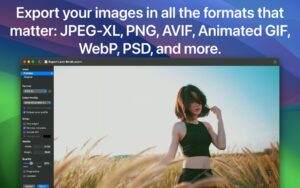
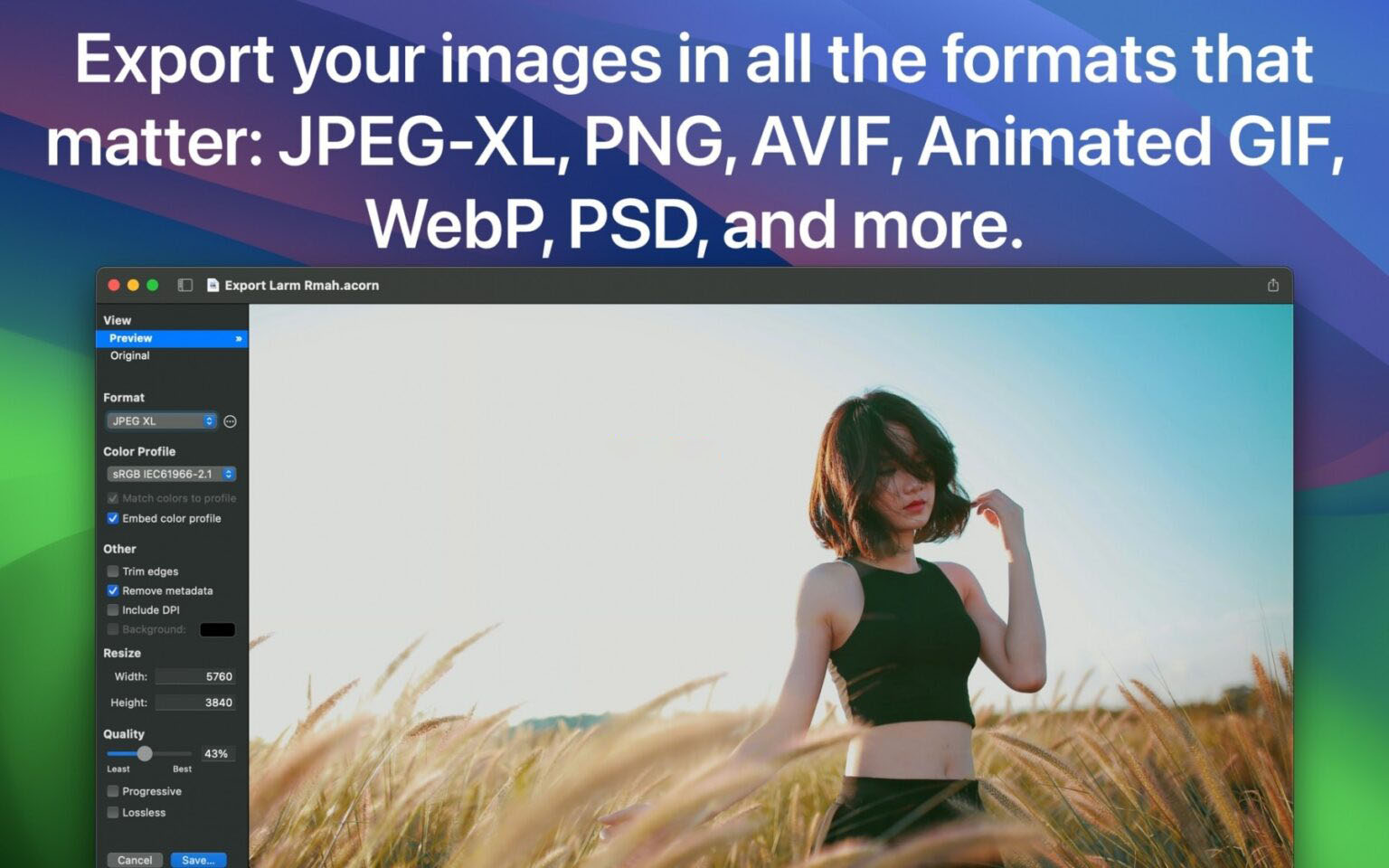
Supports import and export of mainstream image formats such as JPEG, PNG, TIFF, GIF, WebP, JPEG-XL, and TGA, and supports import and export of layered PSD files, fully preserving layer structure and layer effects. Built-in professional export tool allows real-time preview of export results, free adjustment of dimensions, compression quality, and color profiles; provides multiple social platform size presets for one-click output of image specifications suitable for each platform. Supports editing and export of animated GIF/PNG, with customizable frame range and playback frame rate.
### 8. Efficient interaction and lightweight experience
– Built-in rulers and measurement tools on the canvas support pixel-level precise alignment and dimension annotation.
– Supports scrubby zoom operation, with up to 25600% magnification, making detail viewing and fine editing more convenient.
– Supports full-screen editing and tabbed multi-document management; the interface is clean and lightweight with low resource usage.
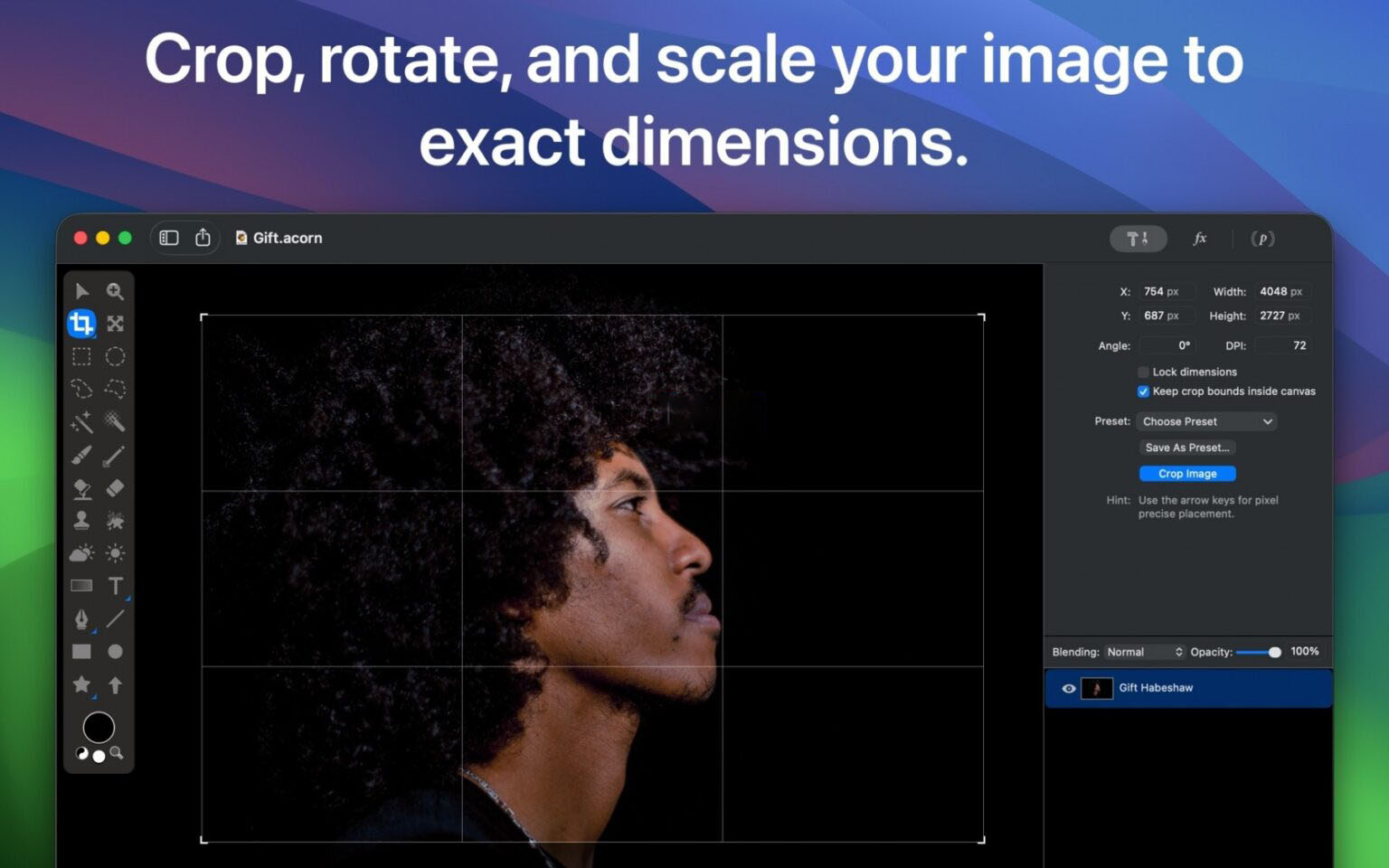
– Supports direct screenshot editing and drag-and-drop image import; includes multiple design templates for quick creative starts.
– Complete revision history, allowing undo and rollback to any editing step at any time.
Version 8.7 Updates:
## I. New Features
1. **New Synth Fill tool**: Remove unwanted objects and clutter from photos by painting with a brush; automatically matches surrounding pixel textures for seamless compositing.
2. **New Repair tool**: For local blemish repair and photo retouching; automatically identifies pixel characteristics around the repair area and generates naturally transitioning repair patches through pattern matching algorithms for traceless retouching.
3. **Multi-layer synchronized scaling**: Supports simultaneously adjusting the size of multiple selected bitmap layers, even when selections exist within the layers.
4. **Expand Selection feature**: The selection panel adds an “Expand Selection” option, allowing non-destructive expansion of the current selection by a specified number of pixels.
5. **Temperature and Tint filters**: New temperature/tint adjustment filters for precise color correction of photos that are too warm or too cool.
6. **High Pass filter**: Preserves edge details of the image while smoothing the rest to gray; combined with the “Overlay” blend mode and the original image, it achieves refined sharpening effects.
7. **Edge Stroke filter**: Adds a colored stroke effect along the transparent edges of the image.
8. **Color Overlay filter**: Adds a colored overlay layer to the layer, with customizable opacity and blend mode.
9. **Enhanced SVG import**: When opening SVG files, a new parameter settings window allows customization of the output image’s DPI, width, and height (defaulting to 72dpi native rendering specifications); also supports direct rasterization of SVG rendered via the WebKit engine, rather than converting to Acorn native shape layers.
## II. Improvements
1. **PSD import upgrade**: Improved Photoshop file import capabilities, adding support for 16-bit/channel PSD files, grayscale mode PSD files, and reading of color overlay layer effects.
2. **Comprehensive SVG import/export optimization**: Includes multiple improvements such as exporting bitmap layers to SVG files; when exporting SVG, layer names are preserved as the id attribute of layer group tags.
3. **Optimized update log entry**: The Help menu adds an “Acorn New Features” option to view the latest version notes with one click; the App Store version automatically displays update content on first launch, replacing the original menu that opened update notes in a browser.
4. **New blend mode for paint bucket tool**: The fill tool adds a “Copy (Opaque Only)” blend mode, which works similarly to the copy mode but only replaces pixels in the filled area rather than covering all pixels in the layer.
5. **Paste and Match Style optimization**: The “Paste and Match Style” menu item no longer requires holding the Option key to display; it also supports creating shape layers directly from text content in the clipboard.
6. **Export menu adjustment**: The JPEG 2000 option has been moved down in the export window to reflect Apple’s deprecation of the format (it still works normally).
7. **Enhanced alignment controls**: The action bar adds a “Disable All Snapping” action to turn off all snapping options for the current image with one click; also supports the shortcut `⌘⇧⌥;` to quickly toggle all snapping on/off.
## III. Bug Fixes
1. Fixed an issue where the progressive option was not disabled when selecting JPEG 2000 format in the export window (the format’s encoder does not support progressive); also fixed a bug where the preview image would not update correctly when switching this option for formats that support progressive.
2. Fixed excessive image margin whitespace when printing.
3. Fixed inaccurate selection positioning when using the polygonal selection tool on shape layers.
4. Fixed a conflict when loading two custom brush presets with the same name.
5. Fixed an issue where the HEIC encoder malfunctioned in Web export mode when “Embed Color Profile” was disabled and a non-RGB color profile was selected; after the fix, the color profile will be forcibly embedded in this scenario.
6. Fixed an issue where layers with masks could not be clicked through to select the layer below.
Software screenshots:
This resource requires login to download
Log in
MacDroid for Mac v1.1 Android Device File Transfer Chinese Activated Version Download | Love MAC
Downloads:455 | 2026-10-30

NBA 2K26 Arcade Edition for Mac v1.50 – NBA 2K26
Downloads:2662 | 2026-10-30

Snagit 2023 for Mac v2023.2.2 Screen Capture Software Chinese Localized Activated Version Download
Downloads:1069 | 2026-10-18

Shottr for Mac v1.7.2 – Small and Fast Screenshot Tool Activated Version Download
Downloads:658 | 2026-10-18


Ratings & reviews
4.5
(Maximum 5 ratings, total 75 user reviews)
Let’s rate it.