Pixelmator Pro for Mac is a professional-grade image editing software designed to present powerful image processing capabilities through an intuitive and user-friendly interface. It excels in image editing, graphic design, and photo retouching, and is widely favored by Mac users.
一、核心功能与专业工具
Pixelmator Pro offers a comprehensive and efficient toolset to meet various needs, from basic editing to professional creation:
- Comprehensive image editing tools: Easily enhance existing images or create new works.
- No-destructive editing: Supports adjusting individual editing steps while retaining the original image data.
- Object manipulation and composition: Conveniently move, resize, and arrange objects to build beautiful visual compositions.
- Advanced color adjustment: Utilizes lossless color adjustment tools for precise control over image colors.
- Machine learning enhancement: Based on Core ML technology, automatically optimizes photos to the best state.
- RAW file support: Directly edits RAW format images without the need for conversion beforehand.
- Professional brush system: Provides handmade, fully customizable dual-texture brushes compatible with digital drawing tablets.
- Effects and styles: Includes a rich array of built-in effects, allowing creation and saving of custom adjustments, effects, and layer styles for reuse and sharing.
- Removal and repair tools: Smartly removes imperfections or objects, seamlessly cloning image regions, and using professional touch-up tools to regulate local brightness.
- Shape transformation tools: Flexibly alters object or area shapes, suitable for artistic creation or portrait micro-tuning.
- Vector graphics design: Includes high-quality customizable vector graphics, supporting the creation of original vector paths using the pen tool.
- Professional typography tools: Provides a full suite of text design features, making it easy to create aesthetically pleasing text.
- Web-optimized output: Utilizes advanced compression algorithms to compress image sizes while maintaining quality.
- Bulk processing capabilities: Implements five built-in Automator programs for efficient image batch processing.
二、机器学习增强的图像编辑
Pixelmator Pro leverages machine learning technology to implement several intelligent editing features:
- Smart photo enhancement: Based on a training algorithm using millions of professional photos, automatically optimizes image quality.
- Layer automatic naming: Automatically generates descriptive layer names for newly added layers.
- Horizontal line detection: The cropping tool automatically identifies and straightens horizontal lines in images.
- Object removal and repair: Uses repair tools to remove objects and reconstruct image areas with high realism.
- Quick selection tool: Precisely and efficiently completes complex selection operations.
三、兼容性与集成
Pixelmator Pro boasts extensive format support and system integration capabilities:
- Multi-format support: Can open and edit JPEG, TIFF, PNG, PSD, HEIF, SVG, PDF, GIF, BMP, TGA, JPEG-2000, and other mainstream image formats.
- Photoshop compatibility: Supports opening and editing PSD files with layers.
- Vector graphics editing: Can directly edit SVG vector images.
- Integration with photo applications: Can directly launch from macOS Photos and save edited results back to the original photo library.
- Convenient sharing: Supports sharing images directly to Photos, Mail, AirDrop, and other applications.
四、版本更新记录(v3.6.11)
Version 3.6.11 Update Content:
This version mainly updated the internal user guide links, pointing to the new help documentation, and includes several detail fixes to enhance the software’s stability and user experience.
五、软件界面预览
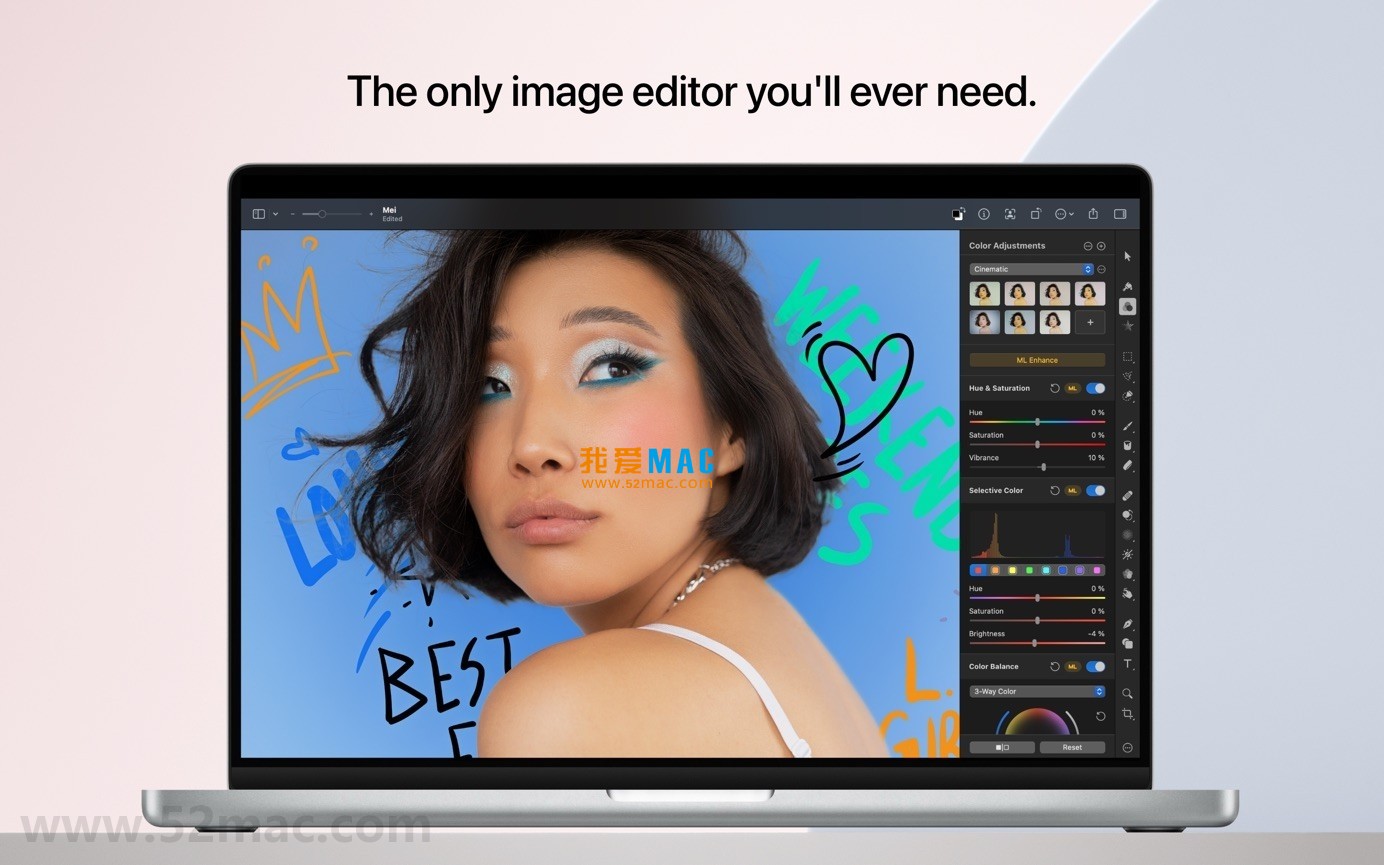
Here are screenshots of the Pixelmator Pro for Mac v3.6.11 user interface:









Ratings & reviews
4.8
(Maximum 5 ratings, total 38 user reviews)
Let’s rate it.