一、 Software Overview
Adobe Illustrator 2021 for Mac is a design industry-recognized standard for vector graphics software. Millions of designers and artists rely on this industry-standard tool to create a wide range of visual content, including web and mobile graphics, brand identities (logos, icons), book illustrations, product packaging, and large advertising billboards, among others.
Important Compatibility Note: This version (v25.2.1) does not support Mac computers with Apple Silicon M1 chips. Users with M1 or newer chip models should download the version optimized for the ARM architecture.
二、 Installation and Activation Steps
To ensure a smooth installation process, please follow the steps below carefully:
- Preparation: First, ensure that the “Security & Privacy” settings allow “Any Source” for the “Allow” option. If not, refer to the relevant tutorial to set it up.
- Key Steps: Before starting the installation, please disconnect all network connections (Wi-Fi and wired networks). This is crucial for successful activation.
- Execute Installation: Open the downloaded `.dmg` image file and double-click the 「Installer」 program to follow the prompts and complete the installation.
- Completion of Activation: After the installation is complete, the software will automatically activate. At this point, you can reconnect to the network and use Adobe Illustrator 2021 normally.
Important Reminder for Continued Use: To avoid activation failure, please do not update this software, do not upgrade to a higher version, and do not log in to Adobe ID.
Common Issues and Solutions
Issue: When double-clicking the Installer, it prompts with “Error: The installation cannot continue as the installer file may be damaged…” (Error: The installation cannot continue as the installer file may be damaged…).
Solution: This issue is usually related to system permissions or file validation. Refer to our provided dedicated troubleshooting tutorial for handling.
三、 Core Features and Capabilities
Adobe Illustrator 2021 provides a powerful suite of tools to help designers achieve outstanding creation from concept to final product.
1. Superior Vector Graphics Processing
- Lossless Scaling: Vector-based design ensures that the work remains clear and sharp from mobile device screens to outdoor billboards and other sizes.
- Powerful Drawing Tools: The suite of tools is provided to transform basic shapes and colors into refined logos, icons, and complex graphics.
2. Flexible Creation and Integration
- Diverse Creation: Supports hand-drawn sketches or converts images into vector art through tracing and repainting. The results can be easily applied to print materials, presentations, websites, and social media.
- Professional Typography Design: Utilizing industry-leading text tools, designers can create logo text, brochure layouts, or web page designs. Effects, style management, and character-level editing can be used to achieve precise visual communication.
- Seamless Workflow: Integrates with other Creative Cloud applications such as Photoshop, InDesign, XD, and After Effects for efficient cross-platform collaboration.
3. Performance and Efficiency Improvements
- Speed Optimization: Startup, file saving, and effect rendering speeds are significantly improved.
- Resource Abundance: Reusable vast libraries of vector graphics resources and quick access to an infinite font library.
- Large Canvas Support: Provides an oversized canvas designed for large-scale projects such as bus advertisements and large billboards.
- Canvas Replication: Supports quick replication of canvases to new documents or the current document, facilitating the creation of variant solutions or starting new projects.
四、 Version 25.2.1 Update Details
This version’s main updates and fixes are as follows:
- Enhanced Alignment Functionality: New dedicated alignment reference lines for Japanese characters are added, enabling more precise layout alignment.
- System Compatibility Report: Displays system compatibility status at startup, warning of potential issues in advance.
- Stability and Performance Improvements: Fixed numerous known issues, improving overall stability and operational efficiency.
Fixed Key Errors
- Applescript’s “do javascript” command is ineffective.
- Software crashes on MacBook Pro with M1 chips.
- “Crop Transparent Pixels” feature is ineffective when exporting PNGs.
- VBscript runs through “File > Other Scripts” is ineffective.
- Real-time preview anomalies occur in the transparency mask editing mode.
- The “Outline” mode’s “Use GPU to View” option is unavailable.
五、 Software Interface Screenshots
Here are screenshots of the Adobe Illustrator 2021 for Mac (v25.2.1) Chinese version’s running interface:
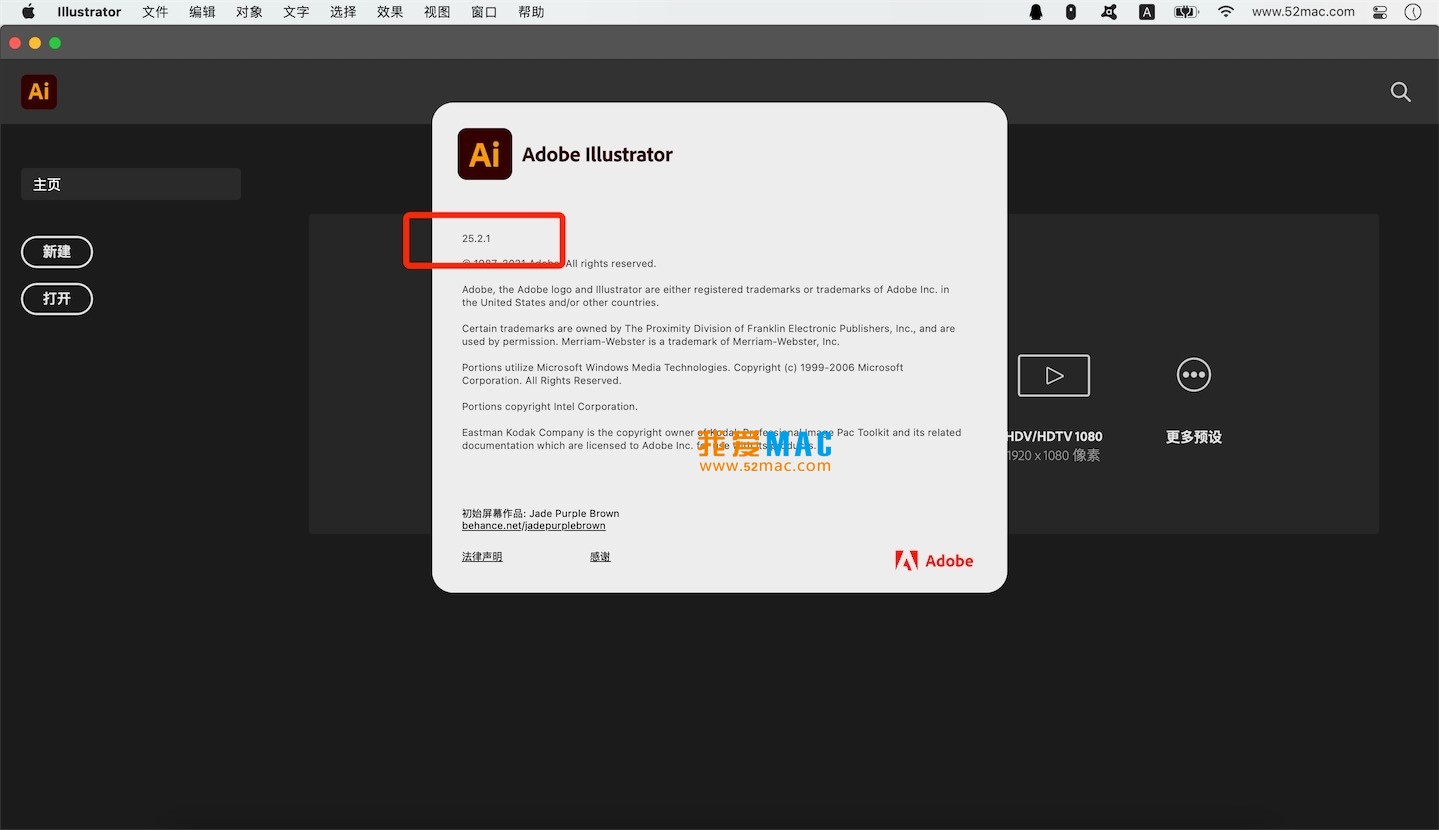


Software Name: Adobe Illustrator 2021 for Mac v25.2.1 Chinese Unactivated Version




Ratings & reviews
4.6
(Maximum 5 ratings, total 25 user reviews)
Let’s rate it.