





Ulysses for Mac v41.1: Professional Markdown Writing Tool Chinese Activation Download
Ulysses for Mac is a comprehensive writing software. Ulysses provides a delightful and focused writing experience, along with efficient manuscript management, seamless synchronization, and flexible export, making it the first choice for various writers.
**Note:** When you first open the app, you may see a spinning circle loading window. You can restart the app to open it normally.
### A Word of Advice:
The editor in Ulysses is based on tags, which won’t distract you, allowing you to fully immerse yourself in important tasks: writing, editing, and other functions. Formatting is adjusted last, so you can focus on the task at hand. Ulysses’ streamlined toolset covers the entire writing process, with a simple interface that significantly enhances your efficiency. From draft to final draft, from introduction to conclusion, Ulysses guides you through the writing process smoothly, helping you complete your writing.
### A Word of Advice:
All your creations are stored in Ulysses’ unified library. You can manage various types and sizes of projects, including novels, diaries, or study notes, which are constantly saved and automatically synchronized. Since Ulysses has consistent functionality on macOS and iOS, you can record your ideas anytime, anywhere, using all the tools and all the text at your fingertips.
### A Word of Advice:
Ulysses comes with built-in proofreading and editing assistants, allowing you to write with confidence. It supports 20+ languages, analyzing your text and providing wise suggestions on capitalization, punctuation, semantics, redundancy, and style.
### A Word of Advice:
Ulysses can export in a flexible manner to meet the needs of writers: converting your text into beautiful PDFs, Word documents, or eBooks. You can also export HTML code for convenient use online. You can choose from various pre-defined styles or create your own and share them with other users.
### A Word of Advice:
Ulysses makes it easy to publish content on WordPress, Ghost, and Medium. You can directly publish to WordPress and Ghost within the app – including images, tags, categories, etc. Publishing to Medium is also simple, with built-in preview features allowing you to review and submit your content.
Ulysses 41.1 Update:
### Improvements
– In response to user requests, we added several icon packs, including pizza, flash, and electric car (¯_(ツ)_/¯).
– Improved accessibility support for editing filter conditions and icon packs.
– Improved the speed of searching for manuscripts in the Quick Open.
– Improved the way content is passed to the “Quick Actions” app.
### Fixes
– Fixed performance issues when using the Magic Keyboard with a trackpad. This issue was very frustrating to locate and reproduce, but it has been resolved. For affected users, Ulysses will feel like a brand new app.
– Fixed the crash issue when clearing daily goals.
– Fixed the crash issue when adding goals.
– Fixed the crash issue when exporting to Markdown.
– Fixed the duplicate “Close” button issue in the export preview on iPad.
– Fixed the issue where the list of manuscripts displayed incorrectly after dragging.
– Fixed the issue where the manuscript was unnecessarily updated when opening the equation editor.
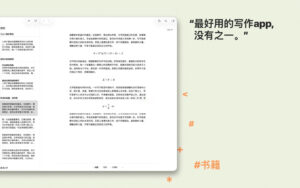
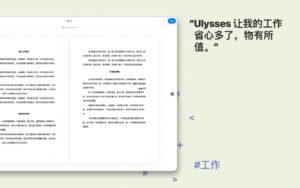
Screenshots:
This resource requires login to download
Log in
Highly Customizable Audio DAW Bitwig Studio 2 for Mac 2.2.2 Activation Download
Downloads:3576 | 2026-10-24

Iron Marines+ for Mac v1.0.1 Strategy Battle Game: Download & Activate Version
Downloads:2607 | 2026-10-23

Better Finder Rename 11 for Mac v11.45 Activation Download
Downloads:2383 | 2026-10-20

OCR Text Sniper for Mac v1.9.0 Activation Download
Downloads:1571 | 2026-10-19


Ratings & reviews
No rating
Let’s rate it.