| Capture One Pro is a professional RAW image processing software developed by Danish company Capture One, renowned for its cutting-edge color science and industry-leading offline shooting capabilities. It boasts powerful non-destructive editing, AI intelligent tools, and efficient asset management, making it the go-to platform for commercial and professional photographers.
### 一、行业领先的RAW处理与色彩科学
This is the core strength of Capture One Pro, distinguishing it from other software.
– **Patented RAW conversion engine**: Supports over 650 camera and lens combinations, preserving the most image details and dynamic range, rendering results far superior to other software.
– **Precise color management**: Built-in ICC color profiles tailored for each camera, ensuring “what you see is what you get” true-to-life color reproduction, precise matching Pantone color values in commercial photography.
– **Advanced color editor**: Offers global, channel-specific, and skin tone-level color control, allowing independent adjustment of any color’s hue, saturation, and brightness without affecting other colors.
– **Exclusive skin tone tool**: Unique skin tone separation feature, allowing separate adjustment of skin tone’s red, yellow, and green channels, making natural and uniform skin tones easy, without complex layer operations.
– **Professional lens correction**: Built-in 500 official lens profiles automatically correct distortion, vignetting, color shifts, and sharpness degradation, supporting custom lens correction.
### 二、业界标杆级联机拍摄功能
Capture One’s offline shooting is widely regarded as the industry leader, standard equipment in commercial studios.
– **Stable and reliable wired shooting**: Supports all major camera brands, displaying full preview within 0.5 seconds post-shoot, allowing real-time parameter adjustments.
– **Real-time monitoring and adjustment**: During shooting, real-time application of color correction, sharpening, and presets can be applied, with final effects visible on the computer.
– **Advanced camera control**: Direct control of camera parameters such as shutter, aperture, ISO, white balance, and focus within the software.
– **Automatic naming and categorization**: Automatically name, categorize, and add metadata to photos, eliminating the need for post-processing.
– **ReTether feature**: Automatically scans the camera’s storage card upon connection interruption, restoring untransmitted files to prevent data loss.
### 三、强大且精准的图像编辑工具
Provides a comprehensive suite of tools for basic adjustments to advanced retouching, many of which can be completed without jumping to Photoshop.
– **Non-destructive layer editing**: Supports unlimited adjustment layers, each with its own mask and blending mode, allowing all operations to be undone at any time.
– **AI intelligent masks**: Automatically detects elements like people, skin, eyes, hair, clothing, sky, and background, generating precise masks with a single click, supporting batch application.
– **Local adjustment tools**: Offers various local adjustment methods including brush, gradient, radial gradient, and luminosity masks, allowing independent adjustments to any image region.
– **Advanced retouching tools**: Tools like spot healing, clone stamp, and healing brush, supporting natural retouching of skin texture.
– **HDR merging and panoramic stitching**: Supports multi-frame HDR merging and 360-degree panoramic stitching, preserving full dynamic range and details.
– **Perspective correction**: Automatic and manual perspective correction features, precisely correcting perspective deformation in architectural and product photography.
– **Black and white conversion**: Professional black and white conversion tools, allowing separate control of different colors’ brightness for rich black and white tones.
### 四、高效灵活的工作流与资产管理
Designed for high-volume professional photographers, capable of handling daily thousands of photos.
– **Dual workflow modes**:
– **Session mode**: Suitable for single projects, files saved in the original folder, no large database, fast and stable, the preferred choice for most professional photographers.
– **Directory mode**: Suitable for long-term asset management, supports cross-project search and smart albums.
– **Quick selection tool**: Supports star ratings, color tags, flags, and keywords, providing a dedicated selection view for quick browsing and filtering of large photo collections.
– **Smart adjustments**: One-click automatic adjustments for exposure, white balance, and contrast, optimized for portraits and landscapes.
– **Styles and presets**: Supports creating and importing styles and presets, allowing the application of editing effects to multiple photos with a single click, achieving unified styles.
– **Batch processing**: Supports batch adjustments, batch exports, batch renaming, and batch adding metadata, significantly improving efficiency.
– **Metadata management**: Complete IPTC and EXIF metadata editing capabilities, supporting batch editing and searching.
### 五、专业级输出与导出能力
Offers flexible and diverse output options to meet different delivery needs.
– **Multiple export recipes**: Allows creation of multiple export recipes, enabling the export of files in different sizes, formats, and qualities with a single click.
– **High-quality zoom engine**: Advanced image zoom algorithms, maintaining maximum clarity and details when zooming in or out.
– **Watermarks and borders**: Supports adding text and image watermarks, allowing customization of position, size, transparency, and rotation angle.
– **Color management output**: Supports embedding different ICC profiles, ensuring color consistency across different devices.
– **Printing tools**: Professional printing tools, supporting soft proofing, precise color management, and various printing layouts.
– **Third-party software integration**: Supports direct sending of images to Photoshop, Affinity Photo, and other software for advanced editing, supporting bidirectional workflows.
Version 16.8.0 Update Content:
### 1. 增强降噪(Enhanced Denoise)
– **AI-driven denoising engine**: Optimized for high ISO images, effectively reducing noise while preserving natural skin tones and fine textures.
– **Impact slider to control denoising intensity (default 50)**: Allows saving as a style or applying to the entire shoot.
– **Applicable to Bayer format RAW files with ISO 3200 and above**.
– **Background processing, does not interrupt other editing tasks**.
– **Current limitations**: Not yet supported for Fujifilm X-Trans, monochrome, linear RGB RAW, and JPEG files (X-Trans support planned for future versions).
### 2. 佳能第二代无线联机拍摄
– **Patent-pending technology developed in collaboration with Canon**: Achieves near-wire speed wireless RAW file transfer.
– **Send small, editable RAW files first, then transfer full-resolution files in the background**.
– **Supports automatic reconnection and ReTether feature**.
– **Even if full-resolution transfer fails, small files remain usable and exportable**.
– **Supported cameras**: Canon EOS R5 Mark II, Canon EOS R1.
### 3. 辅助审阅(Assisted Review)Beta version
– **AI automatic photo screening**: Detects issues like closed eyes, out-of-focus eyes, and black frames, automatically tagging problematic photos.
– **Tags can be directly filtered or used in smart albums**.
– **Compatible with star ratings and color tags**.
– **Located in the “Library” tool tab**.
### User Experience and Performance Improvements
#### 更快的联机拍摄与AI调整
– **New “When Preview Is Ready” mode (enabled by default in 16.8)**: Immediate display of color correction and sharpening previews post-shoot.
– **AI adjustments (like masks, retouching) run in the background**.
– **Ensures continuous and smooth shooting process, unaffected by real-time monitoring**.
#### 改进的ReTether功能
– **Now supports Canon’s second-generation wireless shooting**.
– **Toolbar button for quick enabling/disabling**.
– **Progress bar added to the camera tool for showing storage card scanning and file transfer status**.
– **Solved the issue of duplicate files with dual storage cards**.
– **Benefited from more stable connections and recovery capabilities in wired shooting as well**.
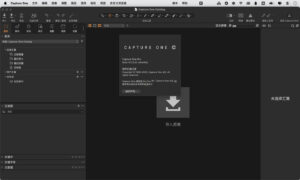
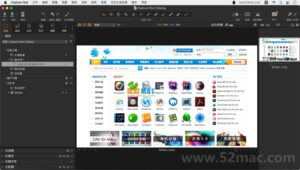
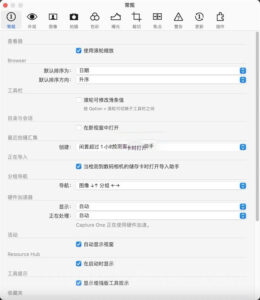
Software Screenshot:
 |




Ratings & reviews
No rating
Let’s rate it.