

Batch Data Validation and List Cleanup Tool for Mac v1.0.45

  • Introduction
Download
Download now
Join VIP Free download

Description

List Validator Pro is a batch data validation and list cleaning tool designed specifically for macOS. It can check and organize large data lists in a few seconds, ensuring both data security and fast processing speed. It supports various common data formats, making it an ideal tool for developers, data analysts, marketers, QA teams, and anyone dealing with structured data.

  • 1. Comprehensive Built-in Validators
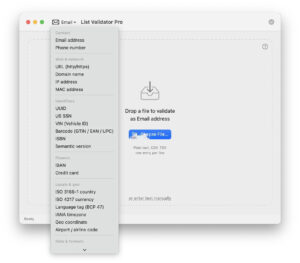
    • It comes with professional validation rules for seven common data formats, including email addresses, URLs, IBAN, ISBN, UUID, IP addresses, and credit card numbers. Each format includes checks for correct structure, format validation, and checksum verification.
  • 2. Rapid Local Processing
    • The software runs entirely on your Mac, without relying on any external servers. It can process up to thousands of entries per second, even for lists containing tens of thousands of entries, in just a few seconds.
    • There are no rate limits, allowing you to process any size list without waiting.
  • 3. 100% Privacy and Security
    • Your data never leaves your Mac. No data is uploaded to external servers. The software does not record any data content that has been validated. It complies with GDPR and other data privacy regulations.
  • 4. Simple Import Methods
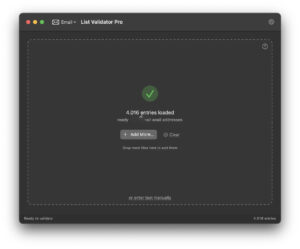
    • Drag-and-drop import: Simply drag .txt or .csv files to the software window.
    • Finder selection: Import files through the standard file selection dialog.
    • Paste import: Paste data into the built-in editor with real-time row numbers.
  • 5. Intelligent Result Filtering and Viewing
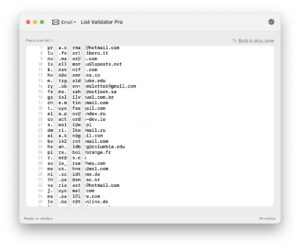
    • After validation, the results are automatically categorized into “valid” and “invalid” categories.
    • Quickly switch between viewing all, valid, or invalid entries.
    • Real-time row numbers make it easy to pinpoint the content needing corrections.
    • Correct errors directly within the software.
  • 6. Flexible Export Options
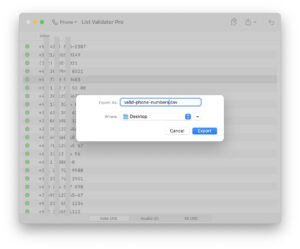
    • After validation, you can export the cleaned results to various common formats:
    • CSV (comma-separated values)
    • TSV (tab-separated values)
    • JSON
    • Pure text
    • PDF
    • The exported files can be directly imported into spreadsheets, databases, or reports.

Software Screenshots:


Download info

This resource requires login to download

Log in
Note: This resource is for informational purposes. By using this resource, you agree that you accept full responsibility to the copyright holder. For questions, please contact us.

Ratings & reviews

No rating

Let’s rate it.

  • 5 stars
  • 4 stars
  • 3 stars
  • 2 stars
  • 1 stars

You may also like

More
×
Batch Data Validation and List Cleanup Tool for Mac v1.0.45
iMac — One-stop Mac Software Download Platform
Social login
captcha
Social login