

Note and Document Manager for Mac v2.8.7 Activation Download
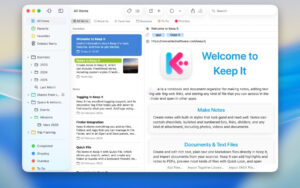
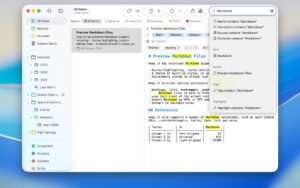
Keep It for Mac is a notepad, clipboard, and organizer app designed for writing notes, saving web links, storing documents, images, or any type of file, and finding them again later.
Tip: If you encounter a crash issue, please disable SIP.
Keep It is your destination for all things you want to store, and you’ll find them again in the future.
Create, edit, view, and save:
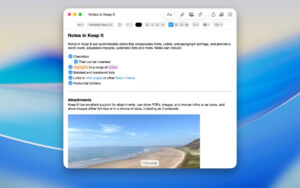
– Notes with styles, lists, and attachments, looking good on all your devices
– Real-time previews of web links, saved as PDFs or web archives for offline viewing
– Rich text files and plain text files
– Markdown documents with multiple styles and syntax highlighting
– Highlights and annotations for PDF documents
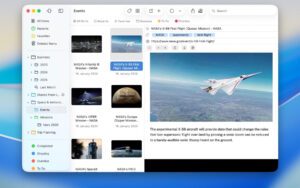
– Add any other type of file and preview most images, documents, and web pages
– View summaries and thumbnails of most file lists
– Browse items using icon view
– View recently added or viewed items in the “Recent” list
– Share folders and projects with other Keep It users via iCloud
– Encrypt files with a password
Organize:
– Folders to organize things hierarchically—select a folder to see all its contents
– Bundles to group items together—items can be placed in multiple bundles
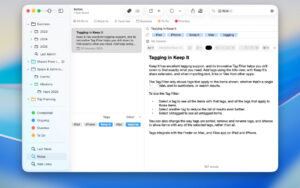
– Tags to color-code items for quick visual recognition
– Add searchable tags and comments
– Mark projects as favorites and drag them to the favorites bar for quick access
Search and filter:
– Search all content in Keep It: names, tags, file contents, dates, types, etc.
– Text recognition for scanning documents and images
– Quick suggestions to create complex searches
– Save searches for future use
– Use keywords and natural language as dates
– Filter projects by tags and any other relevant tags; choose another tag to go deeper
Use Keep It with other apps:
– Compact mode reduces the app to a single column, perfect for using with other apps
– Drag any item to keep it in place
– Copy clickable links to Keep It items and lists
– Share extensions can add links, text, images, and files to other apps’ notes
– Save files to the Keep It folder to automatically add them to the Library
– Use bookmarks to add links from browsers not using share extensions
– Use AppleScript, Automator, or shortcuts to automate tasks
Version 2.8.7 Update:
– Fixed issues with suffix anomalies when renaming rich text files
– Fixed alignment issues with recommended content when editing text links in memos, rich text, and Markdown files
– Fixed issues with file deletion and integration with Finder
– Optimized font replacement effects when missing corresponding styles on Mac
– Fixed summary errors after viewing and editing encrypted memos or text files
– Optimized progress display accuracy when syncing shared projects and folders for the first time
– Fixed occasional crashes when entering compact mode
– Fixed issues with project retrieval when searching for items via source URLs
– Fixed issues with quick actions not reading attachments in memos and rich text documents
– Fixed issues with the import interface not clearing the history import file list
– Fixed issues with suffix display when renaming projects
– Fixed issues with tags not syncing when enabling Finder integration
– Fixed image display issues on macOS 12.6
– Optimized Markdown file link recognition capabilities
Screenshots:
This resource requires login to download
Log in
Softorino YouTube Converter 2 for Mac 2.0.19 SYC Activation Download
Downloads:131 | 2026-10-24

DJay Pro AI for Mac v4.0.3 Download Activation Version
Downloads:2649 | 2026-10-24

Fig Player for Mac v1.3.15 Chinese Activation Version Download
Downloads:2450 | 2026-10-24

Topaz DeNoise AI v3.0.2 AI Image Noise Reduction Software Activation Version Download
Downloads:463 | 2026-10-23


Ratings & reviews
No rating
Let’s rate it.