


Pages for Mac v15.3: Document Editing and Layout Software – Chinese Activation Version Download

  • Introduction
Download
Download now
Join VIP Free download

Description

Use Pages on Mac to create polished documents. Apple-designed report, resume, poster, or eBook templates are available for beginners. You can easily add images, videos, audio, tables, charts, and shapes. Use annotations, revision tracking, and highlights to check your work. On iPhone and iPad, the screen view optimizes content for easier editing.

  • Access iCloud.com from iPhone, iPad, Mac, or even PC to handle work
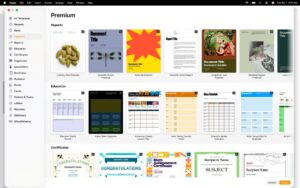
  • Choose from various Apple-designed templates
  • Include a large number of predefined styles for shapes, tables, and charts
  • Import and edit Microsoft Word and text files

Create polished documents

  • Format your document with beautiful styles, fonts, and textures
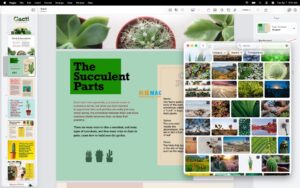
  • Add recorded audio, video, and image galleries to make content more appealing
  • Create page templates to maintain consistent layouts for entire page designs
  • Use powerful graphics tools, including image background removal and masking
  • Design interactive EPUB books that can be shared or published to Apple Books
  • Use Apple Pencil to draw, write, or annotate on iPad

    Advanced tools

  • Use the Outline view to easily navigate through your document or book
  • Add comments and threaded conversations
  • Open revision tracking to add markers while editing your document
  • Create footnotes and endnotes and view character counts, word counts, and paragraph statistics
  • Add elegant mathematical equations using LaTeX or MathML
  • Use speaker mode on iPad to automatically scroll text during presentations
  • Integrate seamlessly to insert citations from EndNote* on Mac

    Share with anyone

  • Share documents publicly or collaborate with specific users using iCloud or Box
  • View changes made by others in real-time on any device
  • Export documents to EPUB, Microsoft Word, RTF, TXT, and PDF formats

    Apple Smart

  • Use writing tools to proofread, rewrite, summarize, and create text
  • Create interesting personal images based on text descriptions using “PhotoFunia*”

    Version 15.3 Update Content:

    • For Apple Creative Workshop subscribers: Open Pages documents on iPad in Pixelmator Pro and view edited versions of images within the document
    • Generate editable custom shapes based on text descriptions to explain your document

    For everyone:

  • Insert hyphens automatically as you type
  • Hide or show invisible formatting symbols
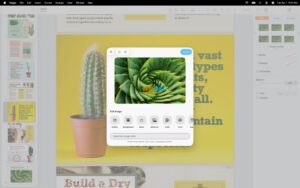
  • Easily replace images in your document with content from the Content Center

    Software Screenshot:


  • Download info

    This resource requires login to download

    Log in
    Note: This resource is for informational purposes. By using this resource, you agree that you accept full responsibility to the copyright holder. For questions, please contact us.

    Ratings & reviews

    No rating

    Let’s rate it.

    • 5 stars
    • 4 stars
    • 3 stars
    • 2 stars
    • 1 stars

    You may also like

    More
    ×
    Pages for Mac v15.3: Document Editing and Layout Software – Chinese Activation Version Download
    iMac — One-stop Mac Software Download Platform
    Social login
    captcha
    Social login