


Numbers for Mac v15.3.1: Excel-Compatible Spreadsheet Chinese Activation Download

  • Introduction
Download
Download now
Join VIP Free download

Description

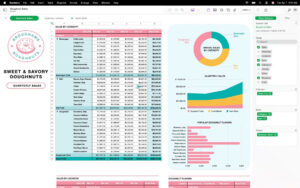
Use Numbers on Mac to create beautiful spreadsheets. With various Apple-designed templates, you can tackle everything from household budgets to invoices. Add tables, charts, text, and images anywhere on a flexible canvas. Add interactive charts to your data for animation effects, use a data pivot table to discover patterns, and use hundreds of powerful functions.

Quick Start:

  • Access iCloud.com from iPhone, iPad, Mac, or PC to manage your work
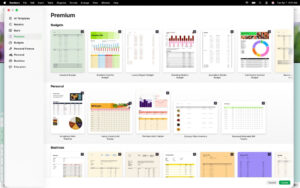
  • Select from various Apple-designed templates
  • Add a wide range of pre-defined styles for shapes, tables, and charts
  • Import and edit Microsoft Excel and CSV files

Create beautiful spreadsheets

  • Place tables, charts, text, and images anywhere on a flexible canvas
  • Create forms on iPhone or iPad to quickly input data anywhere
  • Draw or write with Apple Pencil on iPad

Powerful formulas for everyone

  • Select from hundreds of powerful functions, including XLOOKUP and RegEx
  • Search the integrated function browser for built-in help and formula examples
  • Add stock information to your spreadsheets
  • Use overflow arrays to see the results of a single formula in multiple cells

Everything fits together

  • Use data pivot tables and categories to view data in a new way
  • Quickly organize and summarize tables for new analysis
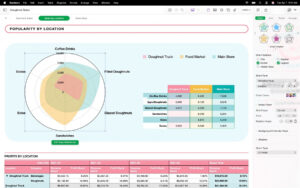
  • Insert beautiful 2D and 3D charts, including bar charts, column charts, line charts, area charts, pie charts, donut charts, and radar charts
  • Add interactive bar charts, line charts, scatter plots, and bubbles to your data
  • Filter large tables for specific values, text, or repeated entries
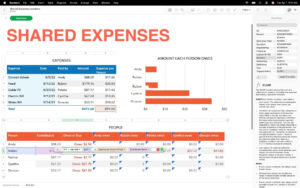
  • Use sliders, step controls, checkboxes, pop-up menus, and star ratings to modify values in cells

Share with anyone

  • Share spreadsheets publicly or collaborate with specific users using iCloud or Box
  • Make changes from any device and view other people’s change lists in real-time
  • Export spreadsheets to CSV, TSV, PDF, and Microsoft Excel

Apple Smart

  • Use writing tools to proofread, rewrite, summarize, and create text
  • Create interesting personal images based on descriptions with “Drawings”

Changes in version 15.3.1:

  • Solved several minor issues to improve overall performance and functionality.

Software Screenshots:


Download info

This resource requires login to download

Log in
Note: This resource is for informational purposes. By using this resource, you agree that you accept full responsibility to the copyright holder. For questions, please contact us.

Ratings & reviews

No rating

Let’s rate it.

  • 5 stars
  • 4 stars
  • 3 stars
  • 2 stars
  • 1 stars

You may also like

More
×
Numbers for Mac v15.3.1: Excel-Compatible Spreadsheet Chinese Activation Download
iMac — One-stop Mac Software Download Platform
Social login
captcha
Social login