
Warning: Attempt to read property "slug" on null in /www/wwwroot/www_23mac_com/wp-includes/taxonomy.php on line 4763

Geekbench 7 for Mac v7.1.0 System Performance Testing Tool Activation Version Download

  • Introduction
Download
Download now
Join VIP Free download

Description

Geekbench is a professional-grade hardware performance benchmarking tool that quantifies CPU, GPU, and AI computing performance through realistic workload scenarios, providing precise, traceable data for hardware performance evaluations, device comparisons, and upgrade decisions.

Common Issues: If any sources are already open and still prompt a damaged message, select “Open Anyway” in System Settings -> Privacy & Security -> Security, as shown in the image below.

Function Features:

  • Multi-core and single-core dual-dimensional testing: Outputs single-core and multi-core performance scores. Single-core corresponds to the response speed of software startup and web browsing in lightweight scenarios, while multi-core corresponds to video rendering, code compilation, and batch processing in heavy-load scenarios. This covers the performance of processors under different usage modes.
  • Full-range workload coverage: Covers classic desktop tasks such as data compression, text processing, image rendering, PDF generation, navigation calculations, and password computation, as well as modern media and entertainment workloads such as AV1 screen sharing encoding, Opus audio compression, real-time subtitles in audio/video decoding, and game physics simulation. These are tailored to current office and content creation real-world usage needs.
  • Adaptation to heterogeneous architecture: Optimizes test scheduling logic for processors with mixed cores, accurately reflecting the performance of high-performance cores and energy-efficient cores, and aligns with modern processor hardware design features, making the test results more aligned with actual usage experiences.
  • Multiple computing interfaces compatibility: Supports Metal, OpenCL, Vulkan, and CUDA mainstream graphics computing APIs, allowing full utilization of different architecture GPUs’ general computing capabilities, and outputs performance scores corresponding to the technical standards, meeting the testing needs of different hardware vendors.
  • Professional computing loads across multiple fields: Covers image processing, computational photography, computer vision, and physical simulation scenarios, including background blurring, face detection, edge recognition, image synthesis, feature matching, and particle physics, corresponding to actual work scenarios such as image editing, video post-production, and industrial simulation.
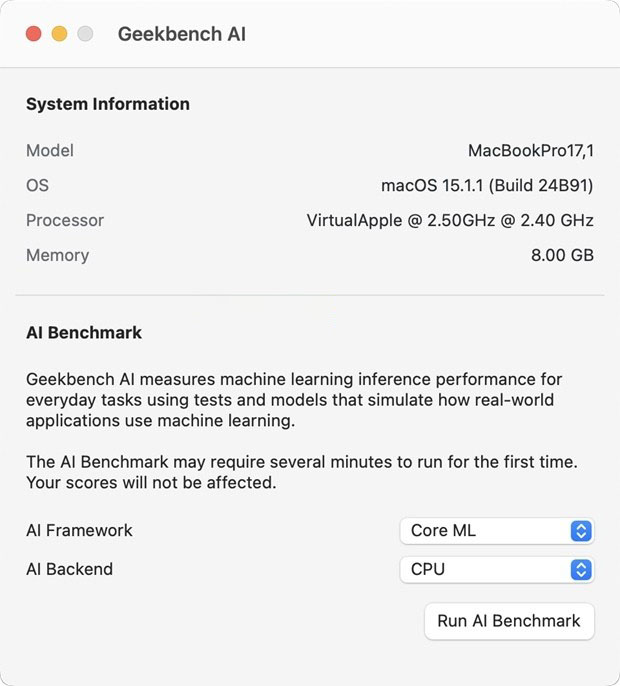
  • Specialized AI computing load testing: Includes a complete set of AI inference workloads, simulating AI image recognition, content processing, and model computation tasks, quantifying the hardware’s AI computing performance, and intuitively reflecting the actual performance limit of the device in AI-assisted functions.
  • Real-world scenario-based testing system: All test items are based on real software workflows and real data sets, using typical tasks from daily office, content creation, and entertainment scenarios, rather than pure theoretical numerical operations, directly corresponding to actual usage experiences, and having strong reference value.
  • Standardized unified scoring system: Uses a globally calibrated quantification scoring standard, doubling the score represents a doubling of performance, making the results intuitive and understandable, allowing direct comparison of hardware performance across different devices, without the need for additional conversions.
  • Complete hardware information detection: Automatically identifies and displays complete hardware configuration information, including processor models, core specifications, memory parameters, and graphics card specifications, synchronously recording the test environment to ensure that each test result can be traced and verified.
  • Results management and cross-platform comparison: Supports cross-platform performance benchmarking using a unified testing standard and scoring system, allowing performance comparisons between different devices, operating systems, and processor architectures, breaking down platform barriers, and achieving fair cross-platform hardware performance benchmarks.
  • Online result database: Test results can be uploaded to the Geekbench Browser online database for viewing the reference intervals of hardware with the same model globally, or for centralized management of all devices’ test records, establishing a dedicated hardware performance archive.
  • Result export and sharing: Supports the export and one-click sharing of test results, generating standardized performance reports for various professional scenarios such as hardware reviews, device procurement assessments, and fault performance troubleshooting.
  • Advanced professional features: Supports local storage of test results, allowing testing in confidential environments, internal networks, or secure scenarios without the need for cloud uploads. Provides an automated command-line testing interface, supporting batch device testing and automated script calls, suitable for laboratory testing, enterprise batch device inspections, and frequent professional scenarios.
  • Portable operation mode: Supports direct operation from mobile storage devices or network drives, without the need for local installation and deployment, facilitating multi-device field testing and on-site hardware inspections in fieldwork scenarios.
  • Version 7.1.0 Update Content:
    • New media class workloads: Adds AV1 screen sharing video encoding tests, Opus audio compression tests, Whisper speech recognition real-time subtitle generation tests, and Jolt physics engine-based game physics tests. The image editor test is upgraded to include more real editing operations, and the image library test now supports JPEG XL and DNG modern image formats.
    • More intelligent multi-core benchmarking: Reconstructs the multi-core scoring logic, only accounting for multi-threaded design applications when scoring multi-core tests. Removes the multi-core scoring for HTML5 browser tests, aligning with the actual running characteristics of single-threaded or lightweight-threaded browsers. The multi-core scores are more aligned with the actual performance of real usage scenarios, avoiding the distortion of pure theoretical multi-threaded scores.
    • Comprehensive upgrade of GPU benchmarking: Adds machine learning-related GPU loads such as face tracking and real-time filters, AI image super-resolution, and video conference background blurring. Content creation-related GPU tests include RAW image processing, LUT video color correction, path tracing, and fluid simulation. CUDA API support is added, covering all platforms’ GPU computing scenarios with OpenCL, Vulkan, Metal, and CUDA.
    • Bigger scale test data sets: Expands file compression tests to include source code, target code, and text document types. The PDF viewer test updates the document library to include diverse materials such as maps, technical documents, and academic papers. Development and image processing-related tests are fully upgraded, adding more assets and new file formats.


Download info

This resource requires login to download

Log in
Note: This resource is for informational purposes. By using this resource, you agree that you accept full responsibility to the copyright holder. For questions, please contact us.

Ratings & reviews

No rating

Let’s rate it.

  • 5 stars
  • 4 stars
  • 3 stars
  • 2 stars
  • 1 stars

You may also like

More
×
Geekbench 7 for Mac v7.1.0 System Performance Testing Tool Activation Version Download
iMac — One-stop Mac Software Download Platform
Social login
captcha
Social login