


Clipboard Manager for Mac v6.5.1 Professional Chinese Activation Edition Download
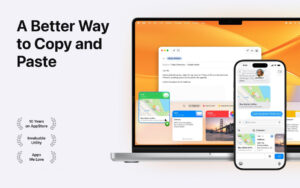
Paste is the ultimate clipboard manager, redefining how you manage the content you copy on your Mac. Essential for developers, designers, content creators, sales and support experts, and anyone looking to boost productivity, it’s a must-have tool.
Note: The sync feature is not available. When you first open the software, a prompt will ask you to log in for the sync feature. Do not log in and close the window, then restart the software to use it.
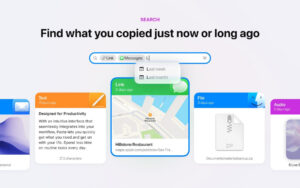
Treat Paste as your own clipboard time machine. It allows you to effortlessly find any text, link, image, file, or any other content you’ve copied on any device.
– Enjoy unlimited clipboard history, ensuring no content is lost.
– Use smart search to quickly find any content you remember copying.
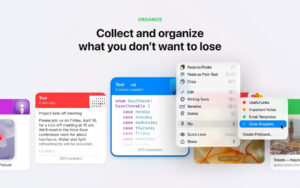
– Define custom rules to specify which applications should not track, giving you full control over the data stored by Paste.
Accelerate your workflow
Paste features an intuitive design that seamlessly integrates into your workflow, allowing you to quickly access the content you need and continue with your tasks.
– Browse clipboard history with a large, easy-to-read preview to quickly search.
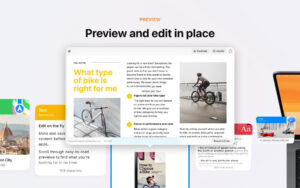
– Preview and edit copied content before using it in other applications.
– Quickly access frequently used items with a single click.
Sync across all your devices
Experience seamless sync with iCloud, allowing you to access all copied content from your Mac, iPhone, or iPad at any time.
– All Paste data is stored securely in your private iCloud storage using industry-standard security technologies.
– Paste not only allows you to sync data across all devices but also integrates with Universal Clipboard.
Become PASTE PRO
Discover features that feel like they’ve always been a part of your workflow, turning Paste into a game-changer for your productivity.
– Paste multiple items in the order you choose.
– Strip formatting from copied text and paste it as PlainText.
– Share copied items via text, email, social media, AirDrop, etc.
– Automate your daily tasks by combining Paste with Siri shortcuts.
– Customize your Paste experience by setting custom rules, shortcuts, and more, tailored to your needs.
Version 6.5.1 Update Highlights:
– Search suggestions now support **word boundary matching**, allowing you to match short keywords like “chr” to “Google Chrome” and more.
– Jump history: You can jump directly from search results to the original clipboard history or pinned panel entries, quickly diving into the relevant context.
– Redesigned paste keyboard: The interface is completely refreshed, the layout is optimized, touch and haptic feedback experiences have been upgraded, and overall stability has been significantly improved.
– Sync is more stable, and the keyboard extension program no longer crashes.
– Continuously optimizing details and updating features to ensure overall smooth operation.
Software Screenshots:
This resource requires login to download
Log in
Tag and Organize Your Audio Files on Mac – Activation Download
Downloads:2731 | 2026-10-24

Live Home 3D Pro for Mac v4.10.3 Chinese Activation Version Download
Downloads:924 | 2026-10-22

Advanced Backup Software Pro for Mac v3.7.1 Activation Download
Downloads:114 | 2026-10-20

OS Cleaner Pro for Mac v12.2.26 System Maintenance Tool Activated Version Download
Downloads:1374 | 2026-10-17


Ratings & reviews
No rating
Let’s rate it.