

Loopback for Mac v2.5.0 Virtual Audio Routing Tool Activation Download
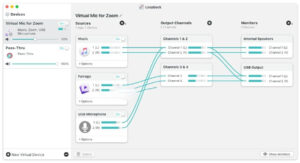
Loopback is a professional-grade virtual audio routing tool developed by Rogue Amoeba, integrating the powerful features of high-end studio mixers into the computer’s internal environment. This allows users to transmit, mix, and route audio signals between applications without physical connections. The intuitive visual wiring interface enables precise control over the flow and combination of audio, facilitating complex audio workflows.
Key Features:
### Multi-source Audio Integration
– Supports simultaneous audio collection from multiple applications (such as music players, browsers, video conferencing software) and physical audio input devices (such as microphones, mixing consoles)
– Combines multiple audio sources into a single virtual audio device, outputting to the target application
– Each audio source supports independent volume adjustment and mute control, allowing precise control over the mixing ratio
### Visual Audio Routing
– Uses a drag-and-drop virtual wiring interface for intuitive display of audio flow, making operations simple and efficient
– Supports custom channel mapping, allowing flexible configuration of left and right channels and multi-channel relationships
– Real-time routing effects take effect immediately, allowing adjustments to take effect without restarting applications
### Pass-Thru Direct Mode
– Provides pass-through device functionality, enabling point-to-point audio transmission between applications
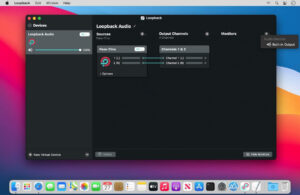
– Requires minimal configuration, simply setting Loopback device as an output for one application and an input for another
– A modern, reliable alternative to traditional audio routing tools like Soundflower
### Multi-channel Audio Support
– Virtual devices can be configured with up to 64 audio channels, meeting professional audio engineering needs
– Supports custom addition of output channel numbers, adapting to different recording and live streaming scenarios
– Compatible with high sampling rate audio transmission, allowing adjustment of sampling rates through audio MIDI settings tools to ensure lossless audio quality
### Multi-virtual Device Management
– Supports creation of an unlimited number of virtual audio devices, each with independent routing rules
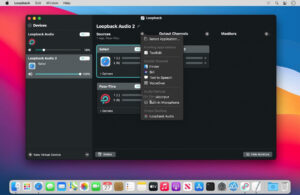
– Virtual devices are recognized at the system level, appearing as real hardware devices in the device lists of all audio applications
– Device configurations can be saved and reused, allowing quick switching between different audio work scenarios
### Real-time Monitoring Function
– Built-in Monitor module sends output audio in real-time to a specified hardware device for monitoring
– Supports independent adjustment of monitoring volume, without affecting the main output signal
– Multiple monitoring targets can be set simultaneously, meeting the needs of multiple listeners
## Key Features
### System-level Deep Integration
Virtual audio devices created are globally visible to the system, allowing direct invocation in applications like Zoom, FaceTime, Skype, OBS, GarageBand, Logic Pro, Ableton Live, among others, without additional adaptation.
### Low-latency High-quality Transmission
Efficient audio processing engines ensure minimal latency and high-quality audio during routing, supporting lossless audio transmission to meet the strict requirements of professional recording and live streaming.
### Flexible Channel Configuration
Default automatic channel mapping meets most scenarios, while providing manual fine-tuning capabilities, allowing users to define the correspondence between each input source and output channels, enabling complex multi-track audio production.
### Lightweight Operation
Resource usage is extremely low in the background, not affecting the normal operation of other applications, and the menu bar status icon provides quick device status monitoring.
## Typical Application Scenarios
### Video Conferencing and Live Streaming
Mixing microphone sounds with system background music and sound effect players, outputting to Zoom, Teams, etc., so that attendees can hear both the voices and background music.
### Screen Recording and Game Commentary
Simultaneously capturing microphone commentary and system audio for games or videos, outputting to screen recording software, resulting in synchronized audio and video content.
### Multiple Device Audio Merging
Combining multiple physical microphones and instrument input devices into a single virtual device, overcoming the limitation of GarageBand, Logic, etc., which can only use one audio device at a time.
### Podcast Production
In podcast recording or live streaming, flexibly routing host microphone, guest voice, background music, and sound effects, achieving professional-grade program production.
### Application-to-application Audio Transmission
Directly transmitting audio from one player to another recording or processing software, enabling internal recording functionality without external connections.
Version 2.5.0 Update Content:
## Support for macOS 27 (Golden Gate)
Loopback no longer prompts warnings when starting on macOS 27 (Golden Gate). Currently, there are no known issues with this system. Please note that Apple’s test version systems are still in a state of change. We always recommend users use the official (non-test) operating system version for the best experience.
## ARK Plugin Updated to Version 13.5
The ARK plugin, which supports Loopback’s audio processing capabilities, has been updated to version 13.5. This major update includes numerous backend optimizations, reducing CPU usage, decreasing audio latency, and enhancing the collaboration capabilities of the audio processing modules, while also reducing the number of fault points.
A rare issue related to pass-through audio processing has been fixed.
## Simplified Test Version Access
Receiving Loopback pre-release version updates is now more straightforward. In the “Settings” window, you can adjust the new “Check for Updates” dropdown menu to switch the default option from “Official Version” to “Official Version and Test Versions.”
## System Requirements Update: Requires macOS 14.5 or Higher
Loopback now requires a system version of macOS 14.5 or higher.
Software Screenshot:
This resource requires login to download
Log in
MouseBoost Pro for Mac v5.2.8 Right-Click Assistant Professional Edition Chinese Activation Download
Downloads:1 | 2026-10-27

Path Finder for Mac v26. 0 Chinese Activation Version Download
Downloads:1 | 2026-10-27

Clipboard Manager for Mac v6.4.0 Professional Chinese Activation Download
Downloads:1617 | 2026-10-26

TG Pro for Mac v2.56 Control Fan Speed Monitor Temperature Activated Version Download
Downloads:1135 | 2026-10-17


Ratings & reviews
No rating
Let’s rate it.