

Multifunction Image Browser: GraphicConverter 12 for Mac v12.5.2 Activation Download
GraphicConverter is a classic all-in-one image processing software that has been developed specifically for macOS and has been highly regarded by global users as the “Swiss Army knife” of image processing in the Mac platform. It serves as a one-stop solution for photographers, designers, content creators, and office users to handle images.
## 一、业内顶尖的全格式兼容能力
– GraphicConverter boasts a core advantage with support for importing over 200 image formats and exporting 80+ formats, covering mainstream formats, professional camera formats, industry-specific formats, and even rare image formats from ancient systems. It is a core tool for cross-platform use and archiving historical digital archives.
– Mainstream formats are fully supported: It perfectly supports formats such as JPEG, PNG, GIF, TIFF, BMP, PSD, PDF, EPS, SVG, HEIF/HEIC (native Apple device format), WebP, and JPEG XR, with support for importing half-float pixel data.
– Professional camera RAW formats are fully compatible: It covers all major camera manufacturers including Canon, Nikon, Sony, Hasselblad, Fujifilm, and Olympus, and supports reading and displaying metadata from Hasselblad HEIF files.
– Rare format compatibility: It supports image formats from old platforms such as Amiga, Atari, and UNIX, solving the problem of reading historical files across platforms.
## 二、一站式图像浏览与素材管理能力
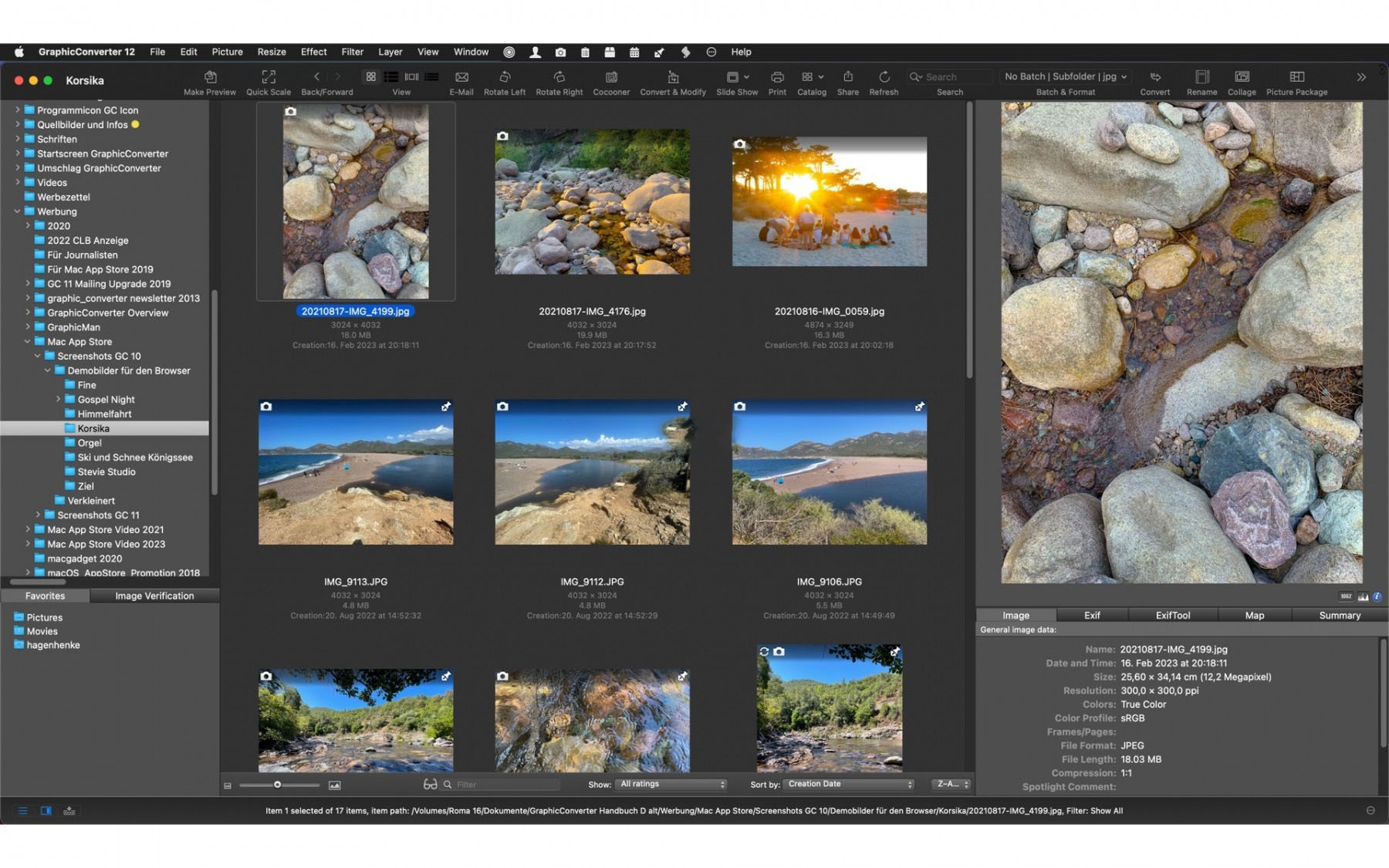
– GraphicConverter comes with an efficient graphics file browser that allows you to quickly load and preview files by dragging and dropping folders. It supports custom thumbnail settings, list view, and slide show playback, with slide show zoom support for HDR displays.
– It supports star ratings, keywords, face detection, and AI-generated keywords for images, allowing for quick classification and management of large volumes of image materials.
– It includes a reverse geolocation feature that combines GPS metadata to manage image locations.
– It supports sending images via email and allows for automatic ZIP compression of image packs, suitable for office sharing scenarios.
– It optimizes integration with macOS’ native file management services, ensuring smooth and seamless operations.
## 三、专业级批量自动化处理能力
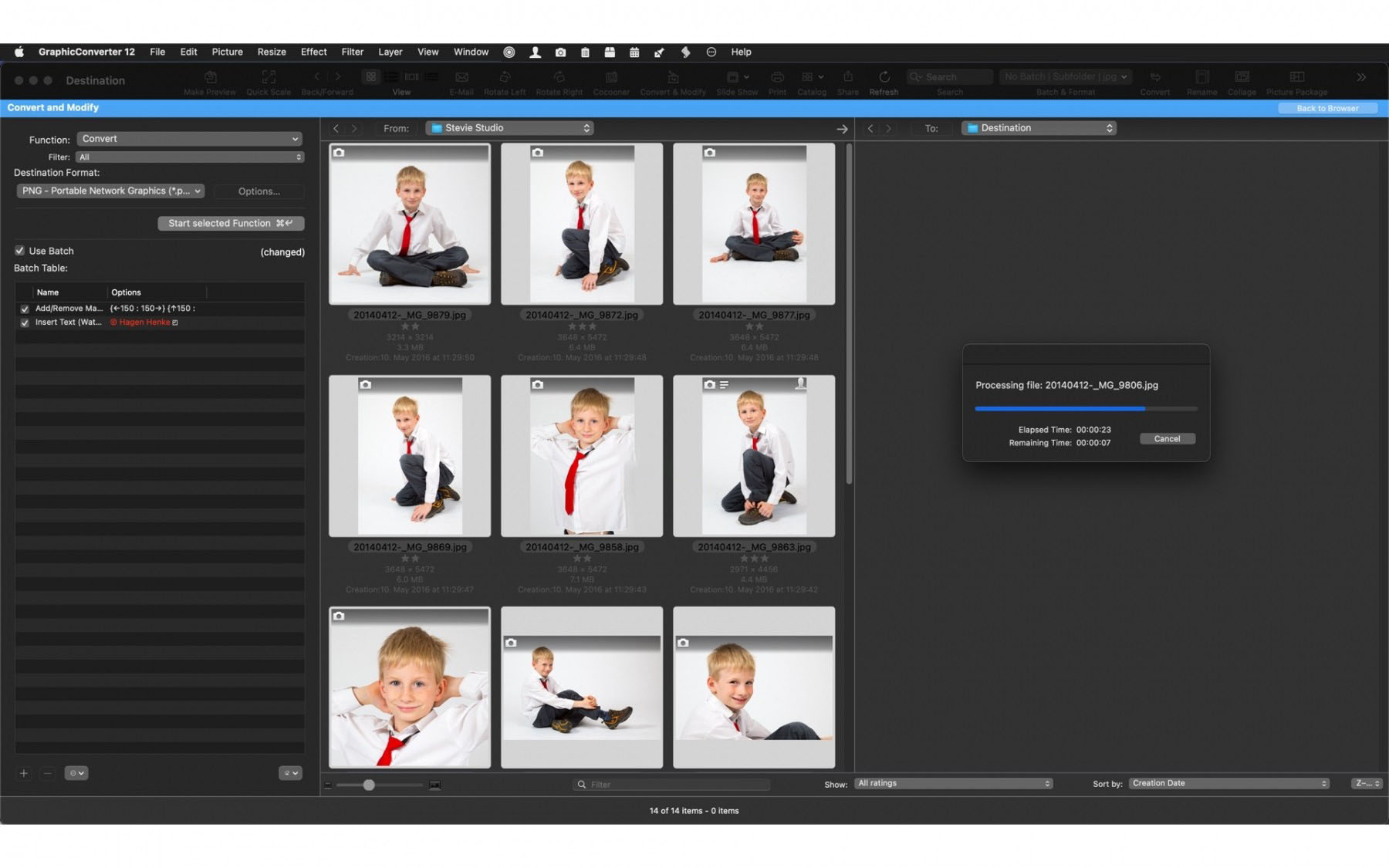
– GraphicConverter features an industry-leading batch processing engine that can handle hundreds of images in a single batch, with support for multi-core processors for accelerated processing.
– Batch functions are comprehensive: It supports batch format conversion, size adjustments, color mode changes (such as RGB to CMYK), file name changes, and metadata edits, writes, and migrations.
– New AI intelligent tilt correction batch action: It automatically corrects images without losing quality using the largest or smallest detected rectangles.
– It supports AppleScript scripts for automation, allowing for the creation of complex processing workflows and the execution of customized batch tasks.
– It supports real-time preview for batch processing, enabling you to preview results before making changes to avoid errors, and supports saving preset operations for repeated tasks.
## 四、全能图像编辑与智能校正功能
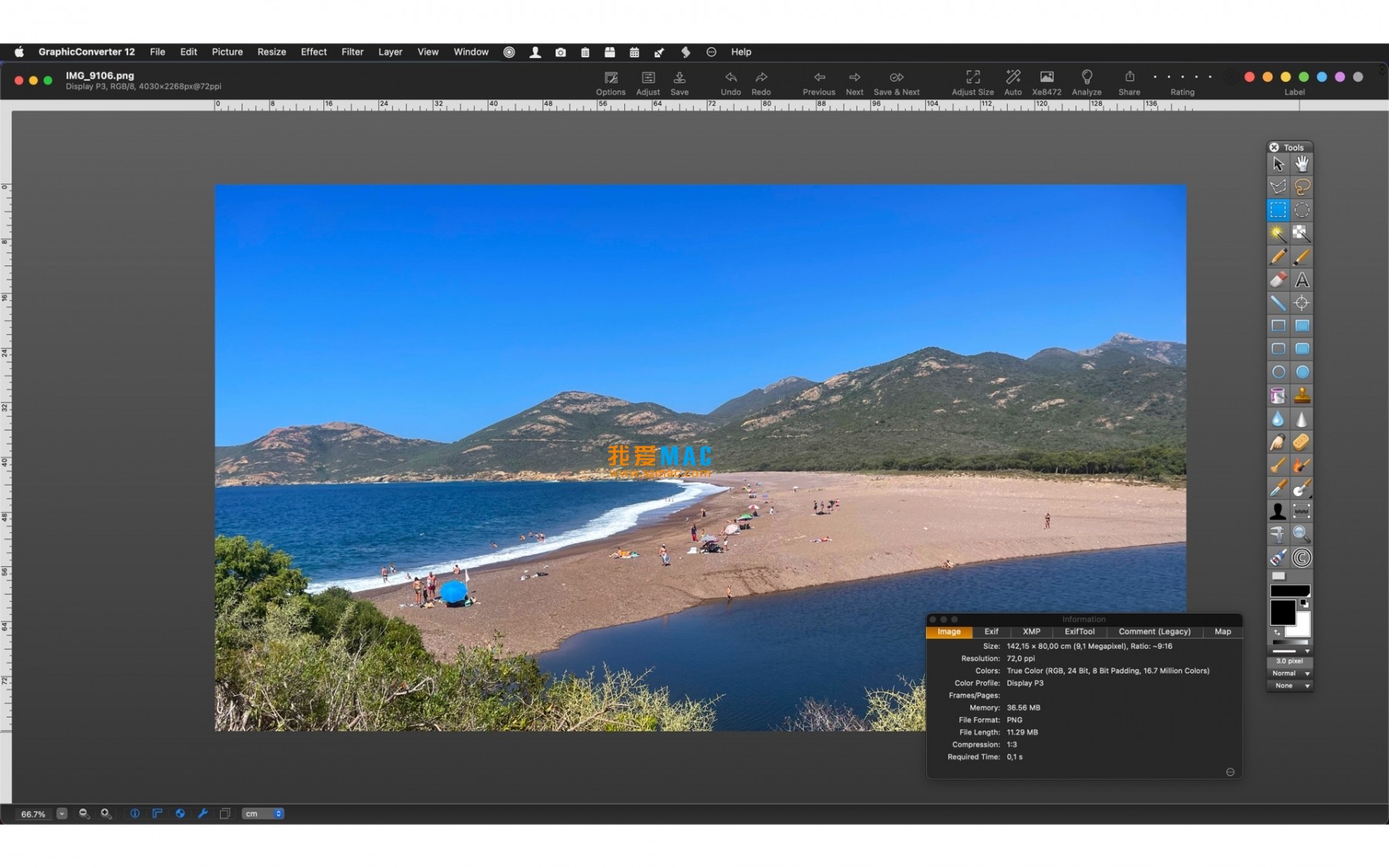
– GraphicConverter provides a full suite of basic editing tools, including cropping, rotating, flipping, zooming, red-eye removal, spot healing, and masking, making it easy for beginners to use.
– It offers professional color adjustment tools, including brightness, contrast, saturation, temperature, hue, sharpening, blurring, and noise reduction, with support for color grading using color levels and curves.
– It features a rich library of filters and effects, including hundreds of artistic filters, effects, and transformations, with support for plugin extensions for diverse creative image processing.
– It includes intelligent image correction features, such as Unskew for automatic correction of image perspective and tilt, with support for both maximum and minimum detection rectangles.
– It supports vector object selection, creation, and editing, suitable for graphic design and annotation needs.
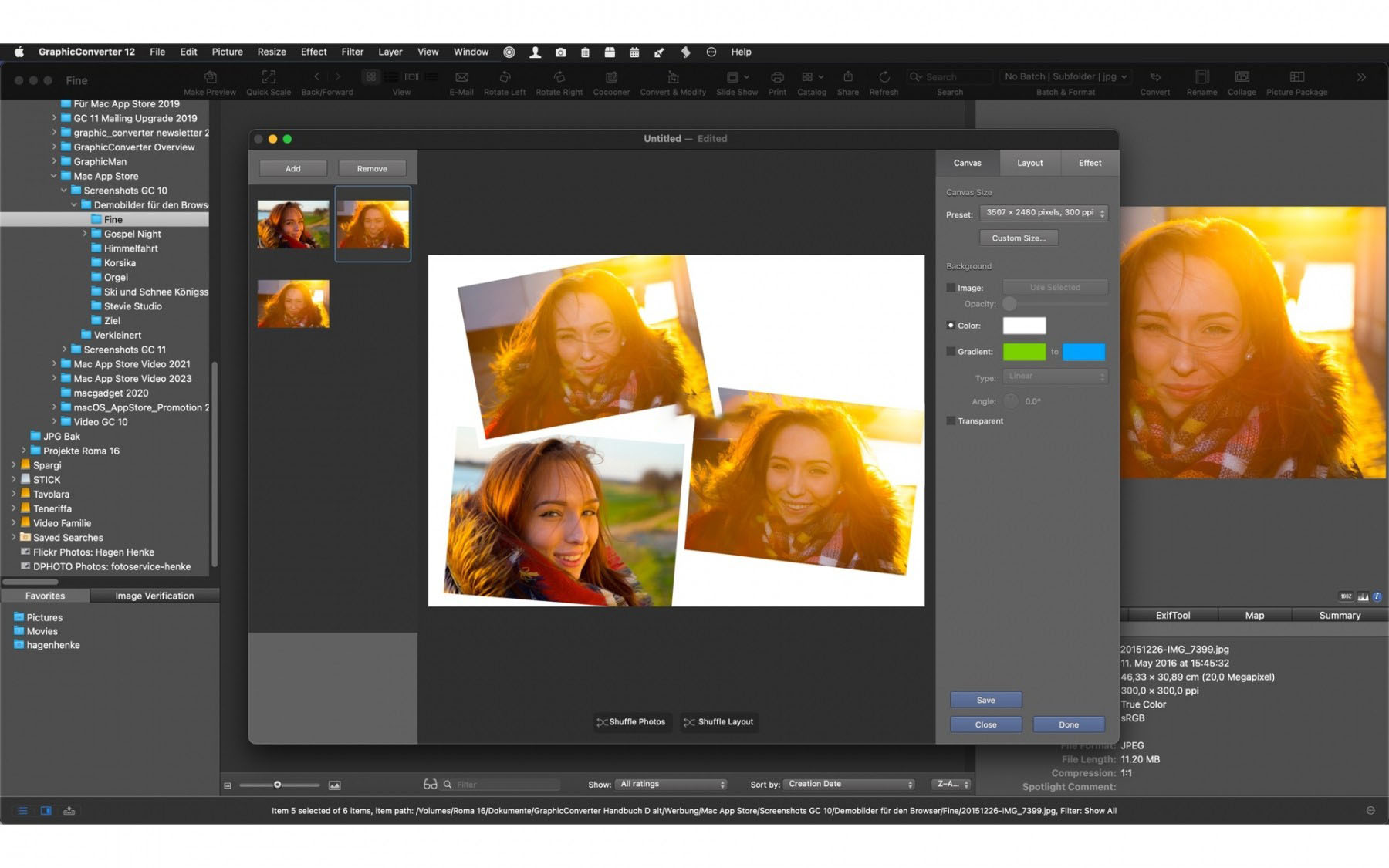
– It includes automatic panorama stitching, allowing for the seamless creation of high-quality panoramic images from multiple images.
## 五、行业顶尖的元数据全生命周期管理
– GraphicConverter features advanced metadata management capabilities, a core tool for photographers and archiving users, supporting the read, edit, write, migration, and batch management of Exif, IPTC, XMP, and GPS metadata.
– It includes advanced metadata features such as setting frame rate markers for MOV files; synchronizing Exif dates with PDF internal creation and modification dates; and supporting synchronization of XMP metadata with standard fields for PDF files.
– It includes DNG format-specific settings, allowing for the embedding of XMP directly into DNG files, or using sidecar files for other RAW formats, ensuring compatibility with professional photography workflows.
– It includes the Meta Data Magician feature, enabling flexible content copying, migration, and batch filling of different metadata fields, such as automatically writing IPTC description fields to files, significantly improving metadata management efficiency.
– It supports reading and converting Picture Info Record metadata from old Olympus JPEG images, addressing compatibility issues with historical photos.
## 六、RAW专业处理与全链路色彩管理
– GraphicConverter natively supports decoding and processing RAW files from all major camera brands without the need for additional plugins, allowing for preview, color grading, format conversion, and metadata editing of RAW files.
– It features a complete color management system, supporting native macOS ColorSync and ICC color profiles for precise control over the consistency of screen display and print output in RGB, CMYK, grayscale, and other color modes.
– It includes specialized print output optimization, defaulting to SDR color space for HDR images to address compatibility issues with many printer drivers, with the option to disable this feature in the print dialog box.
– It optimizes progress bar and scroll logic code, enhancing overall performance.
– It supports customizing the save rule for image window options icons, automatically appending characters to modified images during saves for version management.
– It includes a comprehensive set of preference settings, allowing for custom default file formats for “Save As” commands, tailored to individual user habits.
– It supports an extensive plugin extension system, enabling third-party filters and plugins to be integrated, expanding the software’s functionality.
Version 12.5.2 Update Content:
# New Features
– Image Menu: Vector Objects → Select All
– View Menu: Position → New Custom Baseline Point Setting Option (for display in Position Panel), also available in Position Panel
– Effect Menu: Tilt Correction → Tilt Correction Using Largest Detected Rectangle
– Effect Menu: Tilt Correction → Tilt Correction Using Smallest Detected Rectangle
– Image Menu: Vector Objects → Create Object From Detected Rectangle
– Batch Operations: AI Intelligent Tilt Correction
– Metadata Menu: MOV Format → Frame Rate Playback Markers Setting
# Function Updates
– Improved display of unavailable menu items
– Settings > Browse > Metadata 1: Option to Embed XMP in DNG format and use sidecar files for other RAW formats
– Settings > Browse > Display 2: Option to Disable Main Area Scroll Elastic Effect
– Image Window Options Icons: Automatically Append Characters to Modified Images During Saves for Version Management
– Printing Function: Default to SDR color space for HDR images (many printer drivers cannot handle HDR content), with the option to disable this feature in the print dialog box
– Optimized progress bar and scroll logic code
– Optimized PaperPort file import compatibility
– Updated libXL component
– Updated ExifTool tool
– JPEG XR Import: Support for half-float pixel data
– Browse Module: Hasselblad HEIF Files: Support for Metadata Display
– Settings > Save > General 1: Default file format options for both opened documents and newly created documents for “Save As” command
– Browse Module: Email Sending Command: Option to Compress Images into ZIP archives
– Optimized integration with macOS’ native file management services
– Optimized Exif date setting function: Synchronization of Exif dates with PDF internal creation and modification dates
– JPEG XR Import: Support for half-float pixel data
Software Screenshots:
This resource requires login to download
Log in
Elmedia Player Pro for Mac v8.13 Chinese Activation Download
Downloads:574 | 2026-10-24
-for-Mac-v1.3.0-科幻探险游戏-中文破解版下载.png)
Tacoma for Mac v1.3.0: Sci-Fi Exploration Game Chinese Activation Download
Downloads:2841 | 2026-10-23

iStudiez Pro for Mac 1.4.1 Study Schedule and Task Management Software Chinese Activation Version_iStudiez Pro for Mac Download
Downloads:3424 | 2026-10-20

Commander One Pro for Mac v3.15 Powerful File Manager Chinese Activated Version Download
Downloads:1047 | 2026-10-17


Ratings & reviews
No rating
Let’s rate it.