

DaVinci Resolve Studio for Mac v21.0.3 Chinese Activation Edition Download
DaVinci Resolve Studio is a professional-grade video post-production software developed by Blackmagic Design, optimized for macOS and integrating features such as editing, color grading, visual effects, audio processing, and immersive collaboration. Widely used in high-end projects such as movies, advertisements, and documentaries, DaVinci Resolve has become the industry standard for post-production and final output, with more projects using it than any other software.
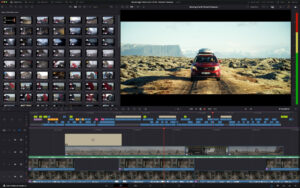
DaVinci Resolve Studio is a comprehensive solution that integrates professional editing, color grading, visual effects, and audio post-production into a single software tool! With a single click, you can seamlessly switch between editing, color grading, effects, and audio modules. Whether you are an independent creator or part of a large team, you will understand why DaVinci Resolve is the industry standard for Hollywood movies, TV series, and advertisements, with more projects using it than any other software.
Blackmagic Cloud
DaVinci Resolve supports cloud-based workflows through Blackmagic Cloud for remote collaboration. You can host your project libraries and collaborate in real-time with multiple users across different locations.
Fast Page Editing
Fast Page is designed for projects requiring quick delivery. It includes features such as synchronized media bins and source overlays for multi-camera editing. With dual timelines, source media strips, and intelligent editing tools, your efficiency will be significantly improved. Fast Page now features vertical timeline layouts, audio off-screen panels, dedicated keyframe editors, MultiText tools, and new real-time overlay controls.
Professional Editing
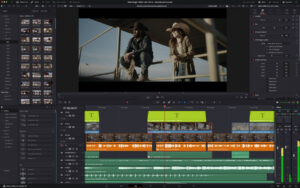
Whether offline or online, DaVinci Resolve excels in both. You can use various editing and trimming tools, stacked and tabbed timelines, multi-camera editing, hidden subtitles, subtitle tools, screen annotations, faster project loading, 2D and 3D subtitle templates, and many other new features!
Advanced Color Grading
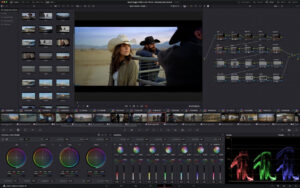
The Hollywood-favorite color grading tools have been continuously upgraded! You will receive advanced HDR primary color grading tools, support for unlimited secondary color grading, Power windows, and tracking features. The new AI intelligent masks (AI Magic Mask) make tracking more precise, AI depth map 2 (AI depth map 2) speeds up scene analysis and mask generation, and new color distortion tools are also included.
Fusion Visual Effects
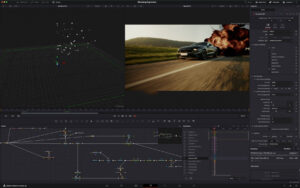
Fusion provides a true 3D workspace with over 250 tools to create movie-level visual effects and dynamic graphics! DaVinci Resolve 20 includes a new depth image compositing toolset and multi-layer pipelines for OpenXR and PSD files. It also features new vector deformation toolsets, support for 180-degree VR, 3D scene dome lights, and native Cryptomatte workflow.
Fairlight Audio Post
Fairlight is a comprehensive digital audio workstation supporting high-performance multi-track sample-level editing and mixing. It includes features such as automatic dialogue replacement (ADR), sound library support, synchronized soundbars, scroll timelines, standardized processing, and Fairlight FX plugins (including noise reduction, hiss reduction, reverb, etc.). DaVinci Resolve 20 comes with an AI audio assistant (AI Audio Assistant) to automatically generate final mixes.
System Requirements
Current Mac models with Apple Silicon. 8GB of RAM, 16GB for Fusion, macOS 15 or higher, and a minimum display resolution of 1440 x 900.
Version 21.0.3 Update Highlights:
– Added options for traditional speed mode re-time curves.
– Default new projects enable DNG pre-tone curves.
– Optimized display effects for re-time speed curves.
– Fixed issues with adding keyframes at subframe positions.
– Fixed issues with pasting keyframes to linked audio clips.
– Added customizable keyframe easing operations.
– Support for interlaced transition durations in the inspector.
– Fixed issues with interlaced generators and transition duration parsing.
– Improved calculation of interlaced clip audio durations.
– Fixed anomalies in interlaced clip sequence recognition.
– Fixed issues with importing PSD files containing hidden layers in Fusion.
– Fixed anomalies in smart mask rendering for photo albums.
– Fixed issues with Bezier window displacement when adjusting vertex smoothness.
– Fixed issues with decoding Sony BURANO X-OCN footage.
– Fixed anomalies in HDR still frame export previews in specific browsers.
– Fixed incorrect script audio channel mappings in certain scenes.
– SDI playback output will always display the selected camera view.
– Fixed issues with Unicode text display in the inspector during spelling checks.
– Fixed anomalies in Fusion transitions default parameters in vertical timelines.
– Fixed issues with saving custom sorting order in the media pool.
– General performance optimizations and stability improvements.
Software Screenshots:
This resource requires login to download
Log in
Asphalt 8 Airborne+ for Mac v3.0.0 – Asphalt 8: Airborne Racing Game
Downloads:1545 | 2026-10-26

Lucid Dream: A Fairy Tale Puzzle Adventure Game – Mac Download and Activation Version
Downloads:411 | 2026-10-23

Affinity Designer 2 for Mac v2.6.3 Activation Download
Downloads:3404 | 2026-10-21

AiArt Image Matting for Mac v2.6 Crack
Downloads:432 | 2026-10-21


Ratings & reviews
No rating
Let’s rate it.