

WiFi Explorer Pro for Mac v3.10: WiFi Scan and Diagnostic Tool Activation Edition Download
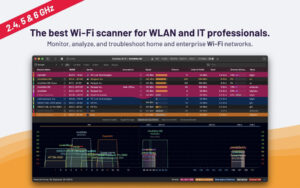
WiFi Explorer Pro for Mac is a professional WiFi network scanning and analysis tool. It helps users scan nearby WiFi networks and provides various useful information such as network names, signal strength, channels, and encryption methods.
– Easy-to-use, intuitive user interface
– Suitable for home, small office, and enterprise Wi-Fi networks
– Graphical representation of Wi-Fi environments
– Supports 2.4, 5, and 6 GHz* frequency bands and 20, 40, 80, and 160 MHz channels
– Supports 802.11a/b/g/n/ac/ax networks
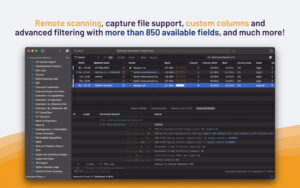
Supports multiple scanning modes and remote scanning
– Uses active, passive, or directed scanning modes to find Wi-Fi networks.
– Listens to encapsulated 802.11 capture signals running in “sniffer” or “monitor mode” mode.
– Performs remote scanning of Wi-Fi networks using supported remote sensors (such as WLAN Pi).
Custom configuration files, filters, and coloring rules
– Creates column configuration files and adds columns from 650 available fields.
– Hints columns so they remain visible even when the network list is scrolled horizontally.
– Creates custom filters or coloring rules for specific troubleshooting tasks.
Visualization of capture files and scanning results
– Imports capture files (.pcap, .pcapng, .pkt) to visualize Wi-Fi networks found within.
– Imports and displays CSV format scanning results from supported tools (such as AirPort Utility, Analiti, Aruba Utilities, or Mobile Eye).
Integration of spectrum analysis
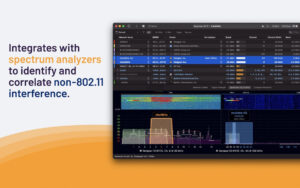
– Visualizes RF information using supported spectrum analyzers (such as WiSpy 2.4, WiSpy DBx, Oscium WiPry 2500x, RF Explorer Wi-Fi Combo, or Ubertooth One) and associates it with Wi-Fi data to identify non-802.11 interference.
Integration of BLE and Zigbee
– Identifies nearby beacons using the built-in Bluetooth radio of your Mac.
– Identifies Zigbee networks using supported Zigbee adapters (such as RapidConnect ZigBee USB stick).
And more
– Organize networks by name, AP, AP radio, or vendor.
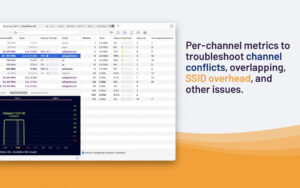
– Obtain metrics for each channel, such as estimated SSID overhead, network count, overlapping network count, and estimated related customer count.
– View and export a list of data points (RSSI, noise, etc.) for each network in the scan results.
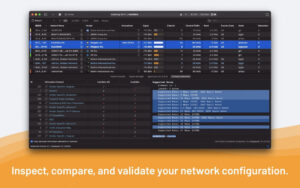
– Obtain detailed network capabilities and complete descriptions of information elements for advanced troubleshooting.
– Compare the capabilities and configurations of any two networks.
– Add tags or notes for easy identification of networks.
Version 3.10 Update Content:
Supports exporting scan results in PCAPNG and PCAP formats.
Reinstates the option for passive scanning on MacBook Pro M5 Pro/Max, MacBook Air M5, and MacBook Neo models.
Updates dependent framework components.
Optimizes compatibility with OpenWrt-based remote sensors.
Other minor bug fixes and detail optimizations.
Software Screenshots:
This resource requires login to download
Log in
Essential Player for Mac v2.15.4 Chinese Activation Download
Downloads:1 | 2026-10-27

Cisdem PDFMaster for Mac v6.5.0: All-In-One PDF Editor with Chinese Activation Download
Downloads:759 | 2026-10-20

Sensei for Mac v1.5.9 Software and Hardware Optimization Tool Chinese Activated Version Download
Downloads:2394 | 2026-10-17

Winclone Pro 7 for Mac v7.1.2 Clone, Migrate and Restore Windows Boot Camp_Winclone Pro 7 Mac Download Activated Version
Downloads:1554 | 2026-10-17


Ratings & reviews
No rating
Let’s rate it.