



ScreenS5 for Mac v5.9: Remote Desktop Software – Chinese Activation Version Download
| Screens allows you to remotely access Mac, iPad, macOS or Vision Pro via iPhone, iPod touch, Windows PC, Linux computer, Raspberry Pi. Whether connecting a remote workstation without display for the old-fashioned Mac mini, helping friends and family members with Screens can provide quick, secure, reliable remote desktop experience.
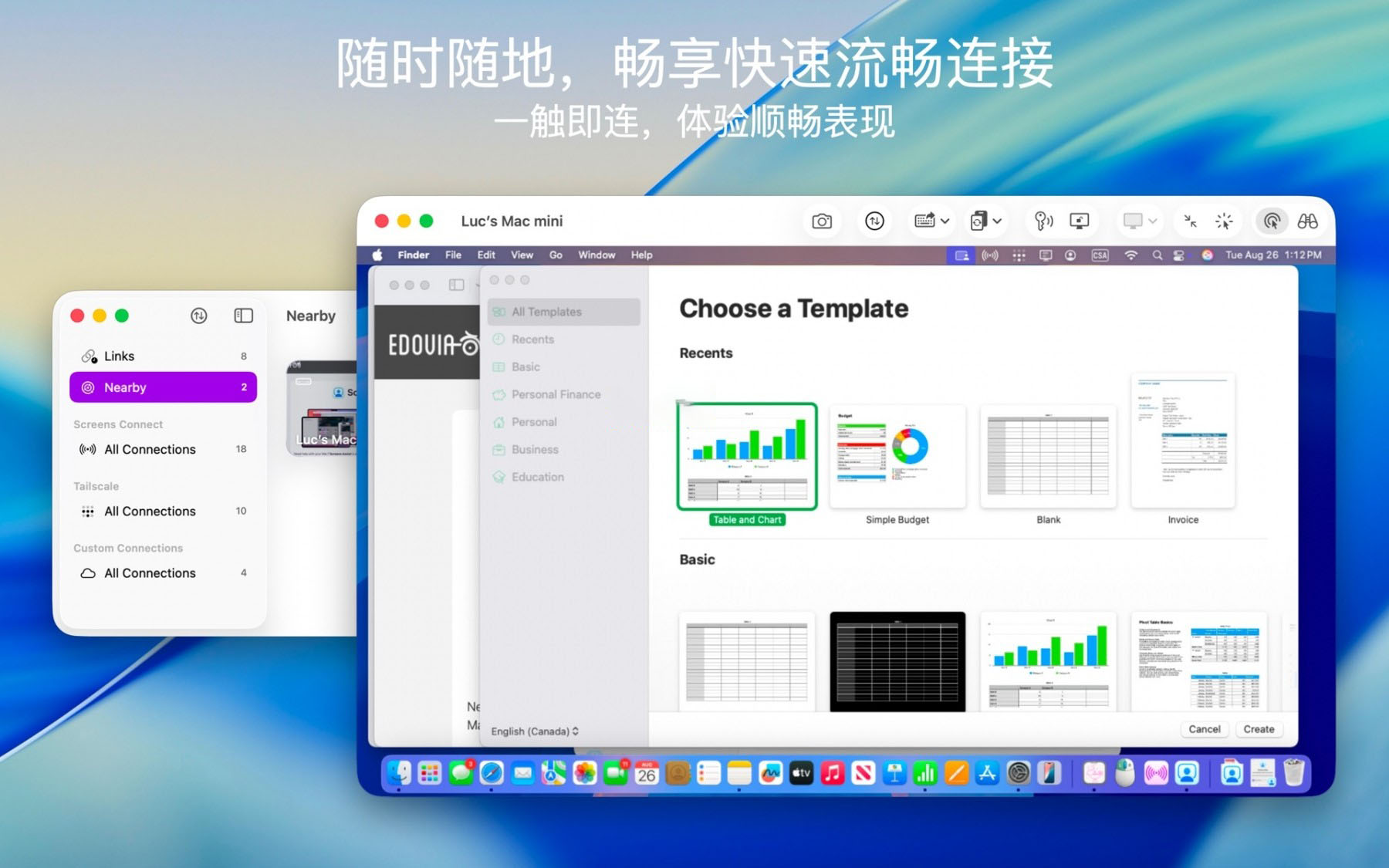
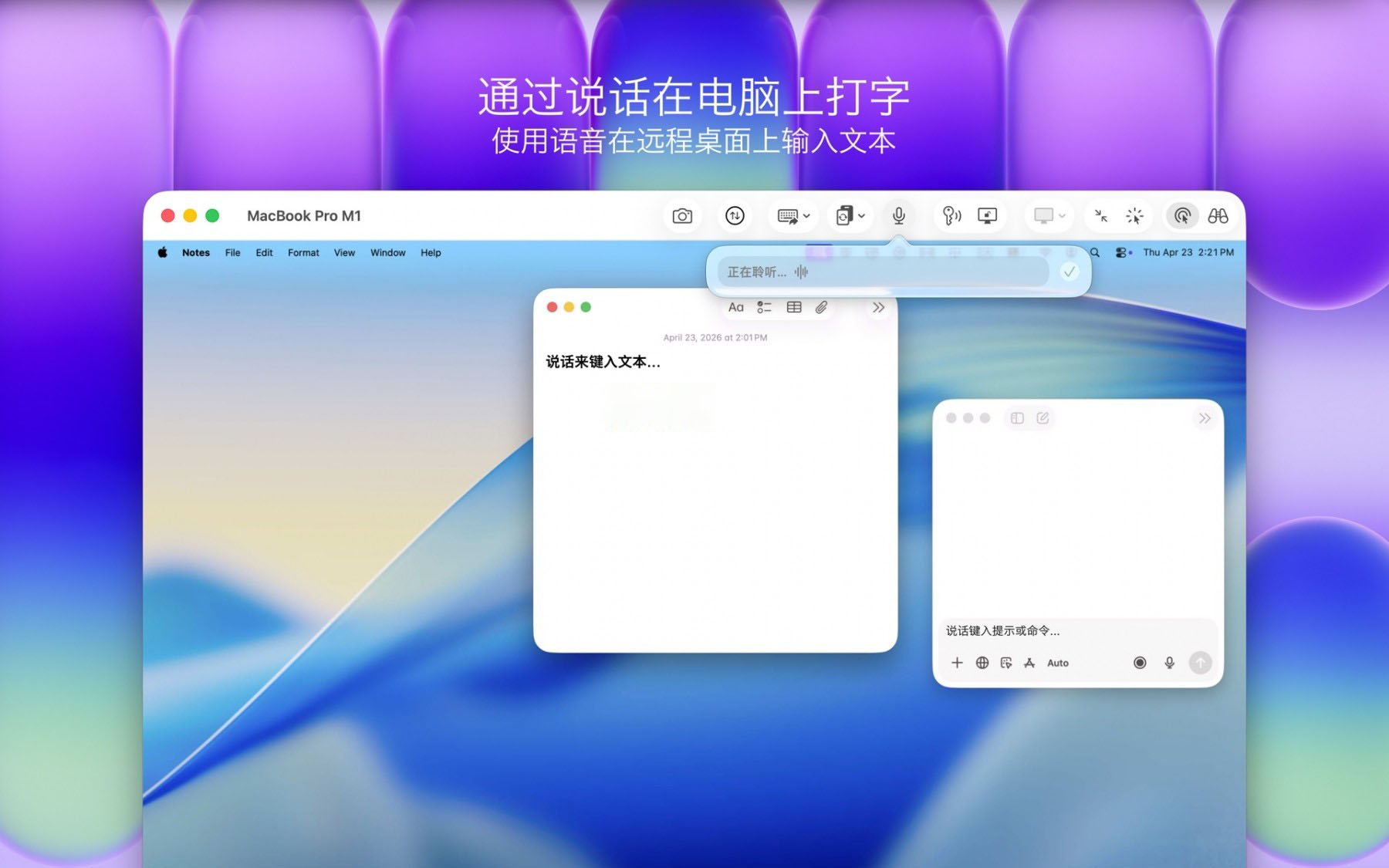
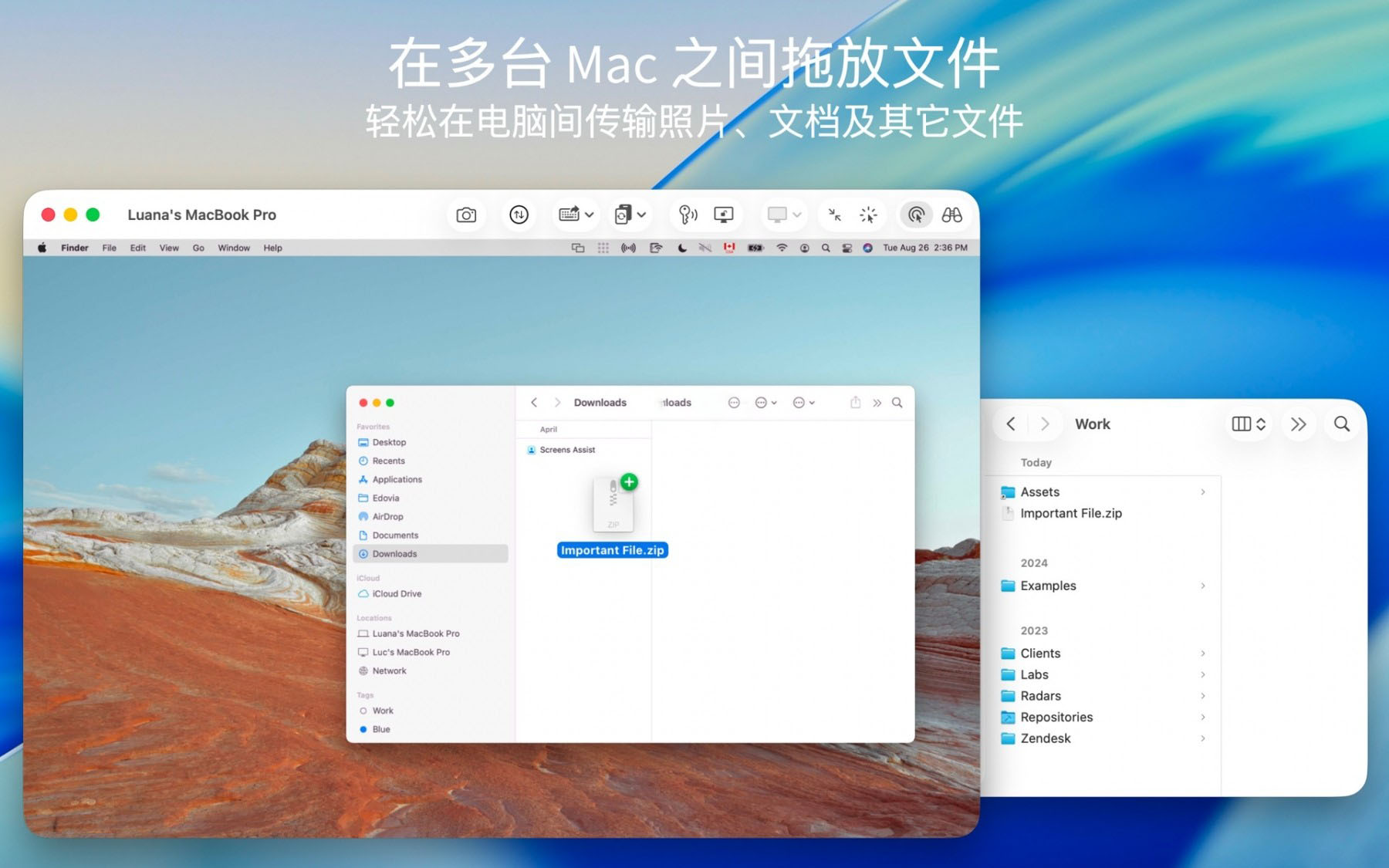
Access your devices anytime Screens on mac has built-in access feature to connect remotely through internet from older models of macOS or Windows PC; Tailscale is integrated into it so that you could establish a safe connection for Linux/ Raspberry Pi. Optimized fast and smooth control over the screen with: – Screen curtain mode in private remote session Built specifically for modern work environment, With Screens you can: – Access Macs/PC/Linux/Raspberry Pi from anywhere and anytime. Screens makes work more efficient Use powerful system features of iPhone and iPad: – Use Siri/Shortcuts/Spotlight for connection Powerful features: – Support multiple displays Compatibility: – Connect via Mac/PC/iPad/Vision Pro Version 5.9 Update: # Use Siri, Shortcuts and Spotlight for connection With the new “Use Screens Connect” action you can start saved connections via Siri, shortcuts or spotlight. # Quick access Widgets A brand-new widget to connect directly from home screen of your device is available now # Improved drag gestures Drag gesture on screens are faster with customizable options. A three-finger swipe for middle mouse button has been added as well # Enhanced Mouse & Touchpad control Now you can perform right-clicks using a trackpad or touchbar, and left clicks via the main clicker. # Customizable Grid Sorting You could drag items in grid to arrange them according your preference # AirPlay back again Airplay is available for remote devices. You may stream screen of any device on TV/Display with support from iOS/iPadOS 27 or higher # Individual settings per computer Now you can configure more connection options individually. Other improvements: – Low color depth (8-bit) option added to PC connections # Touchdown delay setting is now available, defaulting faster response speed. Fixes issues related to horizontal screen orientation in iOS devices Software Screenshot:
|
This resource requires login to download
Log in
Logic Pro for Mac v12.3.1 Professional Music Production Software Chinese Activation Version Download
Downloads:0 | 2026-10-27

FoneLab Ultimate Video Converter v9.2.6 Chinese Activation Download
Downloads:3493 | 2026-10-24

Paintstorm Studio for Mac v2.40 Professional Digital Painting Software Chinese Activation Version Download
Downloads:3489 | 2026-10-21

Storyist 4 for Mac v4.3.7 Novel Story Screenwriting Writing Tool Activated Version Download
Downloads:2975 | 2026-10-17


Ratings & reviews
No rating
Let’s rate it.