



CleanShot X for Mac v4.8.9 Screen Recording Software Activation Download
CleanShot X is a comprehensive screenshot and recording tool for macOS, supporting various screenshot modes, scrollable long images, screen recording/GIF, annotation editing, and OCR text recognition. It comes with the ability to hide desktop icons and a built-in capture history and cloud-sharing feature.
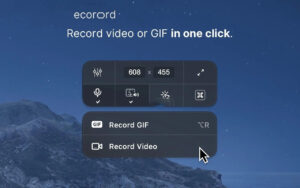
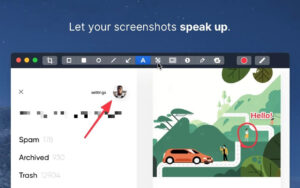
Features: Quick Access (Quick Access) Annotation Function (Annotate) Scroll Capture (Scrolling Capture) Screen Recording (Screen Recording) Other Useful Features Text Recognition (Text Recognition): Based on OCR technology, it extracts text from images or scanned documents that are not selectable, with local recognition speed and no need for internet connection. Pin Screenshots (Fixed Screenshots): Pin screenshots to the top of all windows, allowing you to adjust their size and transparency, making them convenient for reference at any time. Hide Icons (Hide Icons): Hide desktop icons during screenshots or recordings, and permanently hide them to avoid interference, suitable for screen sharing. CleanShot X is a fully native macOS application, performing well with Mac users’ expectations. It stands out with its “all-inclusive features, smooth experience, and workflow compatibility,” becoming a “must-have tool” for many users. Version 4.8.9 Update Content: – Improved compatibility with macOS Golden Gate system Software Screenshots:
|
This resource requires login to download
Log in
Pro DJ Software for Mac v1.9.0 Activation Download
Downloads:2645 | 2026-10-24

FigrCollage for Mac v2.5.18 Activation Download
Downloads:1334 | 2026-10-21

Pixea for Mac v6.3 Chinese Activation Download for Image Viewer and Video Player
Downloads:3121 | 2026-10-21

iA Writer for Mac v5.6.13 Professional Writing App Chinese Activated Version Download
Downloads:3251 | 2026-10-17


Ratings & reviews
No rating
Let’s rate it.