
Lite PDF Tool for Mac v5.2 Activation Download

  • Introduction
Download
Download now
Join VIP Free download

Description

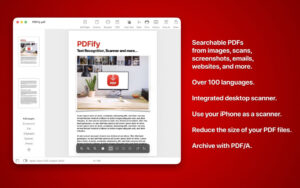
Scan documents, images, emails, and websites into searchable PDFs. Supports OCR for 100+ languages, PDF/A archiving, and quick Finder operations. Fast, secure, and intuitive!

  • Long-term archiving: Create searchable PDF/A files that can last decades.
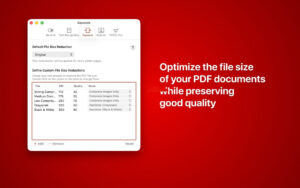
  • Saving space: Compress files with a single click to reduce their size.
  • Drag-and-drop magic: Simply drag files onto PDFify – the app will handle the rest.
  • Flexible sources: Use intuitive scanner dialogs, iPhone camera, screenshot, or seamlessly integrate with ScanSnap. Even clipboard content can instantly become a PDF.
  • Perfect layout: Choose between the original document layout or automatically limit to DIN A4 for a unified look.
  • Instant text extraction: Quickly copy all text content from a PDF to the clipboard for quick processing without retyping.
  • Seamless sharing: Completed PDFs can be saved, printed, or shared directly from the system.

Efficient batch processing

  • Speed up your daily tasks directly in Finder. Use quick actions to process entire batches of files. You decide the destination:
  • Automated optimization: Create searchable PDFs, convert to PDF/A, or optimize file sizes – all without opening the app.
  • File management: Choose to overwrite existing files (for a clean folder) or create new files (to keep the original).

Remarkable technology

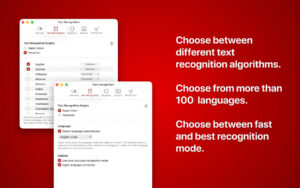
  • OCR Power: Choose between integrated Apple Vision or validated Tesseract alternatives.
  • Webpage optimization: Create linear PDF files for fast internet loading.
  • Security: With a撤销feature, you can reverse any work step at any time.

Version 5.2 Update Content:

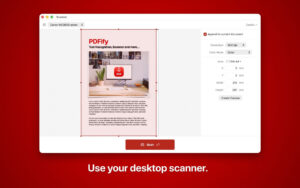
  • Re-designed scan panel (for macOS 14 and above): Directly select scanners, color modes, resolutions, and duplex scans within the window. Preview images and drag to define scan areas. A streamlined view allows quick scanning; a detailed view displays the preview alongside all settings.
  • Single checkbox to set file-saving method: Uncheck to generate a new document each time, check to append scanned content to the current document.
  • Precise setting of scan ranges: Drag selection areas in the preview, input precise dimensions in millimeters or inches, or choose pre-set DIN A4, US letter, or legal paper sizes. Parameters are individually stored for each scanner.
  • Automate PDF processing with app shortcuts: No need to open the software; focus search, shortcuts, or Siri can execute operations like PDF compression, OCR searchable, PDF/A conversion, text extraction, and exporting JSON text.
  • Instantly view PDF/A compliance status: The status bar shows the current document’s compliance with PDF/A standards (e.g., PDF/A-1b) in real-time.
  • Import images for more page sizes: In addition to A4 and US letter, now support A3, A5, US legal paper, and small newspaper sizes.

Software Screenshot:


Download info

This resource requires login to download

Log in
Note: This resource is for informational purposes. By using this resource, you agree that you accept full responsibility to the copyright holder. For questions, please contact us.

Ratings & reviews

No rating

Let’s rate it.

  • 5 stars
  • 4 stars
  • 3 stars
  • 2 stars
  • 1 stars

You may also like

More
×
Lite PDF Tool for Mac v5.2 Activation Download
iMac — One-stop Mac Software Download Platform
Social login
captcha
Social login