

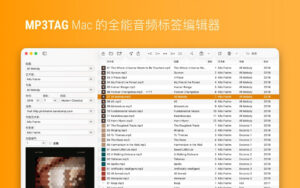


All-in-One Audio Tag Editor for Mac v1.14.0 Chinese Activation Version Download
Mp3tag is a versatile tool for editing metadata of audio files, suitable for musicians, DJs, podcasters, and music enthusiasts. It is user-friendly and can handle various audio formats including MP3, MP4, M4V (yes, video!), FLAC, OGG, OPUS, AIF, DSF, MPC, and WAV.
It supports batch editing of file tags and can connect to Discogs and MusicBrainz to fetch album covers and metadata. Mp3tag also allows for renaming files based on tag information, replacing characters or words in filenames, importing metadata from filenames, and adjusting the size and format of embedded covers.
Given the repetitive nature of organizing digital music libraries, Mp3tag also enables the creation of action groups to streamline workflows and ensure consistency. These action groups can format tag fields, perform case conversions, remove unnecessary fields, or adjust embedded covers to match desired sizes.
## Key Features
– Batch edit tags for multiple files.
– Edit album art.
– Rename files based on tag information.
– Import metadata from filenames.
– Automatically assign track and disc numbers using the automatic numbering wizard.
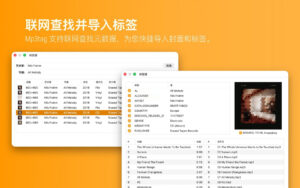
– Import metadata from online tag sources.
– Flexible tagging features to allow users to customize tag fields in a standardized way.
– Apply multiple tasks to reusable workflows using action groups.
– Handle various file types within a unified software interface.
## Supported File Formats
– MP3 (ID3v1, ID3v2.3, UTF-8 encoded ID3v2.4)
– MP4 / M4A / M4B / M4V (iTunes and Nero)
– FLAC (Vorbis annotations)
– OGG (Vorbis annotations)
– OPUS (Vorbis annotations)
– AIF (RIFF INFO and RIFF ID3)
– DSF (ID3v2)
– MPC (APEv2)
– WAV (RIFF INFO and RIFF ID3)
– MKA / MKV / WEBM (Matroska)
Version 1.14.0 Updates:
### New Features
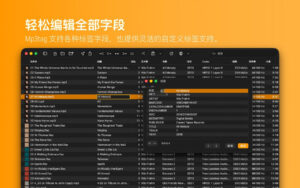
– Support for custom field values during field editing
– Management of format string history and collection items
– Added “Extended Tags” right-click menu for copying, cutting, and pasting tag fields
– Added “Apply Filter Only on Enter” option to automatically trigger filtering
– Added script functions `columnNames(x,y)` and `columnValues(x,y)` to retrieve file list column names and values
– Added `$fmtDate()` script function to format timestamps into human-readable dates
– Support for importing `COMPILATION`, `MUSICBRAINZ_ALBUMTYPE`, and `ORIGYEAR` fields from MusicBrainz tag sources
### Improvements and Enhancements
– Improved performance for tag sources containing numerous conditional expressions
– Expanded the framework function `json_foreach` in the network source to traverse JSON objects and output object keys
– Added `FilterIgnoredFields` configuration option to specify fields to ignore during filtering, defaulting to `ACOUSTID_FINGERPRINT`
– Hidden `.Trash` and `.Trashes` directories from the file list
– Added missing file type registration for WavPack audio files (`*.wv`)
– Supported relative file paths for importing album art
### Bug Fixes
– Fixed the creation of folders when renaming files in the file list, preventing the creation of folders with filenames containing `/`
– Fixed the crash issue when reverting cover changes
– Fixed the `json_foreach` framework function from executing the loop body on empty arrays or missing JSON arrays
Software Screenshots:
This resource requires login to download
Log in
DaVinci Resolve Studio for Mac v19.1 Chinese Activation Download
Downloads:1559 | 2026-10-24

Lite Browser for Mac v2.0.3 Activation Download
Downloads:2659 | 2026-10-21

App Cleaner & Uninstaller Pro for Mac v8.4.1 Software Uninstaller Chinese Activated Version Download
Downloads:3501 | 2026-10-17

Navicat Premium for Mac v12.1.24 Database Management Software Chinese Localized Activated Version_Navicat Premium Mac Download
Downloads:1784 | 2026-10-17


Ratings & reviews
No rating
Let’s rate it.