

Image Compressor for Mac v1.10.0 Chinese Activation Version Download
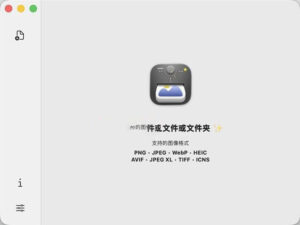
Zipic is a local image compression tool tailored for macOS, emphasizing “high compression ratio, near-lossless quality, and easy operation” as its core advantages. It supports single-file/batch processing of multiple image formats, with all compression processes occurring locally, without the need for network uploads, balancing efficiency and privacy security.
### Features:
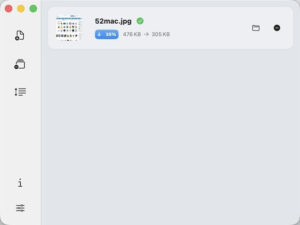
– **Save Space, Maintain Quality**: High compression ratio (example: 403KB image compressed to 108KB, 292KB image compressed to 98KB), near-lossless processing, difficult to discern differences, and retains original resolution.
– **Simplified Compression, No Complicated Operations**: Supports drag-and-drop, keyboard shortcuts, right-click menu, and other convenient operations, making batch processing effortless.
– **Fast Response, Flexible Adaptation**: Native macOS application, runs smoothly, compatible with Apple Silicon/Intel chips, automatically matches system light/dark themes.
### Near-Lossless Quality:
– **6 Levels of Compression Strength**: Adjustable from 1 to 6, higher numbers result in greater compression rates, balancing file size and quality.
### Customization:
– **Scene Presets**: Create scenario-specific presets for different workflows (such as design drafts, blog images, PPT materials), and switch between them with a single click.
### **Version 1.10.0 Update Highlights**:
– **Multiple Outputs**: Single compression can generate multiple versions of files, each with independent settings for format, size, and file name suffix. Results are grouped for display; all features are fully supported by command line, quick actions, and URL calls.
– **HDR Information Retention**: When converting HDR photos to JPEG, AVIF, HEIC, or JXL formats (even while resizing), HDR brightness information (Ultra HDR / Gain Map) is retained.
– **iCloud Sync**: Settings and preset configurations can be automatically synchronized across multiple Macs.
– **New Settings Interface**: The settings window has been redesigned with an icon sidebar and frosted glass style; all preset cards, authorization pages, and settings pages have been updated.
– **Configuration Import/Export**: A new data settings page has been added, supporting import/export of settings and presets, allowing selective imports based on categories.
– **Clipboard Format Whitelist**: Specify the image formats for which clipboard monitoring is effective, with PNG, JPEG, and WebP formats being the default.
– **Percentage Scaling**: Adds a percentage scaling mode for images, allowing for proportional reduction.
– **Command Line Upgrade**: Command line tools have been updated to version 0.3.0, with new groups of configuration and monitoring commands, supporting more customizable compression parameters.
– **DPI Retention**: Image compression retains the original DPI metadata.
– **Folder Permissions Prompt**: When folder permissions are disabled, Zipic can quickly detect and guide users to reauthorize.
### **Bug Fixes**:
– **PDF Compression**: Fixed issues where scanned documents would produce blank pages or lose some PDF text after compression.
– **HDR to SDR Optimization**: When converting HDR photos to JPEG/PNG formats (even while resizing), the brightness and tone mapping are more accurate, avoiding the grayish or pseudo-HDR effects.
– **Clipboard Optimization**: Compressed images are restored to their original clipboard format, and unchanged clipboard content is not reprocessed.
– **Scaling Precision**: Fixed issues where some formats would not scale correctly, resulting in ±1 pixel discrepancies.
– **Stability Fixes**: Fixed frequent notifications causing crashes, black screens during刘海 animations, and premature compression of cloud-synced files.
– **ICNS Compression**: The compression settings now work correctly with ICNS icon files.
### **Other Improvements**:
– **Clipboard Monitoring Behavior Change**: By default, only PNG, JPEG, and WebP formats are recognized; other formats can be enabled in settings.
– **Quick Actions Behavior Change**: After configuring multiple outputs, quick actions will return all generated files.
– **Engine Upgrade**: The built-in JPEG, PNG, AVIF, and PDF encoders have been updated, improving both quality and compatibility.
### **Screenshots**:
This resource requires login to download
Log in
Clipboard Manager for Mac v6.4.0 Professional Chinese Activation Download
Downloads:1617 | 2026-10-26

Where Cards Fall for Mac v1.4.2 Puzzle Game Download and Activation Bundle
Downloads:2049 | 2026-10-23

Parkitect for Mac v1.8m: Simulation Construction Game – Parkitectmac Download and Activation Version
Downloads:3124 | 2026-10-23

CLion for Mac v2019.1 Cross-platform IDE for C and C++ with Chinese Localization and Activation – CLionmac Download
Downloads:2292 | 2026-10-17


Ratings & reviews
No rating
Let’s rate it.