


Network Radar for Mac v3.2.1 Network Scanning Tool Chinese Activated Version Download
Network Radar is a professional-grade network scanning and device management tool that requires no complex configuration to quickly probe the entire network environment. It integrates device identification, network diagnostics, real-time monitoring, and automated operations, comprehensively covering diverse scenarios such as network troubleshooting, asset inventory, and security monitoring.
Warm tip: If it won’t open on a Mac with an M chip, go to Applications, find the software -> right-click and select Show Info -> check Open with Rosetta.
## 1. Deep Scanning of All Network Devices
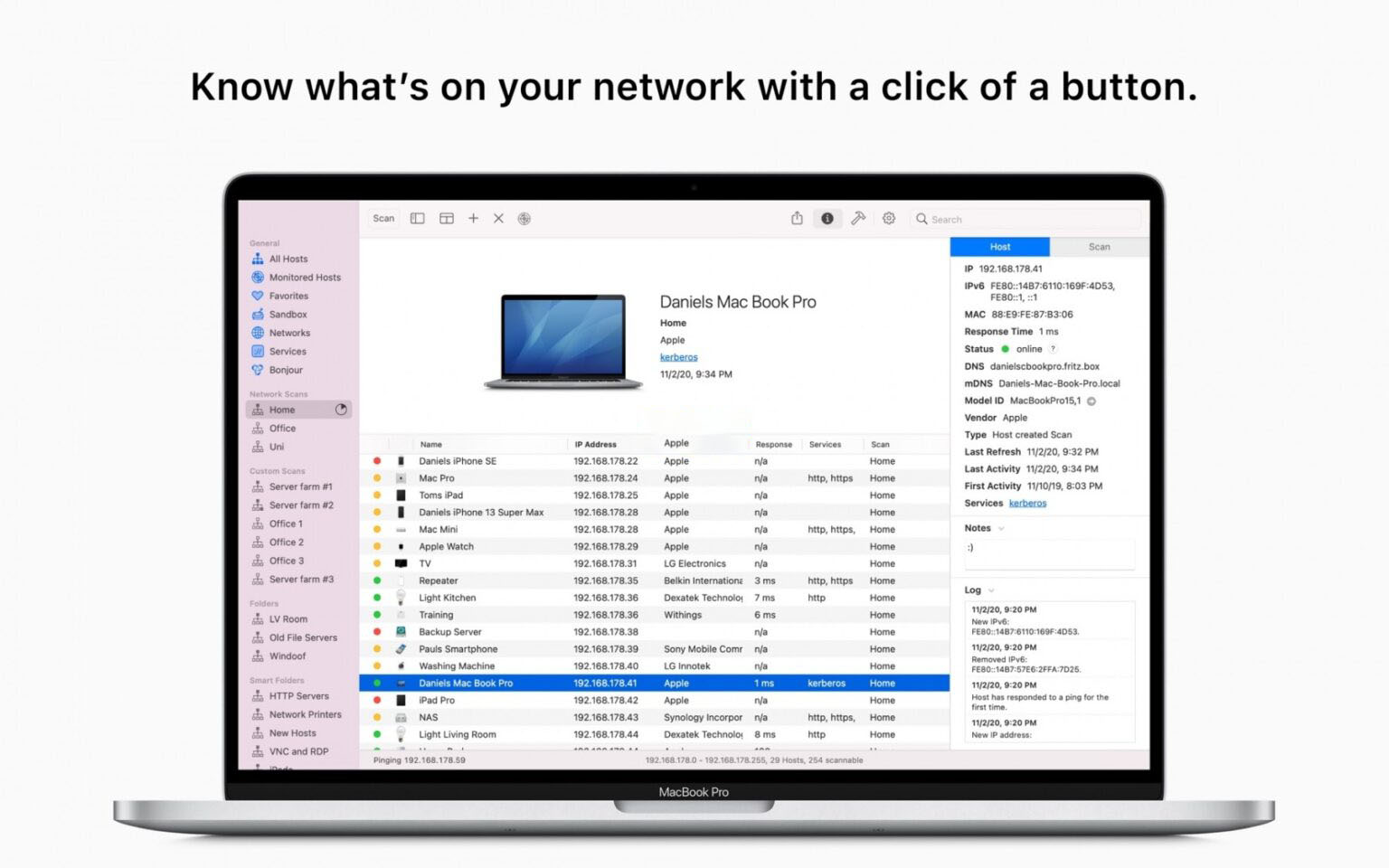
– One-click start of full network scanning, automatically identifying all networked devices, and obtaining full-dimensional device information such as IP/IPv6 address, MAC address, device vendor, DNS name, mDNS name, NetBIOS name and domain, open ports, and response latency.
– Supports custom IP range scanning, allowing targeted probing of specific network segments, subnets, or specified IP ranges, adapting to complex network environments such as multiple subnets and cross-VLAN.
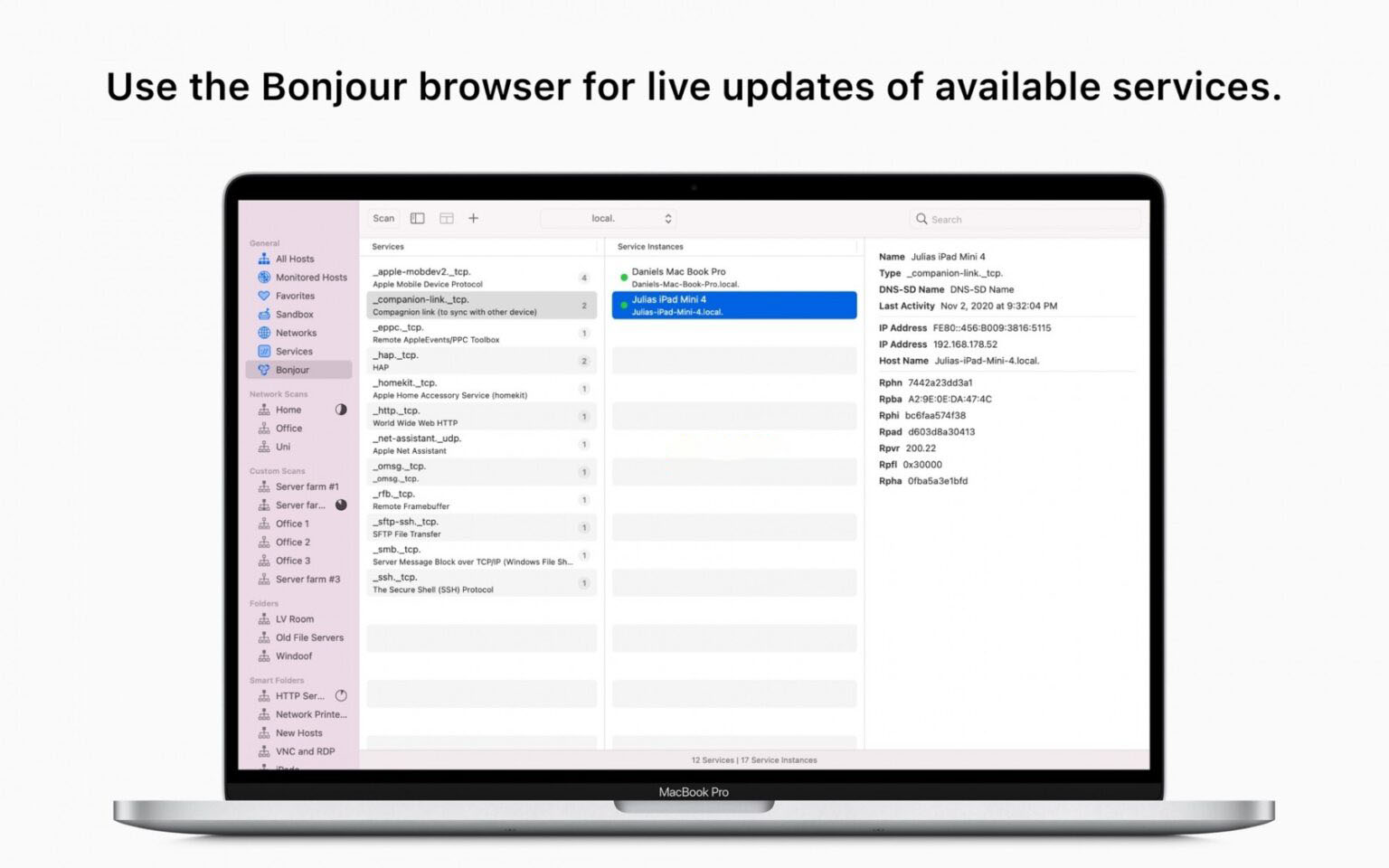
– Built-in Bonjour (mDNS) service monitoring module automatically discovers and displays all Bonjour services and their detailed configurations on the network, allowing you to view the full service list with zero configuration.
– Can identify devices that were already online before the scan started, presenting a complete network device list without omissions.
## 2. Full-Stack Network Diagnostic Tools
– Built-in professional network diagnostic tools such as Ping, port scanning, Traceroute, Lookup, and Whois information query, callable with one click without additional deployment.
– Supports remote device control: remotely wake compatible devices via the Wake On LAN protocol, and perform remote shutdown, restart, and sleep operations on other devices, even across network segments.
– Built-in SSH quick connection capability: double-click a device in the list to quickly establish a remote connection to the target device, greatly improving operations efficiency.
## 3. Real-Time Monitoring and Smart Alerts
– Supports continuous network monitoring, automatically recording all network events such as device online/offline and configuration changes, retaining a complete change timeline for reviewing network status at any time.
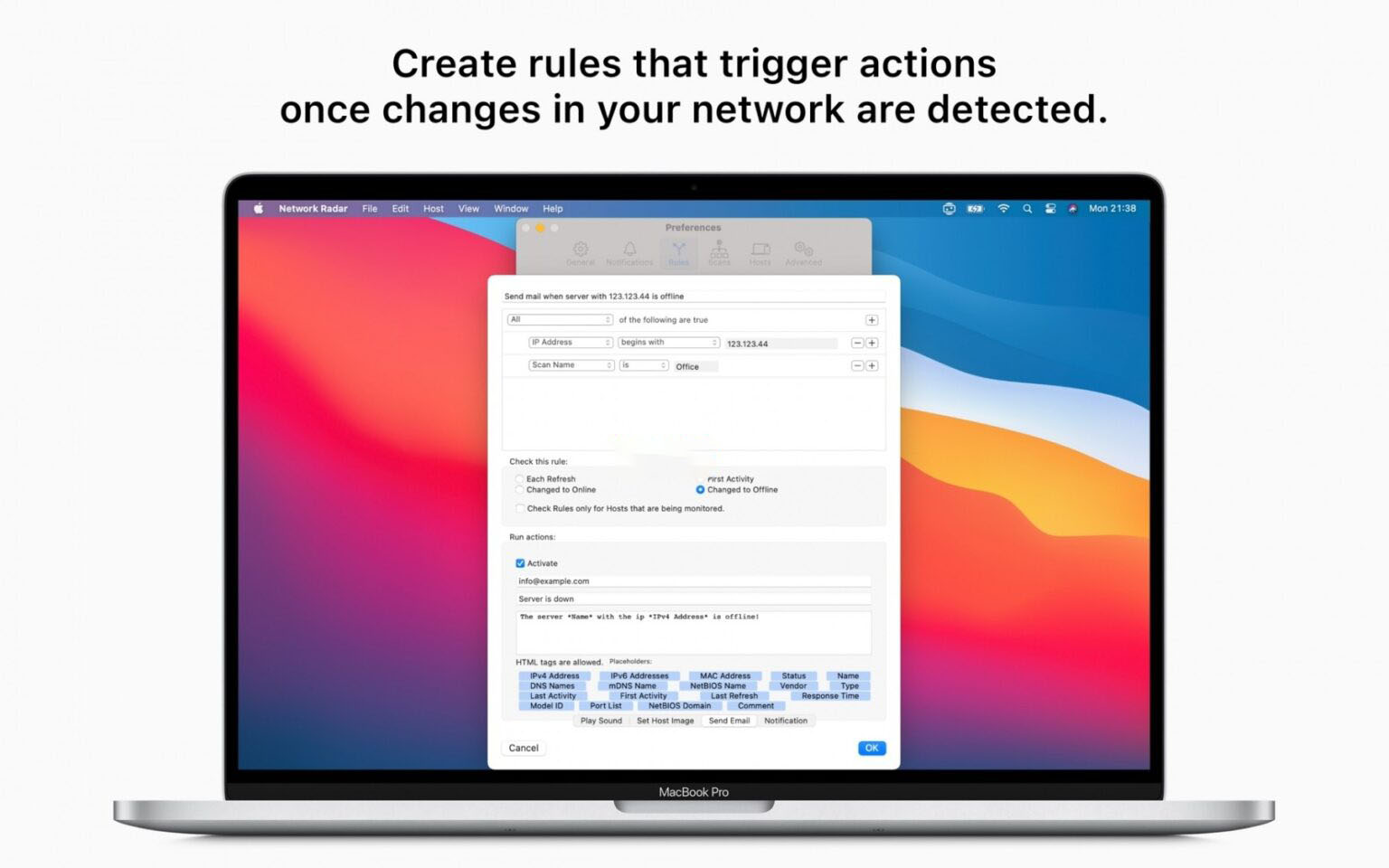
– Customizable event notification rules: proactively push reminders when devices connect to or leave the network, promptly detecting unknown device access and core server offline.
– Equipped with a rule/action automation system, allowing free configuration of trigger conditions and execution actions, such as automatically sending emails when a server goes offline or playing a prompt sound when a specified service is discovered, enabling unattended network operations.
## 4. Fine-Grained Device Asset Management
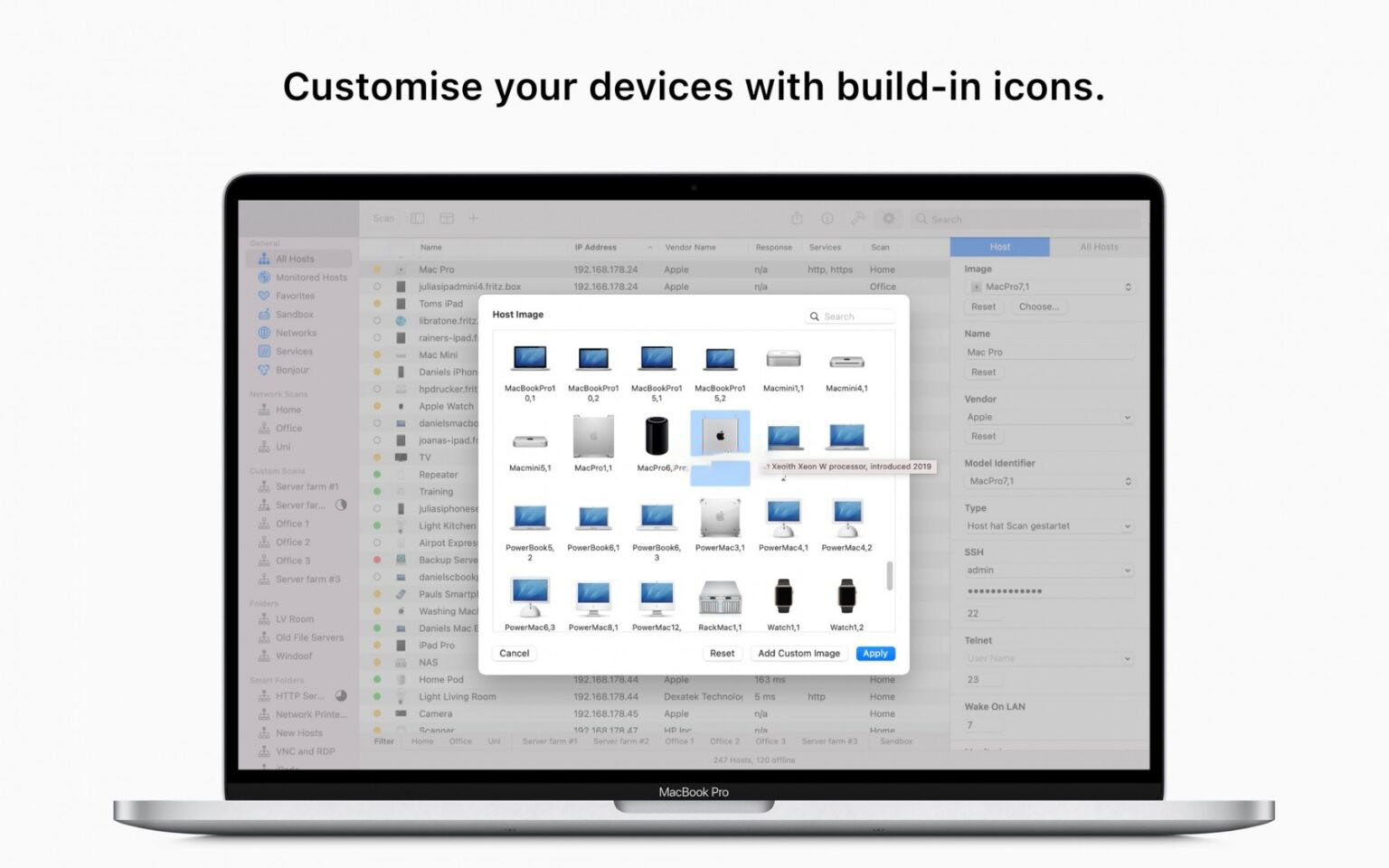
– Supports custom names, icons, device types, and vendor labels for devices, creating a personalized device asset inventory for quickly locating key devices.
– Supports dual-mode management with folders and smart folders: manually group devices by business or region, or automatically categorize devices via rules, making batch management more efficient.
– Supports binding scan tasks to network environments, automatically matching the corresponding scan configuration when switching networks, eliminating repeated setup when switching between multiple office scenarios.
## 5. Data Export and Workflow Extension
– Supports exporting scan results in multiple formats such as XML, CSV, TXT, PDF, and NETRADR, meeting diverse needs such as data archiving, report generation, and secondary import.
– Built-in quick actions allow customizing operations workflows to adapt to personalized network management scenarios.
– Supports import and export of scan configurations and device data, facilitating multi-device migration and data backup.
Version 3.2.1 Update Contents:
1. Interface visual upgrade, adapted to the new system UI design language, optimizing multiple interaction details.
2. Updated app icon to match modern design style.
3. Adapted to the latest SSH protocol, improving remote connection compatibility and stability.
4. Updated service database and MAC address database, further improving device identification coverage and accuracy.
5. Optimized filter bar interaction logic, with scrollbars hidden by default for a cleaner and fresher interface.
Software Screenshots:

WiFi Explorer Pro for Mac v3.3 WiFi扫描诊断工具 激活版下载 | 爱上MAC
下载次数:2704 | 2026-01-12

WiFiSpoof for Mac v3.8 系统网络工具 中文激活版下载 | 爱上MAC
下载次数:1810 | 2026-01-12
WiFi Explorer Pro for Mac v3.6.5 WiFi扫描诊断工具 激活版下载 | 爱上MAC
下载次数:3133 | 2026-01-12
WiFiSpoof for Mac v4.0.7 系统网络工具 中文激活版下载 | 爱上MAC
下载次数:1112 | 2026-01-12


评分及评论
4.9
(满分5, 共66用户评价)
来评个分数吧