




Clipboard Manager for Mac v7.0 Chinese Activation Download
Awesome Copy is a powerful macOS clipboard manager designed for users who value speed, design, and privacy. Save and organize all your copied content, including text, images, links, files, and music, and then search, reuse, and manage clipboard history across applications.
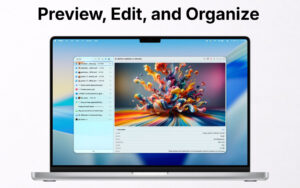
When copying files, Awesome Copy displays a streamlined preview on the top of the screen and supports drag-and-drop from Finder, the desktop, and other applications. Drag-and-drop functionality also allows you to operate from your clipboard history list directly.
With an iOS companion app, it supports bi-directional iCloud synchronization.
Through encrypted iCloud storage, it securely syncs clipboard history between Mac, iPhone, and iPad. Copy something on one device and paste it on another seamlessly.
Privacy-focused design: All data is encrypted and securely stored in iCloud. Awesome Copy does not track usage, share clipboard data, or use external servers.
Apple Intelligence integration allows for private summarization, understanding, and analysis of clipboard content on the device.
Features:
– Infinite clipboard history
– Supports Apple Intelligence
– Encrypted iCloud sync across Mac, iPhone, and iPad
– Customizable quick paste popup with customizable hotkeys
– Time and source application indicators for copied items
– Music album covers and playback support
– Quick clipboard search
– Image and file previews
– Jumbo drag preview
– 16 customizable themes
– Siri shortcut integration
– Rich text support
– Text transformations
– Sequential paste mode
– Clipboard item merging
– Drag-and-drop reordering
– Text-to-speech support
– Link detection and quick opening
– Quick preview of text, images, audio, and files
– File location hotkeys
– Mark important items
– Save text summaries
– Custom categories
– Always on top mode
– Horizontal and vertical layouts
– Application ignore list
– Password masking support
– Configurable history retention
– Import and export support
– Automatic paste support
– OCR image text detection and search
– Customizable global hotkeys
– Optional copy sound effects
– Hundreds of menu bar icons
Software Screenshot:
This resource requires login to download
Log in
NeoOffice for Mac v2017.27 Chinese Activation Version Download
Downloads:1676 | 2026-10-27

Affinity Publisher for Mac v1.7.1 Chinese Activation Download
Downloads:2537 | 2026-10-22

7000 Searchable Icons for Mac v5.7.2 Activation Download
Downloads:434 | 2026-10-22

Path Finder for Mac v2204 File Management Tool Chinese Activated Version Download
Downloads:632 | 2026-10-17


Ratings & reviews
No rating
Let’s rate it.