



OmniFocus Pro 4 for Mac v4.8.12 GTD Task Manager Chinese Activation Version Download
OmniFocus Pro is a professional Mac task management tool based on the GTD methodology, offering advanced features such as custom views, focus mode, batch editing, and script automation, supporting multi-device encrypted synchronization to help users efficiently organize complex projects and execute tasks.
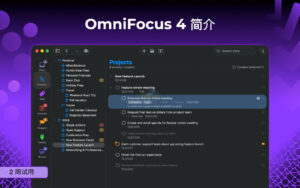
OmniFocus, a trusted and gold-standard to-do application, has reached its tenth anniversary. OmniFocus brings unparalleled power and flexibility to Mac, making it easy to manage your work in your own way.
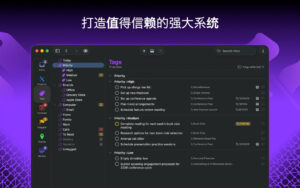
OmniFocus keeps your busy life organized. Use projects to naturally organize tasks, then add tags to cross-project organization. Easily access tasks while on the go, and handle tasks during spare time. The “Predict” view shows tasks and calendar events simultaneously, giving you a full overview of your day. Use the “Check” view to keep projects and tasks on track.
Key Features:
– The inbox is where you quickly add tasks, saving them for later organization.
– Synchronization supports end-to-end encryption, ensuring data security regardless of where data is stored with us or your server.
– Notes can be attached to tasks to provide all the necessary information.
– Attachments – graphics, videos, audio, and all the content you want – add rich information to tasks.
– Use “View” options to customize each view, allowing you to decide what content to display and how tasks are filtered.
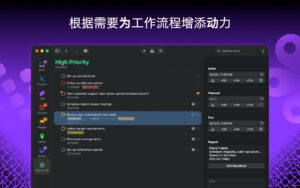
– The “Check” view lets you clearly see projects and tasks, ensuring everything stays on track.
– OmniFocus Mail Drop allows adding tasks via email, compatible with IFTTT and Zapier services (if using our free sync server).
– The “Today” widget displays the most important projects, allowing you to stay updated without switching to the app.
– Supports TaskPaper Text and omnifocus:///add and /paste to enable automation via URLs.
PRO Features:
– Custom views now allow filtering and grouping projects and tags to create new ways to view data. New: simpler filtering rules with more powerful functionality, now supporting “All,” “Any,” and “None” combination rules. You can also choose to use any image as the custom view icon with a custom color.
– New: Today’s “Predict” can include projects with specific tags, allowing you to rearrange these tasks in a way that better plans the day.
– Customizable toolbars allow organizing views according to your needs for quick access.
– The “Today” widget displays the selected view in the Notification Center.
– AppleScript support using Apple’s Mac scripting language for various automation.
Version 4.8.12 Update Highlights:
## Universal
1. **Custom View**: Improved stability of view rule editing, solving the issue of needing to repeat operations to make rule changes effective.
2. **Calendar Preview**: Optimized sorting logic for displaying calendar events and pending tasks on a single day.
3. **Calendar Preview**: Fixed the anomaly in the display of the “Keep Sorted” checkbox state.
## Mac-Specific Fixes
1. **Cursor**: Fixed the anomaly in cursor style display and inability to restore.
2. **Check Panel**: Restored the ability to drag and reorder tags in the check panel.
3. **Outline View**: Fixed the issue of content loss after filling in the completion date in a popup.
4. **Outline View**: Ensured that newly selected items can display metadata normally after deleting selected items.
5. **Sidebar**: Ensured that the sidebar selection status does not misalign with the outline content after sidebar item deletion.
Software Screenshot:
This resource requires login to download
Log in
Infuse for Mac v7.4.4 Strong Video Player Chinese Activation Download
Downloads:1437 | 2026-10-24

Professional Rendering Software Artlantis 2019 v8.0.2 Full Mac Download with Chinese Activation
Downloads:3359 | 2026-10-23

700高质量PPT模板 for MS PowerPoint – GN 4.0.2 Activation Download
Downloads:827 | 2026-10-20

Keyboard Maestro for Mac v9.0: Keyboard Shortcut Tool Activation Download
Downloads:301 | 2026-10-19


Ratings & reviews
No rating
Let’s rate it.