| PDF Squeezer is a professional-grade PDF compression and optimization tool tailored for macOS, a top-rated product on the Mac platform that has long been among the best in its category. It focuses on a simple yet efficient compression algorithm and intelligent compression techniques to significantly reduce file sizes while preserving the core content and visual quality of PDF documents. This makes it a must-have efficiency tool for users in various scenarios such as office work, design, education, and law.
Key Features:
Smart Targeted Compression Algorithm
The software is equipped with a multi-dimensional compression processing system, which can intelligently identify different content elements such as text, images, vector graphics, and forms within a PDF document. It automatically matches the optimal compression strategy for each content type, allowing users to maximize file size reduction without manual tuning. At the same time, it avoids damaging the core content due to ineffective compression. The software fully supports PDF versions 1.0 to 1.7 and 2.0, ensuring that compressed files can be opened by all mainstream PDF readers without compatibility risks.
Image Fine-Tuning Optimization Engine
For the PDF document’s largest content, the software offers professional-level optimization capabilities, supporting JPEG, JPEG 2000, and ZIP among various mainstream image compression formats. Users can set different compression levels for colored, grayscale, and black-and-white images. The software also supports custom image maximum resolution, color depth, and sampling rate. Users can choose between lossless and lossy compression modes to achieve a precise balance between file size and visual quality, avoiding issues like blurring and distortion in compressed images.
Deep Document Structure Cleanup
In addition to core content compression, the software can thoroughly clean up redundant data within PDF documents, including annotations, forms, thumbnails, bookmarks, redundant metadata, and hidden layers. This further reduces unnecessary volume, resulting in an极致精简的文件, while ensuring that the document’s core reading and usage functions remain unaffected.
Core Content Lossless Guarantee
The software optimizes text content and vector graphics specifically, ensuring that documents like contracts, resumes, proposals, and design drafts retain their clarity and sharp edges during compression. This guarantees that professional documents are suitable for formal business and legal scenarios.
Full-Spectrum Batch Compression Support
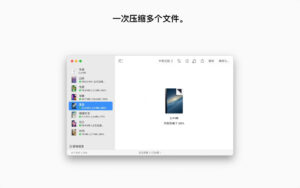
The software supports batch compression of multiple PDF files, allowing users to import multiple PDF files at once. The software will automatically process all files in sequence, without requiring manual intervention. This significantly improves the efficiency of handling large volumes of documents. It also supports folder-level recursive processing, enabling users to compress all PDF files within a folder, including those in subfolders, in a single operation. This is suitable for scenarios like archiving documents or organizing invoices.
Rich Predefined Compression Configuration Files
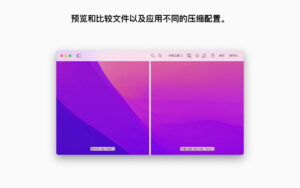
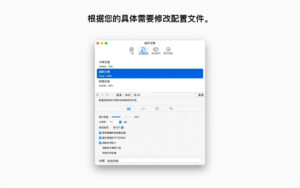
The software includes multiple official predefined compression configuration schemes, covering low, medium, and high compression levels, each tailored to different scenarios such as email transmission, web publishing, and document archiving. New users do not need to understand professional parameters; they can simply choose the appropriate preset to quickly complete compression.
Version 4.8.3 Update Highlights:
New Feature: Users can now choose to merge embedded annotations during compression, making them non-editable and non-movable.
New Feature: Optimized PDF compression for PDFs containing 16-bit images, resulting in smaller file sizes while preserving color configurations and image quality.
Bug Fix: Fixed missing translated text in the interface.
New Feature: PDF Squeezer uses efficient lossless 1-bit encoding for pure black-and-white images, ensuring the sharpness of text and lines while reducing file size.
Minor Interface Improvements
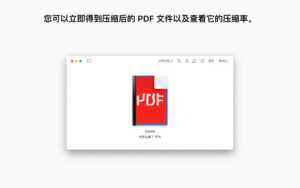
Bug Fix: Fixed the issue where the comparison panel did not display updated file sizes and compression ratios after deleting or restoring pages.
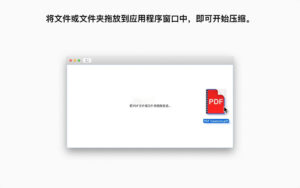
Bug Fix: Ensured that the software returns to the “drag here” initial interface when clearing all files.
|




Ratings & reviews
No rating
Let’s rate it.