


Task Manager for Mac v4.5.3 Chinese Activation Version Download
| Structured is a highly-rated productivity app for managing schedules, to-do lists, and habit tracking, all in one all-encompassing time management tool.
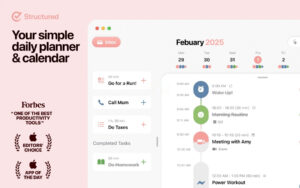
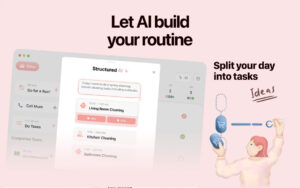
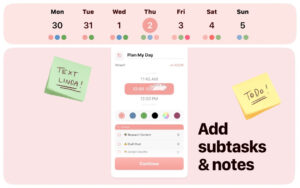
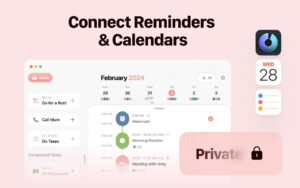
Structured is designed with an intuitive visual timeline core, making it easy to use and flexible to operate. It can meet the daily scheduling needs of ordinary users and provide auxiliary planning support for users with special needs such as ADHD and autism. It has already garnered over a million users worldwide. Core features: 1. Visual Timeline Scheduling: With a simple and intuitive daily timeline, it can accommodate a wide range of tasks including business meetings, personal events, and to-do lists. It supports drag-and-drop operations to quickly rearrange tasks, allowing for task creation, deadline setting, and schedule adjustments in seconds. It also supports a one-click adjustment for incomplete tasks, enabling quick movement of missed tasks to the next day, into the inbox for future planning, or removal from the timeline, making it adaptable to various changes in daily plans. 2. Task Breakdown and Fine Management: It supports adding detailed notes and sub-tasks to tasks, allowing large and complex goals to be broken down into multiple actionable and executable modules, lowering the execution threshold and aiding users in steadily achieving their goals. 3. Inspiration Inbox: It includes a dedicated inbox feature to store temporary ideas and pending tasks, clearing out redundant information from the brain, and later organizing and archiving them to maintain focus and clarity of thought. 4. Cloud Synchronization Across Devices: It supports seamless synchronization of schedule data across multiple Apple devices such as iPhone, iPad, Mac, and Apple Watch, allowing users to view, edit, and manage schedules anytime, anywhere, covering all scenarios. 5. Focus Enhancement Tools: It includes a dedicated focus timer, paired with real-time activities (Live Activities) and interactive desktop widgets, to create an undisturbed efficient work environment, helping users improve their focus and task completion efficiency. 6. Personalized Schedule Decoration: It offers color-coded categorization and hundreds of unique icons, allowing users to mark and differentiate different types of schedules according to their needs, enhancing schedule recognition while creating a personalized planning interface. 7. Cross-Zone Scheduling: It supports creating tasks across time zones, perfectly fitting the scheduling needs for travel, international team collaboration, and other scenarios. 8. Comprehensive Accessibility Adaptation: It comes with comprehensive assistive features, fully supporting VoiceOver narration, VoiceControl voice control, and providing reading-friendly fonts and multiple language translations, catering to different user needs. Pro version exclusive advanced features: 1. Full-Platform Calendar and To-Do Integration: It supports one-click integration of all calendars and to-do lists on user devices, creating a comprehensive overview of daily schedules without switching between multiple applications, achieving one-stop schedule management. 2. Customizable Repetition Tasks: It supports creating custom recurring tasks, making it easy to establish regular routines such as workday processes and weekend plans, reducing repetitive operations and improving planning efficiency. 3. Structured AI Planning: It includes AI-generated and edited scheduling capabilities, supporting the creation and modification of complete schedules through natural language recognition, significantly reducing the time cost of scheduling. 4. Customized Notification System: It allows users to customize notification rules according to different usage scenarios and personal habits, ensuring no important matters are missed while avoiding unnecessary interruptions. Version 4.5.3 Update Content: The new version introduces a revamped focus timer and segment timer features, based on the Pomodoro technique. The new focus timer interface is clearer and more intuitive, adding a relaxed atmosphere. During work, it allows quick note-taking and the creation of sub-tasks, and the timer can be paused and adjusted at any time. For long-term tasks, the segment timer automatically divides focus and break periods based on the remaining time of the task. The software guides work according to your rhythm, without needing to manually plan and remember break times. Segment timer is a premium feature of Structured Pro. Software Screenshots:
|
This resource requires login to download
Log in
Kingdom Rush: Vengeance – Tower Defense Game Download & Activation
Downloads:457 | 2026-10-23

ON1 NoNoise AI 2022.5 for Mac v16.5.1 Smart Image Noise Reduction Software Chinese Activation Version_ON1 NoNoise AImac Download
Downloads:1305 | 2026-10-22

QR Factory for Mac v2.9.16 Serial Key Download
Downloads:1539 | 2026-10-20

Sublime Merge for Mac 1.1.1.6 Build 2027 Git Client Activated Version Download
Downloads:2858 | 2026-10-17


Ratings & reviews
No rating
Let’s rate it.