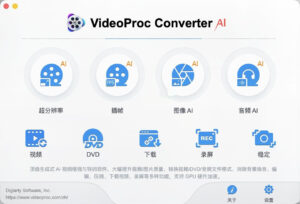
| VideoProc Converter AI is a one-stop AI audio-video and image enhancement processing tool, equipped with three-tier hardware acceleration technology, integrating functions such as picture quality restoration, format conversion, editing processing, material downloading, and screen recording creation, covering the entire workflow of video creation needs.
## AI Video Image Enhancement
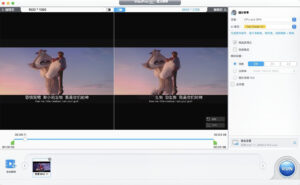
– **AI Super Resolution**: Supports 2X/3X/4X magnification, capable of elevating low-resolution, old, and compressed videos and DVD resources to HD/4K clarity, accurately restoring image details, suppressing noise and blurriness, avoiding the generation of artifacts, and suitable for scenarios such as converting SD to HD, and restoring old films.
– **AI Frame Insertion**: Generates transitional frames through intelligent algorithms to elevate video frame rates to 120/240/480 fps, achieving smooth and fluid dynamic effects, supporting the creation of high-quality slow-motion shots, eliminating motion jitters and image flickering.
– **AI Video Stabilization**: Smartly eliminates handheld shooting, motion camera, and drone footage’s shaking, wobbling, and displacement, supporting customized stabilization accuracy and cropping ratios, balancing image stability and viewing range, and addressing trembling issues in low-light scenes.
– **Image Repair Optimization**: Supports removing interlacing, eliminating motion blur, and smartly reducing noise and sharpening, specifically repairing compression distortion, low-light noise, and grainy images, restoring natural and transparent visual texture.
## AI Image Enhancement and Restoration
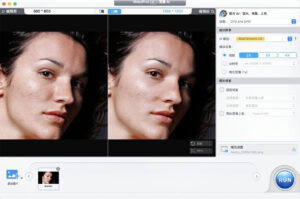
– Supports enhancement of various image materials such as ordinary photos, old photos, AI paintings, and anime illustrations, capable of elevating resolution to 4K/8K/10K, strengthening detail sharpness, and eliminating image noise.
– Includes a face restoration model, accurately restoring the clarity and natural texture of human faces; supports intelligent colorization of black-and-white photos, automatically matching realistic and natural color effects.
## AI Audio Processing
– **Voice Separation**: One-click extraction or removal of voices and instrumental sounds from videos or audio, suitable for scenario applications such as extracting accompaniment, extracting dialogue, and noise removal.
– **Smart Noise Reduction**: Automatically identifies and filters background noise and environmental noise, clearly retaining the sound of the main subject, suitable for scenarios such as interviews, vlogs, and recording material audio quality restoration.
## Format Conversion and Intelligent Compression
– Supports conversion of all types of audio and video formats, covering mainstream encoding and packaging formats, compatible with playback and editing needs of various devices and platforms, supporting DVD digital conversion.
– Includes seven compression strategies, allowing for file compression based on target size, quality level, or encoding switch, supporting batch processing, and maintaining picture quality while reducing file size, suitable for scenarios such as transmission, upload, and storage.
## Practical Video Editing Tools
Provides basic editing functions such as cropping, splitting, merging, rotating, flipping, adding subtitles, watermarks, and effects, supporting GIF creation and M3U8 processing, meeting the needs of daily editing and material processing.
## Video Download and Screen Recording
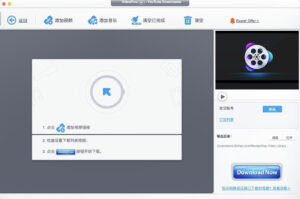
– Supports downloading of video materials from thousands of video platforms, allowing previewing of resolution, format, frame rate, and encoding parameters, and choosing the appropriate version based on needs.
– Includes screen recording functionality, supporting full-screen, area, and window recording, synchronizing system sound and microphone audio, suitable for scenarios such as tutorial recording, live streaming retention, and operation demonstrations.
## Performance Advantages
Equipped with three-tier hardware acceleration technology, fully utilizing GPU computing power to significantly enhance AI processing, transcoding, and compression performance, supporting batch file processing in real-time, without file size restrictions, and supporting offline operation.
Version 8.12 Update Content:
Major Update: This update expands compatibility with the new iPhone 18 series and macOS 27, while reducing the software installation package size and improving Downloader compatibility.
New Features:
– Added conversion settings for the latest iPhone models, supporting iPhone 18 Pro, iPhone 18 Pro Max, and iPhone Duo.
– Added support for the latest macOS 27.
Optimization:
– Upgraded Python to 3.11 and updated underlying components to improve Downloader compatibility.
Fixes:
– Fixed multiple known issues, enhancing overall stability.
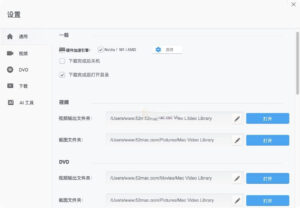
Software Screenshot:
|




Ratings & reviews
No rating
Let’s rate it.