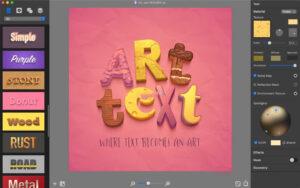
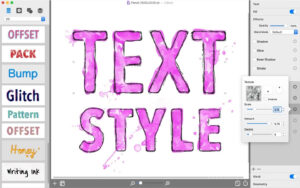
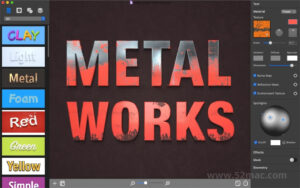
| Art Text 4 for Mac is a graphic design software that has been adjusted for creating text effects and graphic styles based on text. The application includes multiple text design presets and effects to help you create visually enhanced photo titles, logos, newsletters, brochures, presentation titles, and even movie titles.
Creating 3D Text
Unique 3D engine.
Input text in “Art Text” and watch it immediately create a 3D model based on the font chosen by the user.
Bump mapping technology.
Add and fine-tune bumps on the 3D text surface to simulate the natural roughness of bricks, ice, rust, and other materials.
Reflection Mask tool.
Use a Reflection Mask defined with defined reflection and non-reflection areas to maximize the authenticity of surface roughness. Especially useful for surfaces like rust, corrosion, or scratches.
Environmental textures.
An environmental texture is a good method to simulate reflections from external sources.
Lighting options.
Control the lighting of 3D text by moving spotlights and changing the color of the lights.
200+ material presets.
Simplify the process of creating high-quality 3D prints with material presets. Each preset is a unique combination of textures, bump maps, environmental textures, and lighting options.
Natural shadows.
Activating the shadow option will remove the natural shadows of the 3D text object.
Glow effect.
The 3D glow effect makes bright surface areas truly glow.
Parallel projection.
Understand how 3D objects immediately switch from “perspective” to “parallel” projection.
2D text effects
Spray fill.
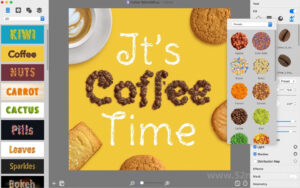
Fill text with 440+ photo objects to simulate the effect of objects like coffee beans, color balls, autumn leaves, and clouds arranged in words.
Distortion effects.
In addition to the usual font options, you can edit fonts to create worn-out text, create random holes in the text, and make parts of the text darker, etc.
Mask materials.
Create raised and embossed text effects, or copy a light on the text.
Twist and bend.
Use any of the 24 transformation modes to transform the shape of the text.
Text outline effects.
A set of common effects includes: shadow, glow, inner shadow, and outline.
New rendering based on Apple Metal.
General
– 180 text design templates.
– 122 style presets for quick text effects.
– 750+ provided intelligent shapes, vector icons, symbols, logos, and hand-drawn shapes.
– 150 masks.
– Support for dark and light appearances.
– Extend the workspace to iPad displays with Apple Sidecar support.
Version 4.5.10 Update Content:
Fixed some issues and improved stability.
Software Screenshot:


|
Ratings & reviews
No rating
Let’s rate it.