

Publisher 5 for Mac v5.7.7 Desktop Publishing Layout Software Activation Download
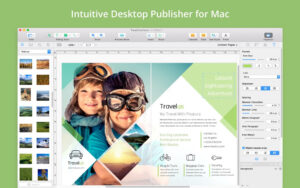
Swift Publisher is a multifunctional page layout and publishing tool designed for Mac. It covers all types of content, from brochures and flyers to CD labels and elegant business cards.
Swift Publisher can do the following:
Page Layout
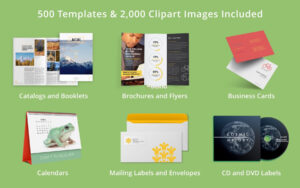
– Brochures, flyers, catalogs, newsletters, menus, stationery, posters
CD and Media
– CD and DVD labels, covers, foldable brochures, VHS covers
Business Cards
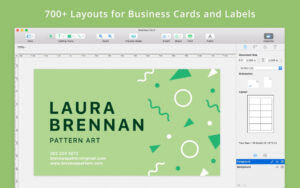
– Business cards, thank you cards, ID cards, discount cards, CD and DVD cards, greeting cards
Labels and Envelopes
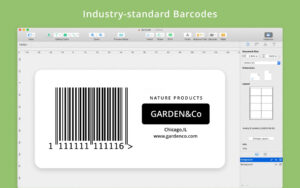
– Address labels, envelopes, shipping labels, barcode labels, folders
Other Projects
– Calendars, greeting cards, thank you cards, postcards, certificates, invitations, thank you notes
Key Features:
Page Layout
– View and edit two pages side by side.
– Create a unified page for any project using the master page.
– Unlimited layers to create complex designs without cluttering the canvas.
– Customizable grids for precise document layout.
– Smart guides to maintain design elements’ consistency.
– Print multi-page brochures, with page order handled by the program.
Text Handling
– Create multi-column layouts using flowing text boxes.
– Apply custom text styles with a single click.
– Support for horizontal, vertical, and circular text.
– Wrap text around images or other objects.
Design Tools
– Apply linear and radial gradients, draw any shape, apply strokes, etc.
– Edit photos and apply Core Image filters using the built-in image editor.
– Add shadows and strokes to any design element.
– Crop, rotate, resize, color, tile, and control image transparency.
Graphics Content
– 300 pre-designed templates
– 2,000+ image library
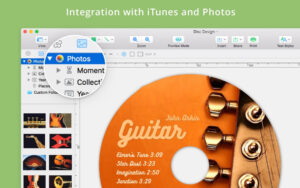
– Integration with Depositphotos online photo library
– Apply 100+ image masks to any photo
– Professional 2D and 3D title styles
– Use adjustable smart shapes as the frame for your images
Other
– Support for direct-to-print on multiple devices
– Export to TIFF, JPEG, EPS, and PDF formats
– Set bleed and DPI for documents
– Convert text to curves to avoid font loss
Version 5.7.7 Update Highlights:
New Features:
– Added brochures, menus, posters, and business cards to the template gallery.
– Support for Avery and Brother label paper sizes.
– Customizable colors for QR codes and other barcodes.
Bug Fixes and Improvements:
– Improved the ability to import audio and video track lists.
– Other bug fixes and improved stability.
Software Screenshot:
This resource requires login to download
Log in
UniverConvertor Full Video Converter by Wondershare for macOS Version 15.5.13 Download and Activation Edition
Downloads:3107 | 2026-10-29

PDF Editor Pro for Mac v2.9.8.0 Chinese Activation Version Download
Downloads:2515 | 2026-10-20

Dynamic Wallpaper for Mac v18.5 HD Dynamic Wallpaper Chinese Activated Version Download
Downloads:3044 | 2026-10-17

iA Writer for Mac v7.2.11 Professional Writing App Chinese Activated Version Download
Downloads:1172 | 2026-10-17


Ratings & reviews
No rating
Let’s rate it.