

ACDSee Photo Studio 26 for Mac v26. 0. 3 Chinese Activation Version Download
ACDSee Photo Studio for Mac 26 aims to put the power back in the hands of the photographer. Smart artificial intelligence (AI) tools simplify organization, rather than destructive editing, allowing you to confidently try and quickly improve every photo. This is your world, and ACDSee Photo Studio for Mac 26 will help you streamline your workflow, so you can focus on your creation.
Tip: The software is already cracked, but the purchase button appears in the upper right corner of the software on M chip computers, which does not affect the functionality.
ACDSee Photo Studio for Mac 26 discovers new and improved features, redefining possibilities.
Discover new and improved tools aimed at simplifying your editing and management processes. AI noise reduction removes unnecessary noise while preserving details, and AI presets allow for intelligent editing adjustments with a single click. Use new AI keywords to save a significant amount of time, search for photos without adding any metadata, and understand your vast photo collection through the “group” option in the management mode. ACDSee Mac 26 Photography Studio comes equipped with powerful features to help you work smarter, complete tasks faster, and feel unstoppable.
Easier searching
For photographers, spending time capturing moments is more valuable than searching for them. With effortless AI keywords, your entire library can be instantly searched—without tagging or wasting time. Whether it’s your best landscape, portrait, or latest creative experiment, you can find any photo in just a few seconds. Take back the time you spend behind the lens, not the keyboard.
Removing noise, not details
AI noise reduction utilizes advanced machine learning to automatically detect which parts of a photo need to reduce pixel noise while preserving important details. Quickly clean high ISO photos or photos with a lot of grain, keeping the photos natural, sharp, and shining. Run AI noise reduction on a batch of photos to reduce editing time while keeping your photos clean, detailed, and lifelike.
Unleashed non-destructive editing capabilities
Smart and non-destructive styles are within reach. AI presets are a complete game-changer for amateur and professional photographers. When applied to a batch of photos, AI analyzes each photo and adjusts it, significantly reducing the time you spend editing. Just a few clicks, and you can make your subjects stand out, adjust background lighting, or imprint your real style onto the entire photo directory.
More convenient image sorting
The new “group sort” option in the management mode provides multiple ways to organize photos. Sort by camera, shooting date, file size, file type, and more, making it convenient to manage your photo library.
This is not magic, but ACDSee
ACDSee Photo Studio for Mac 26’s AI does not take over everything—still fully in your hands, but AI-driven tools amplify your influence. With AI noise reduction and AI super-resolution, for example, you can achieve instant intelligent photo enhancement with real-time results and complete privacy. Unrestricted creation, keep your mind—rather than your files—clouded.
Non-destructive photo editing
Intuitive and non-destructive RAW photo editing is available for use. In “print mode,” AI-driven mask groups help you automatically choose the subject, background, sky, or object in a photo, making quick editing—whether simple adjustments or handling more complex selections—easier. You can easily adjust the selection mask to accurately cover the areas you need without affecting the rest of the image. Use tools like the color wheel, balanced light™, and clone tool to fix colors, balance lighting, and restore quality without permanently changing the original file. When dealing with large photo batches, use AI presets to keep consistent editing across multiple photos, saving hours of manual work. ACDSee provides tools to help you quickly complete tasks.
Digital asset management (DAM)
Your digital asset archives grow larger, requiring more powerful resources—ACDSee can meet this need. Advanced AI-driven digital asset management tools help you organize and search photos without losing motivation. Skip the slow imports, and ACDSee directly connects to your hard drive, starting to complete tedious tasks. As you browse through your photo collection, add ratings, tags, categories, keywords, location data, customizable color tags, and other metadata to keep everything organized. Use powerful search tools like AI keywords, saved searches, and keyword/category filtering to find the exact photos you need in just a few seconds—rather than hours—so you can continue pursuing photo management. Easily eliminate duplicates and simplify workflows like adjusting sizes, renaming, or converting file formats.
AI face detection and recognition
With AI face detection and recognition, your photo library becomes more intuitive. ACDSee automatically detects faces in photos, making it quick to name them. Once started, the software immediately learns which names to assign to different faces and recommends possible matches when needed. Batch accept or reject AI-generated suggestions to ensure your collection stays consistent with your most important people. Whether documenting decades of family history or managing professional shoots, ACDSee provides speed, accuracy, and flexibility, keeping you ahead of the curve and capturing every moment.
Version 26.0.3 Update Content:
1. Fixed software crashing in specific scenarios when adding new keywords or categories
2. Fixed the issue of not exiting the editing state when clicking on a blank area when adding new keywords or categories
3. Fixed the issue of inaccurate RAW file ratings in some scenarios
4. Fixed the issue of folding parent keywords or categories when creating a new sub-item, which would alter other keywords and category names
5. Fixed iCloud synchronization-related issues
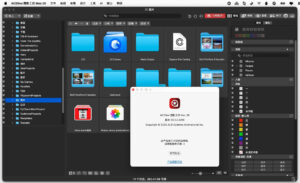
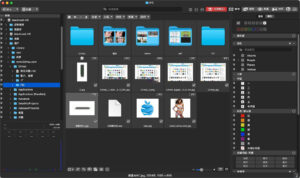
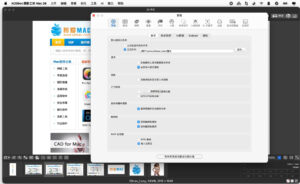
Software Screenshots:
This resource requires login to download
Log in
Clunky Hero: Action Adventure Game – Clunky Heromac Download and Activation Bundle
Downloads:2626 | 2026-10-23

Redout: Space Assault for Mac v1.9.6 – Download and Activation Edition
Downloads:3223 | 2026-10-23

Autodesk Maya 2018 for Mac v2018.2 3D Modeling Software Chinese Activation Version Download
Downloads:2406 | 2026-10-23

PrefEdit for Mac v5.6 Preferences Editor Activation Download
Downloads:676 | 2026-10-20


Ratings & reviews
No rating
Let’s rate it.