Pixelmator Pro for Mac is a professional-grade image editing software designed to present powerful image processing capabilities in an intuitive and user-friendly manner. It excels in image editing, graphic design, and photo retouching, and is highly favored by Mac users.
One. Core Features and Professional Tools
Pixelmator Pro offers a comprehensive and efficient suite of tools to meet various needs, from basic editing to advanced creation:
- Comprehensive Image Editing Tools: Easily enhance existing images or create new works.
- No-Destructive Editing: Supports adjusting individual editing steps while retaining original image data.
- Object Management and Composition: Conveniently move, resize, and arrange objects to create beautiful visual compositions.
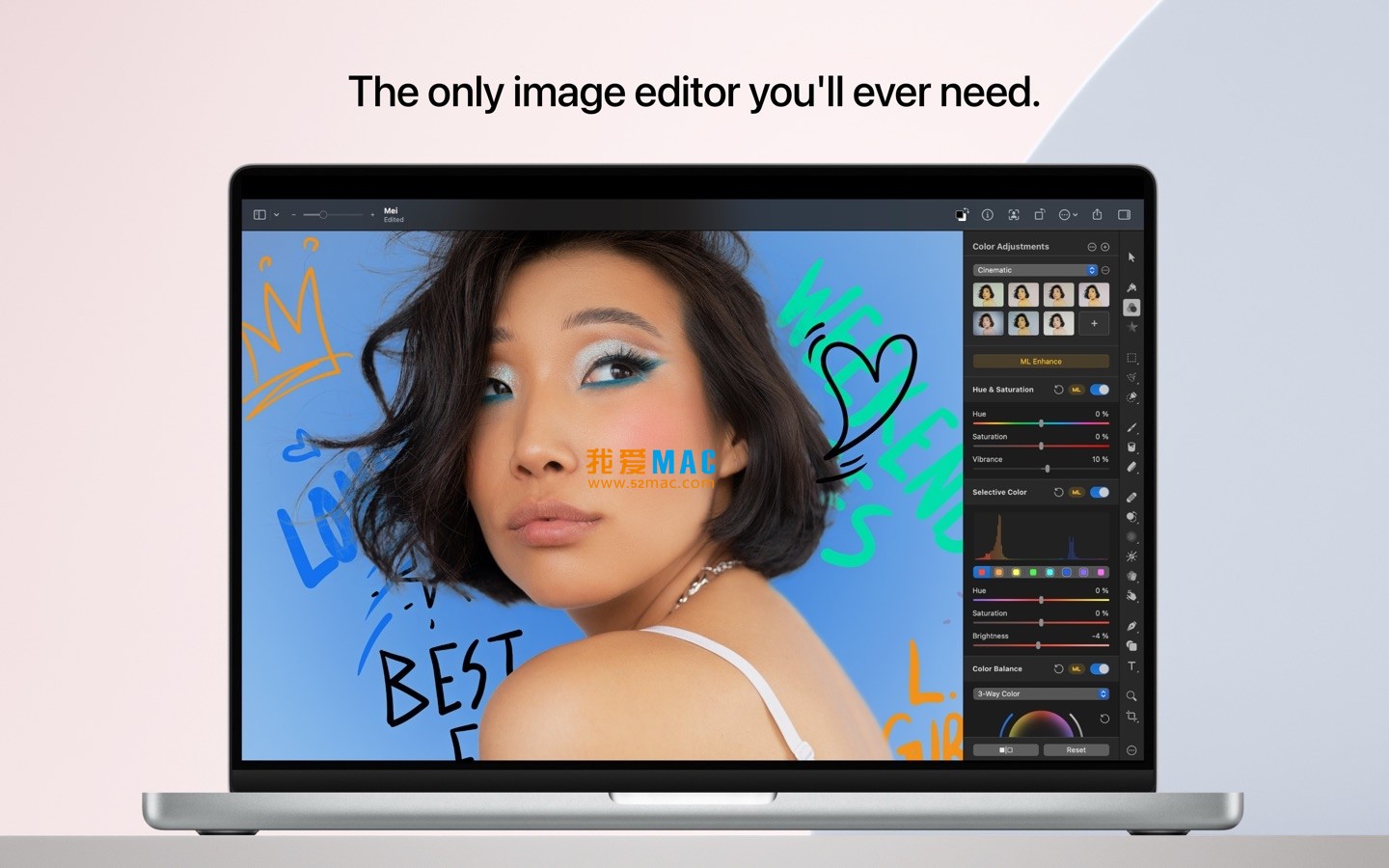
- Advanced Color Adjustment: Utilizes lossless color adjustment tools for precise control over image colors.
- Machine Learning Enhancement: Based on Core ML technology, automatically optimizes photos to the best state.
- RAW File Support: Directly edits RAW format images without the need for conversion beforehand.
- Digital Painting: Provides customizable brush textures for digital painting, fully compatible with graphics tablets.
- Effects and Styles: Comes with a rich library of built-in effects, and allows saving custom adjustments, effects, and layer styles for reuse and sharing.
- Removal and Repair Tools: Smartly removes defects or objects, seamlessly clones image areas, and uses professional tools for local brightness adjustment.
- Shape Reshaping: Uses reshaping tools to flexibly change the shape of objects or regions, suitable for artistic creation or portrait retouching.
- Vector Graphics: Offers pre-installed high-quality customizable vector graphics, or creates custom vector graphics using the “pen” tool.
- Professional Typography: Comes equipped with a full suite of typography tools for designing aesthetically pleasing text content.
- Web Optimization: Utilizes advanced compression algorithms to optimize image sizes for network use.
- Bulk Processing: Completes image batch processing tasks using five built-in Automator programs.
Two. Machine Learning-Enhanced Image Editing
Pixelmator Pro leverages advanced machine learning technologies to implement several intelligent editing features:
- Smart Photo Enhancement: Based on algorithms trained on millions of professional photos, automatically optimizes photo quality.
- Automatic Layer Naming: Automatically generates descriptive layer names for newly added layers.
- Horizontal Line Detection: The cropping tool automatically detects and straightens horizontal lines in images.
- Object Removal and Repair: Performs astonishingly realistic smart removal of objects and image area repair.
- Quick Selection Tool: Quickly and accurately completes image area selection.
Three. Extensive Compatibility
Pixelmator Pro supports multiple file formats and integrates deeply with the macOS ecosystem:
- Format Support: Fully supports JPEG, TIFF, PNG, PSD, HEIF, SVG, PDF, GIF, BMP, TGA, JPEG-2000, and other mainstream image formats.
- PSD File Editing: Can directly open and edit Photoshop files containing layers.
- SVG Vector Graphic Editing: Supports opening and editing SVG format vector graphics.
- Integration with “Photos” App: Can directly start editing from the “Photos” app and save the modifications back to the original photo library.
- Easy Sharing: Can directly share images to photos, email, AirDrop, and other apps.
Four. Version Updates (v3.7.1)
Version 3.7.1 Update Content:
This version focuses primarily on error fixes and stability optimizations of the application to ensure smoother and more stable software operation.
Five. Software Screenshots
Here are some screenshots of the Pixelmator Pro for Mac v3.7.1 interface and features:




-for-Mac-v3.1.5-经典耐玩冒险游戏.png)


Ratings & reviews
4.6
(Maximum 5 ratings, total 27 user reviews)
Let’s rate it.