Pixelmator Pro is a professional-grade image editing software tailored for the macOS system. It combines powerful features, an elegant interface, and intuitive operations, catering to both beginners and advanced users. The software provides a complete set of non-destructive editing tools, enabling users to optimize photos, create composite images, design graphics and text, and realize creative ideas in various ways.
One, Core Functionality and Features
Pixelmator Pro offers a comprehensive suite of image editing tools covering all stages from basic adjustments to advanced creations:
- Non-destructive editing workflow: All adjustments can be made non-destructively, allowing for real-time modifications or reversals of individual operations.
- Object management and compositing: Easily move, zoom, and arrange layer objects to build complex visual compositions.
- Color and image quality enhancement:
- Use non-destructive color adjustment tools to fine-tune colors.
- Utilize machine learning-based features powered by Core ML to automatically optimize photos.
- Complete support for RAW format files, allowing direct editing and maintaining the highest quality.
- Painting and brushes: Provide a full set of customizable dual-texture brushes, fully supporting digital tablets for a natural painting experience.
- Effects and styles: Built-in rich effect libraries allow users to create and save custom adjustments, effects, and layer styles for reuse and sharing.
- Correction and repair: Use the repair tool to intelligently remove imperfections or objects, and refine image details with cloning and local adjustment tools.
- Vector graphics design:
- Include a high-quality customizable vector graphics library.
- Offer the pen tool for users to create vector paths independently.
- Professional typography: Equip a complete set of text design tools for easy addition and beautification of text content.
- Output and batch processing:
- Optimize images for web publishing using advanced compression algorithms to reduce file sizes.
- Implement built-in Automator actions for batch image processing.
Two, Machine Learning Enhanced Editing
The software integrates machine learning technologies to significantly enhance editing efficiency and outcomes:
- Smart photo enhancement: Automatically optimize photo quality using algorithms trained on a vast library of professional images.
- Automated layer naming: Automatically generate descriptive names for new layers.
- Smart cropping assistance: The cropping tool can automatically detect horizontal lines to help quickly correct images.
- Smart object removal: The repair tool can naturally remove unwanted objects and reconstruct the background.
- Quick and precise selection: The quick selection tool based on ML enables efficient cropping and local editing.
Three, Broad Format Compatibility and Integration
Pixelmator Pro supports a wide range of file formats and integrates closely with the macOS ecosystem:
- Supported formats: JPEG, TIFF, PNG, PSD, HEIF, SVG, PDF, GIF, BMP, TGA, JPEG-2000, etc.
- Layer editing: Can open and edit Photoshop (PSD) files containing layers.
- Vector editing: Supports editing and exporting SVG vector graphics.
- System integration:
- Launch and edit from the Photos app directly, and synchronize changes back to the photo library.
- Quickly export to photos, emails, AirDrop, and other applications via the sharing menu.
Four, Version 3.5.5 Release Notes
This update mainly addressed several issues and improved the stability of functions:
- Fixed some issues with Pixelmator Pro operations in the Shortcuts application.
- Improved PSD file compatibility, now retaining keywords metadata when opening.
- Fixed the issue of RAW layer colors appearing too dark in documents created by older versions.
- Solved the problem of Sony A7 Mark IV RAW photos not applying automatic lens correction.
- Corrected the issue of some compressed Fuji RAF format photos appearing too dark.
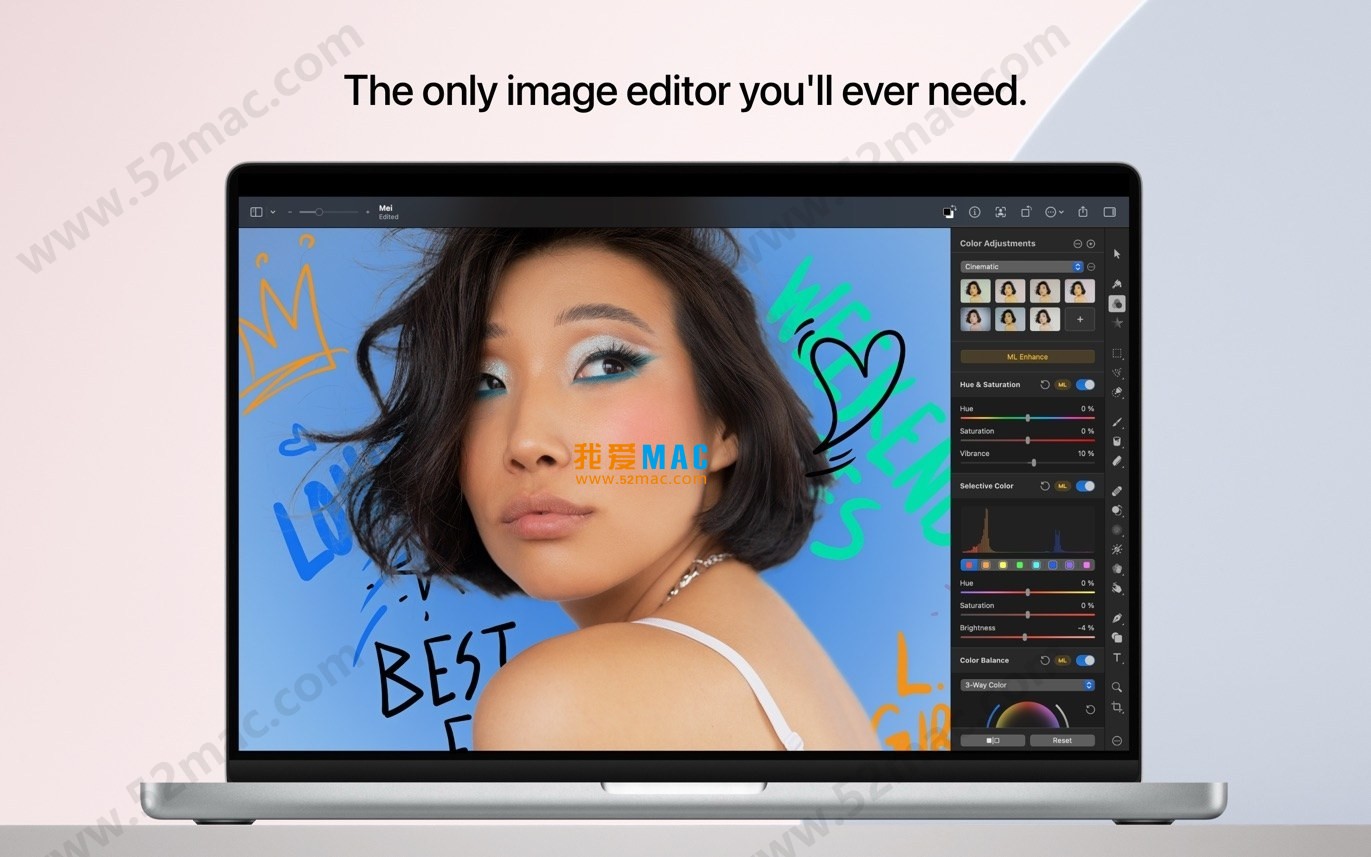
Five, Software Interface Screenshots
Here are examples of Pixelmator Pro’s operation interfaces:





Ratings & reviews
4.6
(Maximum 5 ratings, total 69 user reviews)
Let’s rate it.