

AiArt Image Enhancer for Mac v3.12 Activation Download
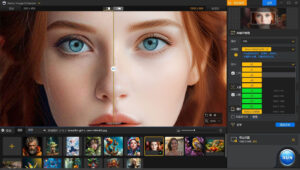
Aiarty Image Enhancer for Mac is a photo enhancement software powered by generative AI, capable of deblurring, noise reduction, repair, and magnification of images, generating realistic details using advanced AI models to provide superior clarity and sharpness.
Deblur – Make blurry images clearer
Smartly enhance blurry, grainy, pixelated, or soft images, while the AI magic generates clear and realistic details – the idea of restoring the clarity of AI-generated images and highly compressed photos.
Noise Reduction – Remove noise from photos
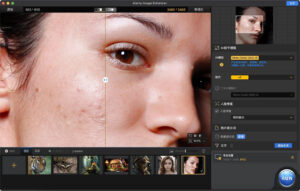
Use deep learning algorithms for noise reduction and reconstruction. Handle various types of noise that occur during acquisition or post-production. Effectively improve clarity, sharpness, and overall visual quality.
High-end – Amplify images up to 4K/8K/32K without lowering quality
Amplify AI-generated images and real photos up to 2x, 4x, or 8x to achieve stunning 4K, 8K, or 32K resolution.
More Details – Not only can you retain but also generate details trained by AI models for saving and generating image details. Skilled in generating details for skin, hair, texture, lines, and more. The improvement potential is greater for images with lower quality.
Supported Input and Output Formats
Supported Input Formats
.jpg, .jpeg.jp2, .j2k, .jpf, .jpm, .jpg2, .j2c, .jpc, .jpx, .mj2, .png, .tif, .tiff, .webp, .bmp, .avif, and RAW formats (including .dng, .cr3, .cr2, .crw, .nef, .nrw, .arq, .arw, .sr2, .srf, .raf, .rw2, .orf, .ori, .pef, .ptx, .3fr, .fff, .iiq, .cap, .eip, .rwl, .srw, .erf, .mos, .mef, .mrw, .mdc, .dcr, .kdc, .dcs, .drf, .k25, .bay, .pxn, .r3d, and .rwz)
Supported Output Formats
.jpg, .png (8-bit, 16-bit)
Version 3.12 Update Content:
New Features and Improvements:
– Added Smart Selection Mode for the Face Repair feature to support automatic selection of all suitable faces for enhancement.
– Optimized rendering process to improve the smoothness of preview when adjusting large image effect parameters.
– Added 3:2 and 2:3 aspect ratios for the crop function.
– Preview images support magnification up to 8x.
– HDR default intensity adjustment set to 0.75, with a default value label prompt on the interface.
Fixes:
– Fixed exposure issues with some RAW images after decoding.
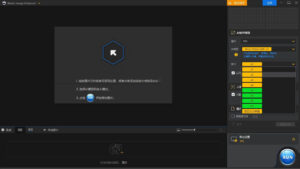
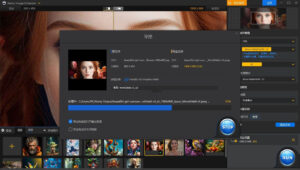
Software Screenshots:
This resource requires login to download
Log in
iShowU Studio 2 for Mac v2.2.3 Screen Recording and Editing Software Activation Download
Downloads:313 | 2026-10-24

Professional Music Production with Logic Pro X for Mac v10.7.2 Chinese Activation Download
Downloads:892 | 2026-10-24

Scapple for Mac v1.5.4 Free-Form Mind Mapping Tool Activated Version Download
Downloads:1624 | 2026-10-18

System Toolkit for Mac v4.1.0 System Maintenance and Information Tool Activated Version Download
Downloads:286 | 2026-10-17


Ratings & reviews
No rating
Let’s rate it.