
Warning: Attempt to read property "slug" on null in /www/wwwroot/www_23mac_com/wp-includes/taxonomy.php on line 4763

Lite Image Editor for Mac v8.6.1 Activation Download

  • Introduction
Download
Download now
Join VIP Free download

Description

Acorn for Mac  is a highly acclaimed and beloved image editor. Whether you’re enhancing photos, creating detailed designs, or trying out artistic editing, Acorn provides the tools and features you need to make your vision a reality.

Acorn is your all-in-one image editor, designed to combine simplicity with professional-grade functionality. Add text and shapes, create stunning collages, refine photos, or start a new project – all of these are easy to do.

Key Features:

Explore a world of possibilities:
– Add text to paths or shapes to design logos and customize typography.
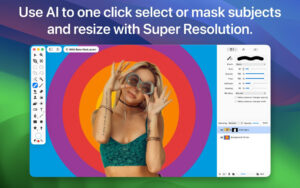
– Use tools like the Magic Wand and Instant Alpha Eraser to remove backgrounds.
– Combine images to create collages and layouts.
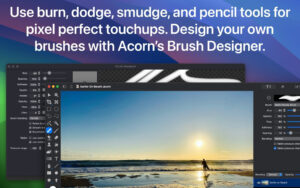
– Use tools like Clone, Dodge, and Burn to refine images.
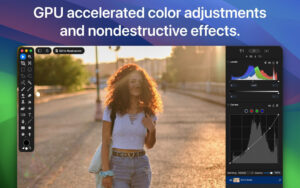
– Adjust contrast, highlights, and shadows using the Color Balance and Curves.
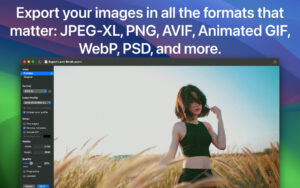
– Export with customizable color profiles, file formats, and precise size control as a professional.

Image and Layer Features:
– Create layered screenshots of open windows.
– Use an unlimited number of layers and over 25 blending modes.
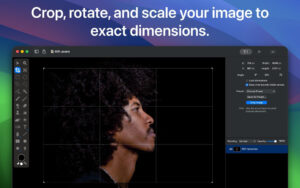
– Use alignment grids, reference lines, and precise transformations.
– Handle image depths of 8, 16, and 32 bits per channel.

Filter, Effects, and Styles:
– Enjoy non-destructive editing with an infinite number of effect combinations.
– Apply tilting, softening, blurring, and distorting effects.
– Adjust color channels using Curves and Color Balance.

Powerful Tools for Every Task:
– Use brushes for cloning, blurring, erasing, etc.
– Use polygon, ellipse, or magic wand tools for precise selection.
– Design custom brushes using the built-in brush designer.

Vector Excellence:
– Create stars, arrows, circles, and Bezier curves using Acorn’s vector tools.
– Combine shapes using Boolean operations (such as union, intersect, and exclude).
– Adjust, refine, and perfect vector designs using the Shape Processor.

Seamless Import and Export of Various Formats:
– Import: JPEG, PNG, TIFF, GIF, PSD, RAW, WebP, SVG, AI (compatible with PDF).
– Export: JPEG, PNG, TIFF, GIF, PSD, WebP, JPEG-XL, animated PNG/GIF, CMYK files, etc.

Version 8.6.1 Update Highlights:

– Fixed issues with the new brush engine and canvas selection.
– Fixed old Intel GPU running the new brush engine.
– Fixed the bug where the brush engine couldn’t start due to the old “Rendering Backend: CPU Memory” preference setting.

Software Screenshot:

Download info

This resource requires login to download

Log in
Note: This resource is for informational purposes. By using this resource, you agree that you accept full responsibility to the copyright holder. For questions, please contact us.

Ratings & reviews

No rating

Let’s rate it.

  • 5 stars
  • 4 stars
  • 3 stars
  • 2 stars
  • 1 stars

You may also like

More
×
Lite Image Editor for Mac v8.6.1 Activation Download
iMac — One-stop Mac Software Download Platform
Social login
captcha
Social login