

MWeb Pro for Mac v4.8.2 Professional Markdown Editor Chinese Activation Download

  • Introduction
Download
Download now
Join VIP Free download

Description

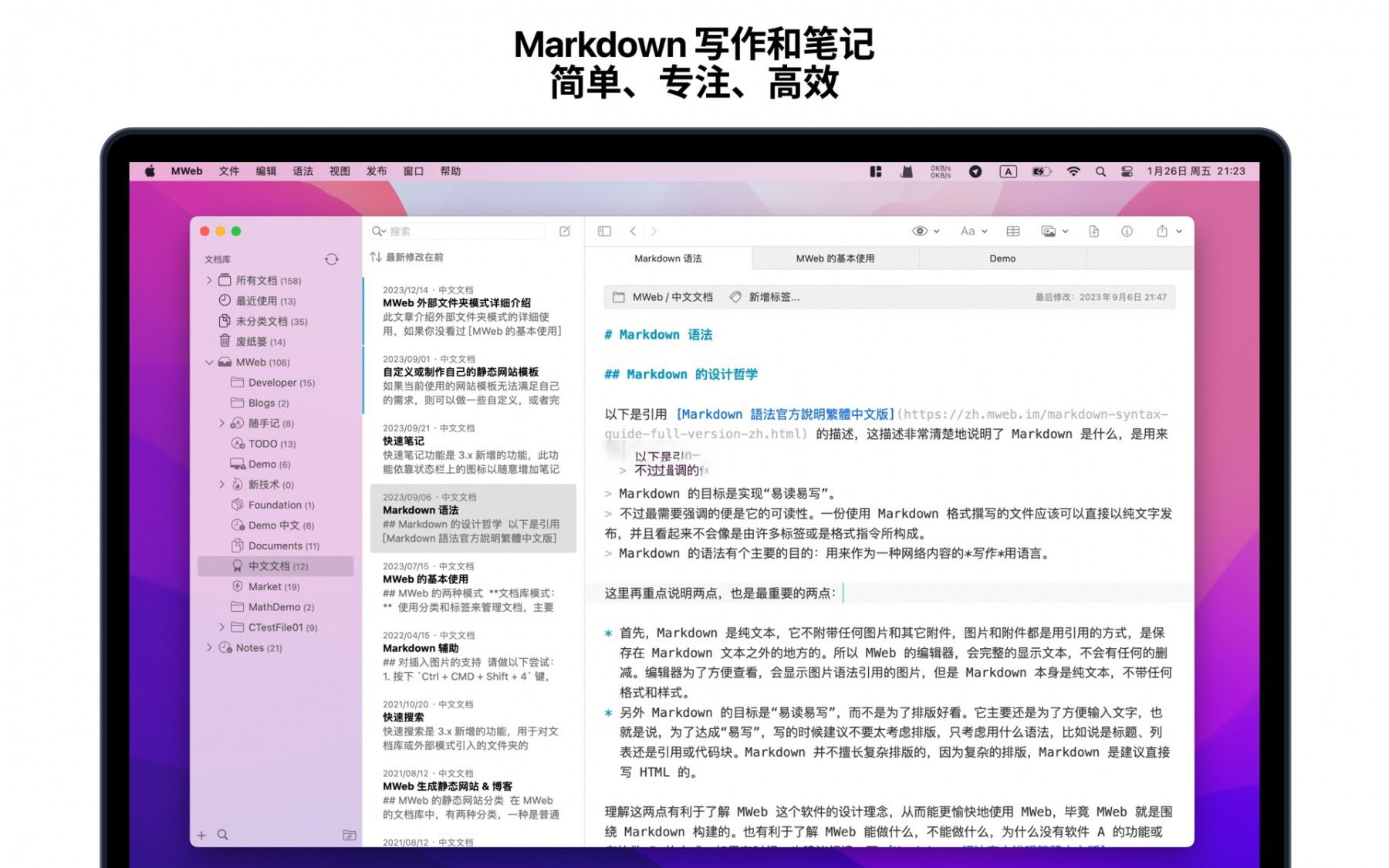
MWeb is a professional Markdown software tailored for the macOS platform, integrating comprehensive Markdown syntax editing, structured note management, iCloud multi-device synchronization, document export in various formats, and one-stop blogging and static site generation capabilities. In simple terms, MWeb consists of four modules: an editor, a folder mode for managing documents, a document library mode for note-taking, and a document publishing and sharing feature set. Below are brief introductions to these four modules, which you can read further if interested.

  • MWeb Editor
    • For writing and note-taking, the editor is the foundation. Here are some key features of the editor:
    • Based on the popular CommonMark syntax standard and GitHub Flavored Markdown (GFM) extensions, supporting features such as TOC, tables, code blocks, mathematical formulas, task lists, footnotes, etc.
    • Displays Markdown documents in their entirety without any reduction. We believe this is key to simplicity and efficiency.
    • Directly displays images in the editor, supporting formats like jpg, png, gif, webP, HEIC, etc.
    • Previews mathematical formulas, mermaid diagrams, and Echarts drawings in the editor.
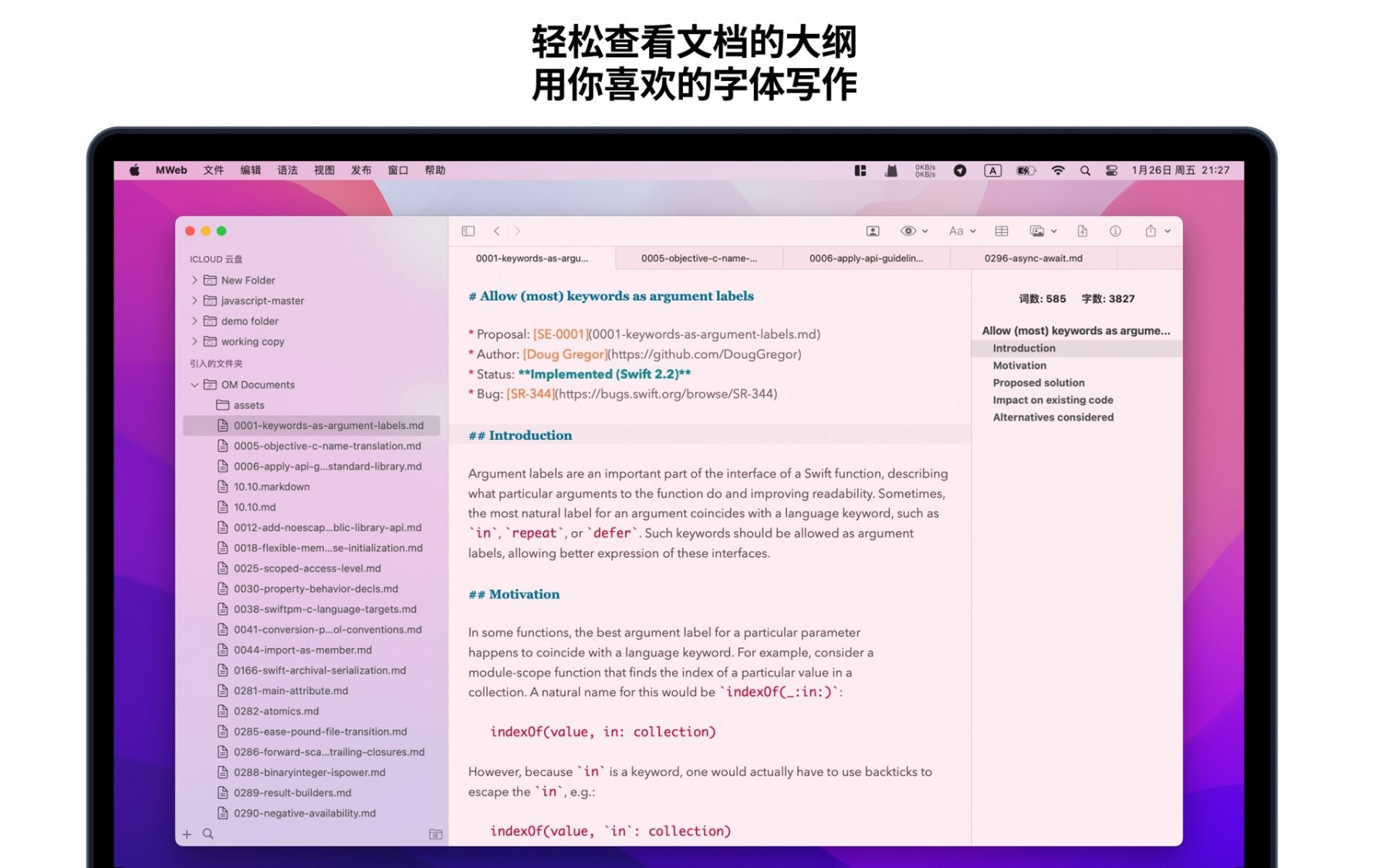
    • Allows setting a preferred font or multiple fonts for writing.
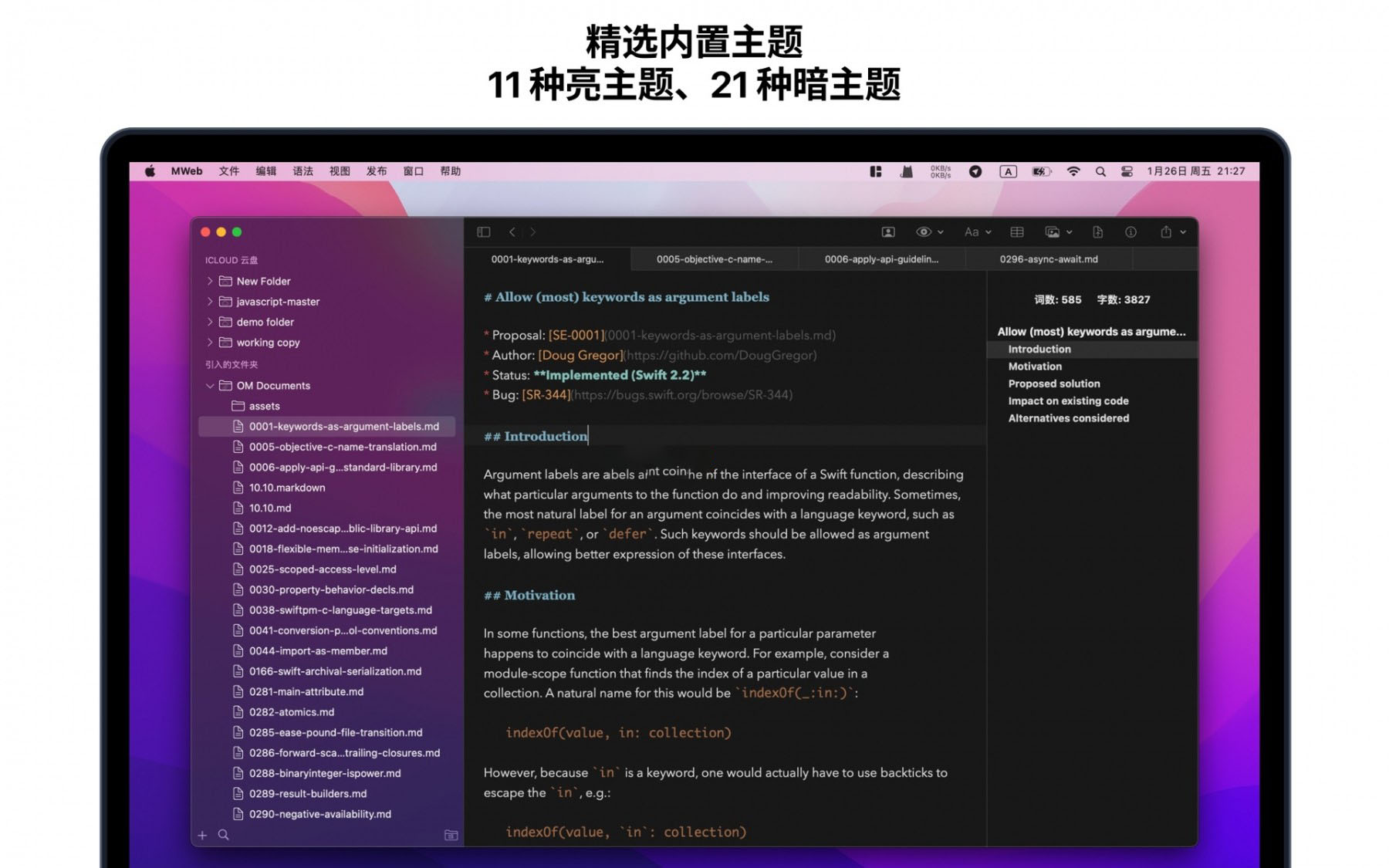
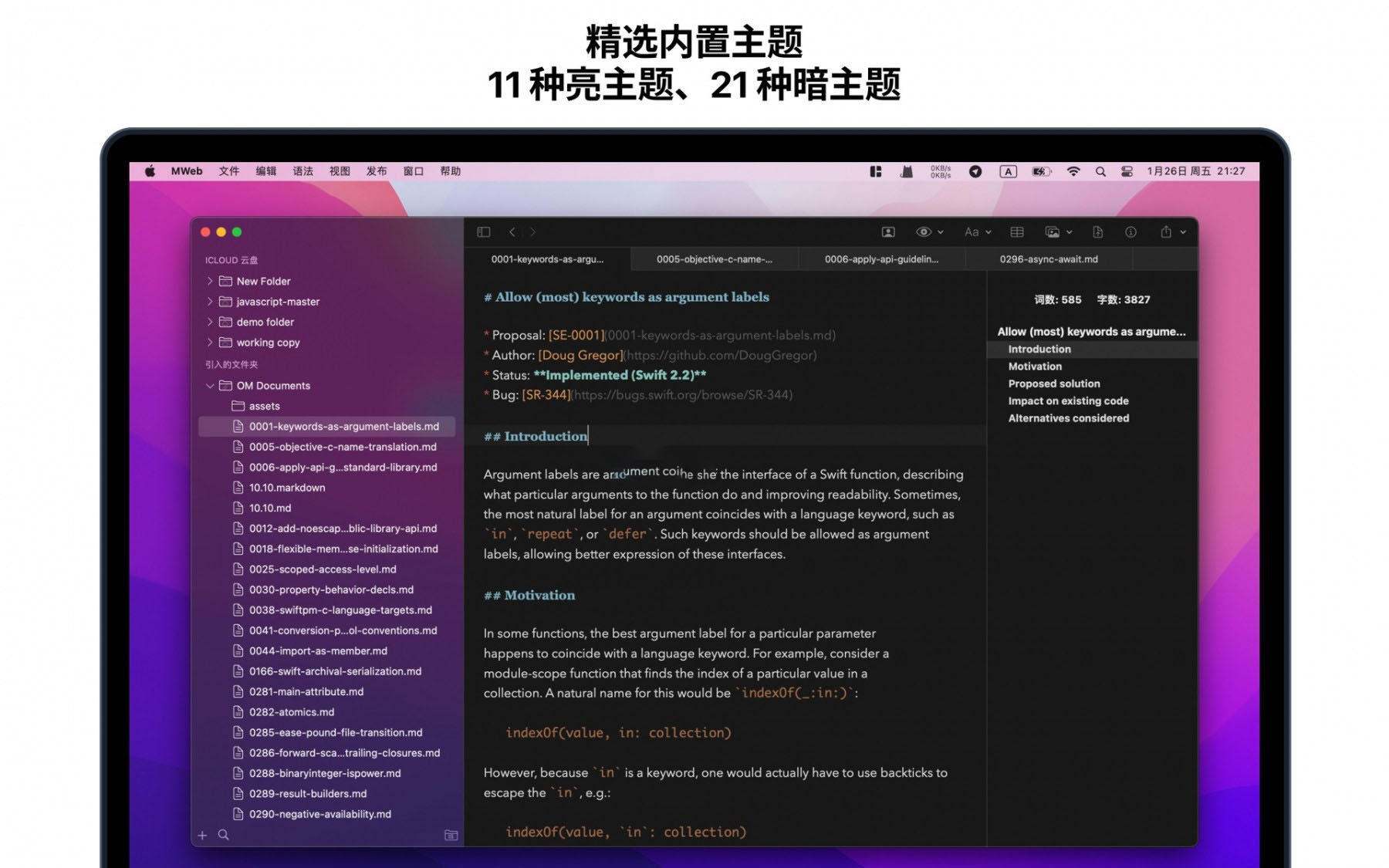
    • Offers 11 light themes and 21 dark themes, with support for custom themes.
    • Provides a menu for convenient input of Markdown syntax, and iOS versions offer a dedicated Markdown syntax keyboard.
    • Includes tools for generating and formatting Markdown tables.
    • Shows the outline and word count of Markdown documents, with the macOS version supporting fixed display in the left or right side of the editor.
    • Supports previewing Markdown documents, allowing precise preview while editing.
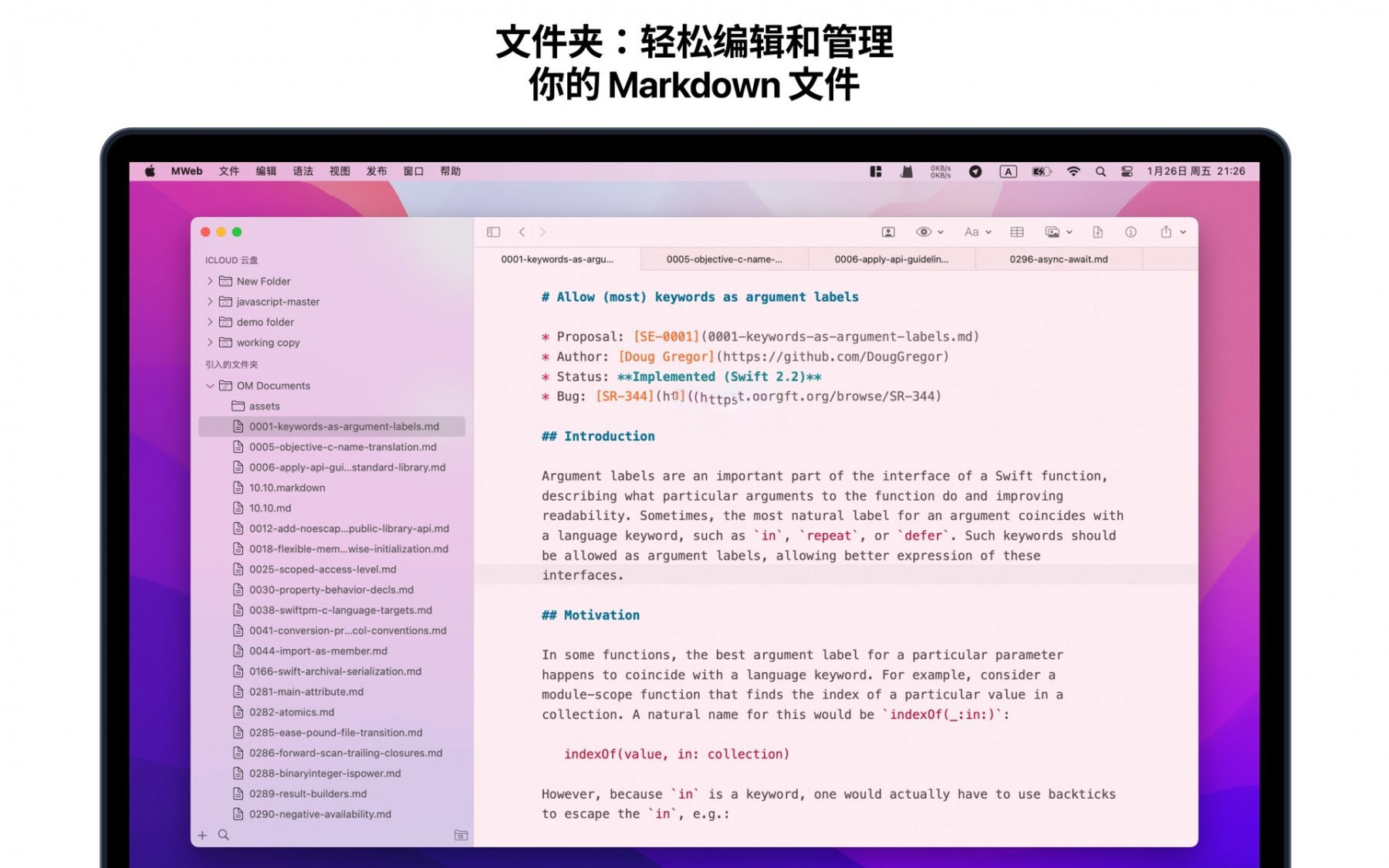
  • MWeb Folder Mode
    • Markdown’s primary need is to create and edit Markdown documents. MWeb’s folder mode serves this purpose. It supports the following features:
    • Create Markdown or Textbundle documents, or simply open them to edit.
    • Introduce a folder containing Markdown documents into MWeb’s folder mode, and MWeb provides features like document management, full-text search, image copy-paste, and unified storage of referenced images.
    • Optimized for each platform’s usage habits. On macOS, the classic dual-column design places the tree structure of introduced folders in the left column and the opened documents in the right column. Supports multiple windows and tabs, allowing multiple documents to be opened simultaneously. On iPadOS, it supports multiple windows and toolbar features.
    • iPadOS/iOS versions support introducing folders from Dropbox.
    • Supports managing Markdown documents for Jekyll or hexo static blogs, simply by introducing the folder containing the Markdown documents.
  • MWeb Document Library
    • Markdown is so useful, so taking notes is a significant need. You can use the folder mode to take notes, which is also very good and easy to share. So why do we have a separate document library mode? Mainly because the document library mode has the following features:
    • No need to consider file names, titles, or storage locations. Adding a note is simply editing in the editor, free to input and record.
    • Use a classification tree and tags to manage notes, allowing a single note to be categorized under multiple classifications, making it easier to set tags.
    • Organizing notes is more convenient. Moving classifications and notes, renaming classifications, and changing note references do not affect the relationships between notes or the correct positions of images and attachments within notes.
    • Complete cross-device synchronization using iCloud CloudKit technology, supported on macOS, iPadOS, and iOS.
    • Documents are stored in a unified folder, making management and backup easier. Even if you use iCloud synchronization, you can still back up the document library locally.
    • Export entire classifications of notes as PDF or e-book formats.
    • macOS version of MWeb Pro supports generating static blogs from classifications, with full support for mathematical formulas and mermaid diagrams in the generated blogs.
  • Features for Publishing, Image Upload, and Export
    • Supports publishing documents or notes to platforms like WordPress, MetaWeblog API, Evernote, Blogger, Tumblr, Yuyanke, Matrix, Ghost, and Medium (except Medium, which supports updating published documents). When publishing, images inserted into the document are automatically uploaded.
    • Supports uploading images from documents or notes to services like imgur, Qiniu Cloud, SM.MS, Tencent Cloud COS, Aqian Cloud, Alibaba Cloud OSS, and custom APIs.
    • Supports exporting documents or notes as PDF, with support for generating tables of contents in the macOS version.
    • Supports exporting documents or notes as EPUB or images.

Version 4.8.2 Update Highlights:

  • Improvements: Opening Markdown documents with hundreds of images is now much faster.
  • Improvements: PDF export styles now allow choosing custom themes’ light themes.
  • Improvements: The sm.ms image upload service has been updated to a new s.ee.
  • Improvements: When publishing to WordPress, you can now fill in the excerpt.
  • Improvements: mermaid library upgraded to version 11.14.0.
  • Improvements: When clicking “Settings – Document Library – Choose Existing Document Library” and selecting a folder without a document library, an “Add Blank Document Library” button is now added to the error message, allowing you to create a blank document library in the selected folder.
  • Improvements: The “Merge Multiple Images into One” feature now includes a “Paste” button and Command + V paste image support.

Software Screenshots:


Download info

This resource requires login to download

Log in
Note: This resource is for informational purposes. By using this resource, you agree that you accept full responsibility to the copyright holder. For questions, please contact us.

Ratings & reviews

No rating

Let’s rate it.

  • 5 stars
  • 4 stars
  • 3 stars
  • 2 stars
  • 1 stars

You may also like

More
×
MWeb Pro for Mac v4.8.2 Professional Markdown Editor Chinese Activation Download
iMac — One-stop Mac Software Download Platform
Social login
captcha
Social login