

DaVinci Resolve Studio for Mac v21. 0 Chinese Activation Edition Download
DaVinci Resolve Studio is a professional-grade video post-production software developed by Blackmagic Design, optimized deeply for the macOS system. It integrates editing, color grading, visual effects, audio processing, and immersive collaboration into one comprehensive tool, widely used in high-end projects such as movies, advertisements, and documentaries.
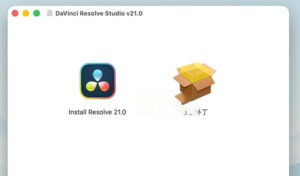
Installation and Crack Method:
2. After the installation is completed, run the “crack patch” in the software package, default next next installation. It will automatically crack DaVinci Resolve.
3. After the installation is completed, open the software DaVinci Resolve Studio, and you can use it.
Language Settings: When the software is first opened, a pop-up window will appear. You can directly choose the language in the upper right corner. If you have already entered the software, and the language is English, you can open an empty document first, then click the menu bar at the upper left corner, DaVinci Resolve -> Preferences… -> User -> UI Settings -> Language to set to Chinese.
—————————————————————–[Divider]———————————————————————–
DaVinci Resolve Studio is a global solution that integrates professional editing, color grading, visual effects, and audio post-production into a single software tool! You can switch seamlessly between editing, color grading, effects, and audio modules with just one click. Whether you are an independent creator or a member of a large team, you can easily understand why DaVinci Resolve is the industry standard for high-end post-production and final projects in Hollywood movies, TV series, and advertisements, with far more projects using it than any other software.
Blackmagic Cloud
DaVinci Resolve supports cloud-based workflows for remote collaboration through Blackmagic Cloud! You can host project libraries and collaborate in real-time with multiple users across different locations.
Fast Page Editing
Fast Page is designed for projects requiring quick delivery. It features synchronized media bins and source coverage tools for quickly editing multi-camera programs. With dual timelines, source media strips, and intelligent editing tools, your efficiency will be significantly improved. Fast Page adds a vertical timeline layout, audio panel, dedicated keyframe editor, MultiText tool, and new real-time coverage controls!
Professional Editing
Whether offline or online, it handles offline editing and online finishing perfectly. You can use various editing and trimming tools, stacked and tabbed timelines, multi-camera, hidden subtitles, subtitle tools, screen annotations, faster project loading, 2D and 3D subtitle templates, and many other new features!
Advanced Color Grading
The Hollywood popular color grading tools have been upgraded! You will receive advanced HDR primary color grading tools, support for unlimited secondary color grading, Power Window, and tracking features. The new AI smart mask (AI Magic Mask) makes tracking more precise, and AI depth map 2 (AI depth map 2) enables faster scene analysis and mask generation. Additionally, there are new color correction features such as chroma distortion color grading.
Fusion Visual Effects
Fusion provides a true 3D workspace with over 250 tools to create movie-level visual effects and dynamic graphics! DaVinci Resolve 20 adds depth image synthesis toolsets and multi-layer pipelines for OpenXR and PSD files. It also includes a new vector deformation toolset, support for 180-degree VR, 3D scene domes, and native Cryptomatte workflow.
Fairlight Audio Post
Fairlight is a comprehensive digital audio workstation supporting high-performance multi-track sample-level editing and mixing! It features automatic dialogue replacement (ADR) tools, sound library support, video scroll bars for quick sound synchronization, standardization processing, and Fairlight FX plugins (including noise reduction, hiss reduction, reverb, etc.). DaVinci Resolve 20 comes with an AI audio assistant (AI Audio Assistant) to automatically generate final mixes.
System Requirements
Current models of Mac computers with Apple silicon. Requires 8GB system memory (16GB for Fusion), Mac OS X 14.8 or higher version, and at least a 1440 x 900 resolution display.
Version 21.0 Update Content:
## One: Epic New Feature: New Photo Page (for all versions)
– First integrates Hollywood-level film color grading tools into static image processing
– Supports Sony ARW, Canon CR3, Fuji RAF, Nikon NEF, and Apple ProRAW formats
– Provides tagging, collection, rating, and album management features, supports importing from Apple Photos and Lightroom directories
– Can directly use node color grading, compressors, Power Window, LUTs, and ResolveFX on photos
– GPU-accelerated batch export, supports lossless reconfiguration and cropping
– **Exclusive to Studio version**: Supports online shooting with Sony/Canon cameras
## Two: AI Tools Upgrade (Exclusive to Studio version)
– **IntelliSearch**: Based on content, intelligently searches for characters, objects, and scenes in footage
– **CineFocus**: AI cinematic focus, re-adjusts the focus and generates realistic bokeh effects
– **Facial Repair Toolset**: AI age transformation, facial reshaping, and flaw removal
– **AI Voice Generation**: Converts text to high-quality synthesized speech
– **AI Script Recognition**: Automatically reads script information and fills metadata
– **AI UltraSharpen**: Precise, lossless sharpening
– **AI Motion Deblur**: Smartly removes motion blur
– Optimizes AI UltraNR noise reduction and Magic Mask smart masking performance
## Three: Editing and Fast Page
– Keyframe system upgraded to four-point Bezier curve control, supports looping,乒乓, reverse, and stretch easing
– Can add keyframes and curves to multiple selected clips simultaneously
– Native support for OGraf HTML graphics and Lottie animations
– New font browser, supports real-time preview, spelling check, and emoji/color fonts
– Supports multi-camera editing for all audio tracks and full clip lengths
– Supports fade-in/fade-out subtitle effects, and new find/replace features
– Supports importing Affinity .af files, allowing layer-level control
– **Exclusive to Studio version**: IntelliScript supports Final Draft script import, faster audio transcription
## Four: Color Grading Page
– New **MultiMaster multi-version color management tool**: Generates multiple delivery specifications for cinema, TV, and short video from a single timeline
– Node graph adds **Layer List view**, making complex node engineering management clearer
– Node stack supports up to 8 layers
– Customizable HDR and Nit scopes
– Supports Adobe RGB color space
– Retains the original shape when pasting Power Window tracking data
– Supports version management for color grading groups
## Five: Fusion Visual Effects
– Integrates **Krokodove toolset**, adding over 100 dynamic graphics and effects
– New macro editor, allows effects to be published as effects for the Fast Page
– Fusion animations can be driven by Fairlight audio
– Supports USD SDK 25.11 and Hydra 2.0 rendering APIs
– Adds embossing texture creation feature
– Lens distortion tools support grid calibration and GPU acceleration
– **Exclusive to Studio version**: 3D rendering supports Cryptomatte, Relight, and Depth Map tools, with speed improvements of 2-6 times
## Six: Fairlight Audio
– New **Folder Track**, allowing track groups to be folded/expanded, significantly improving multi-track engineering management efficiency
– Supports “F” key to jump to the position of the mouse cursor
– **Exclusive to Studio version**: Immersive audio and surround sound production tools
## Seven: General Improvements
– Option and project settings support search
– Supports dynamic switching for multi-user projects
– Blackmagic Cloud file synchronization speed improved by 3 times
– Powerful and flexible data burn-in window
– Supports importing and exporting Final Cut Pro 12 FCPXML
– Comprehensive performance and stability improvements
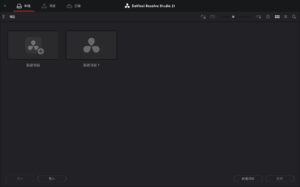
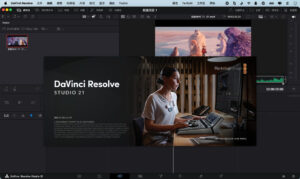
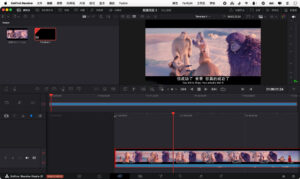
Software Screenshots:
This resource requires login to download
Log in
Boxy SVG for Mac v4.114.1 – SVG Professional Vector Editor Chinese Activation Version Download
Downloads:0 | 2026-10-27

Audirvana for Mac v3.5.12 High-Quality Music Player Activation Download
Downloads:3318 | 2026-10-24

Adobe Acrobat Pro DC 2017 for Mac Activation Version Download
Downloads:2349 | 2026-10-20

Author for Mac v8.2.1 Text Citation Tool Activation Download
Downloads:1840 | 2026-10-19


Ratings & reviews
No rating
Let’s rate it.