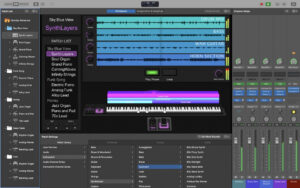
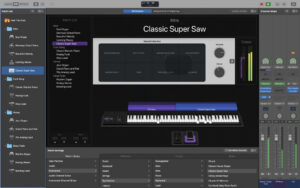
| MainStage features a full-screen interface optimized for live performance, flexible hardware control, and a wide range of plugins and effects fully compatible with Logic Pro, allowing you to take your Mac on stage.
Ultimate Live Performance Equipment
– Perform with over 100 instruments, effects, and MIDI plugins, or use your favorite audio unit plugins
– Add any Patch from Logic Pro to bring studio sounds to the stage
– Combine instruments with live audio (such as keyboards and vocals) into a single Patch
– Switch between multiple Patches without stopping sound output or cutting long notes
– Design various keyboard Patches with splits and layers
– Play stereo or multi-track backing vocals with the “Play” feature
Hardware Control
– Connect your favorite MIDI hardware and use it to play and control plugins
– Use controllers with USB ports and MIDI features, such as keyboards, foot pedals, and drum pads
– Quickly assign hardware controls to screen controls
– Use the “Assign and Map” overview to manage complex devices
Designed for the Stage
– Use customizable full-screen real-time interfaces to present only the necessary content during performance
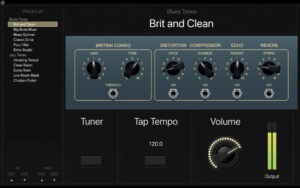
– Use intelligent controls to adapt screen controls to each Patch
– Intelligent controls provide dynamic performance controls that vary with each Patch
– Use high-contrast full-screen performance views, even from a distance, to easily see the Mac screen
Instruments Plugins
– Play or create various multi-sample instruments with Sampler and Quick Sampler
– Use the Auto Sampler plugin to turn your favorite hardware synthesizers into sample instruments
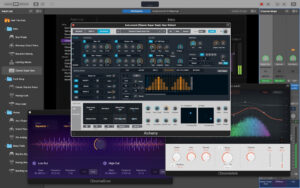
– Use Ultimate Sampler processing with Alchemy to quickly find sounds or create unique new sounds
– Use a variety of synthesizers providing emulation, wavetable, FM, additive, particle, spectral, and modeling synthesis to create inspiring sounds
MIDI Plugins
– Use nine MIDI plugins to turn simple ideas into carefully arranged performances
– Use the arpeggiator to instantly transform simple chords into rich performances
– Use chord triggers to play individual notes to trigger predefined chords
– Use the transposer to play a specific voice and make the notes fit a specific scale
Creative and Works Effects
– Play sounds with a variety of realistic acoustic spaces or creative synthetic reverb
– Use a range of multi-tempo, vintage tape, and stereo delay effects
– Add motion effects to tracks with a variety of modulation effects
– Achieve perfect mixing with a range of classic and modern equalizers, velocity changes, and mixing tools
Version 4.3 Update:
Enhancements to Beat Breaker
– Explore new ways to play with audio through new filters and panning modes, and randomization controls
Enhancements to Alchemy
– Explore new sounds and textures in particle synthesis with the new Grain Sync mode
New Sound Packs
– Optimize your productions with the Granular Alchemy sound pack, which includes a range of sounds designed around the new Grain Sync mode
Software Screenshots:
|


-for-Mac-v0.0.8-俯瞰视角的工厂建造游戏.png)


Ratings & reviews
No rating
Let’s rate it.