



Keka for Mac v1.6.5 Chinese Activation Download for Compression and Decompression Tool
keka is a file compression and decompression tool designed specifically for macOS, widely popular among Mac users for its simplicity, comprehensive features, and high compatibility.
Features:
Multi-format support
Compression formats: Supports creating compressed files in formats such as 7Z, ZIP, TAR, GZIP, BZIP2, DMG, ISO, etc.
Decompression formats: Supports decompressing over 20 common formats including RAR, 7Z, ZIP, TAR, GZIP, BZIP2, ISO, EXE, CAB, APK, etc., with particularly good support for RAR decompression, requiring no additional plugins.
Ease of use
Drag-and-drop: Users can quickly complete compression or decompression by dragging files or folders directly to the Keka icon in the Dock or the main window.
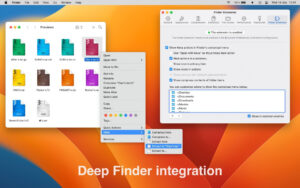
Right-click menu integration: Automatically integrated into the Finder right-click menu after installation, allowing quick invocation of compression/decompression functions through right-click.
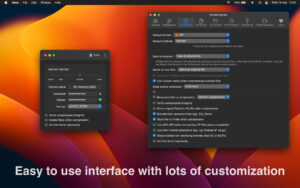
Smart default settings: By default, compressed files are saved to the source file directory, or users can customize the output path or prompt location in the preferences.
Security and privacy protection
Encryption: Supports setting passwords for compressed files, with AES-256 encryption algorithm used for 7Z and ZIP 2.0 formats, and traditional encryption standards used for ZIP formats, ensuring file security.
Privacy protection: Automatically excludes macOS hidden files (such as .DS_Store) during compression to prevent sensitive information from being leaked.
Advanced features
Volume compression: Allows splitting large files into multiple small volumes for easy transfer or storage, with automatic merging and recovery of original files during decompression.
Handling of disk image files: Supports direct creation and mounting of DMG, ISO, and other disk image files, without the need for additional tools.
Task queue management: The latest version (v1.5.0) introduces a task queue interface, allowing users to view and cancel current compression/decompression tasks, thereby improving multi-task processing efficiency.
Version 1.6.5 Update Content:
– Enhanced extraction of ZIP headers with 32-bit overflow issues.
– Fixed the issue where the Love button could not be clicked on macOS 26 Tahoe.
– Updated 7ZZ from version 26.00 to 26.01.
– Updated Japanese translation.
Software Screenshot:
This resource requires login to download
Log in
LookAway for Mac v2.1.2 Eye Care Reminder Tool Activation Download
Downloads:1 | 2026-10-27

DJay Pro AI for Mac v3.1.12 Download Activation Version
Downloads:844 | 2026-10-24

Live Home 3D Pro for Mac v4.11.2 Chinese Activation Version Download
Downloads:3197 | 2026-10-22

iFinance 4 for Mac v4.5.8 Full Financial Management Software Chinese Activated Version Download
Downloads:2129 | 2026-10-17


Ratings & reviews
No rating
Let’s rate it.