

Image Compressor for Mac v1.10.1 Chinese Activation Version Download
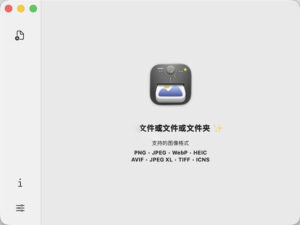
| Zipic is a local image compression tool tailored for macOS, boasting the core advantages of “high compression ratio, nearly lossless quality, and convenient operations.” It supports single-file/batch processing of multiple image formats, all in local mode without needing to upload to the network, balancing efficiency and privacy security.
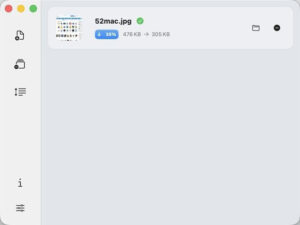
Key Features: – Space-saving, no loss in quality – Nearly lossless quality – Custom configuration, precise control Version 1.10.1 Update Highlights: – Added interface language settings (fixed, system default, English, Simplified Chinese, Traditional Chinese), file name suffix template variables, and the new “longest side” mode; also fixed issues with activation credentials, trial status anomalies, compression failures without prompts, PDF tail errors, and clipboard JPEG writeback problems. ## New Features **Software Language**: Interface language can be fixed within the settings, no longer following the system; users can choose from system default, English, Simplified Chinese, and Traditional Chinese, and the changes take effect after restarting Zipic. **Suffix Template Variables**: File name suffixes support `{width}`, `{height}`, `{format}`, `{date}`, and `{quality}` variables, which are parsed based on the actual output file and apply to both single-file and batch multi-file outputs. Case-insensitive, unrecognized variables are retained as is; there’s a button next to the suffix input field for quick insertion. **Longest Side Mode**: Added “longest side” mode, limiting the size with the longer side of the image, allowing both vertical and horizontal images to use the same preset. The pixel panel, command line parameter `–longest-side`, keyboard shortcuts, and URL protocols all support this mode. ## Bug Fixes **Compressed Failure Reason Visualization**: Red cross in the list and detail pages, and the tooltip on hover or click, provides the failure reason; command line output also includes error messages. **PDF Compatibility**: Fixed the error message “invalid file tail” when compressing linearized and incremental updated PDFs. **Clipboard JPEG Writeback**: Fixed the issue where compressing JPEGs and pasting them into software like OneNote results in a much larger PNG file (these software prioritize reading the public.png data from the clipboard). Software Screenshots:
|
This resource requires login to download
Log in
Mac Version 2.1 of Sensei: Software and Hardware Optimization Tool Chinese Activation Download
Downloads:0 | 2026-10-27

Screenium 3 for Mac v3.2.8 Screen Recording Software with Chinese Activation Download
Downloads:157 | 2026-10-24

RAW Power for Mac v3.4.9 Crack Edition Download
Downloads:1211 | 2026-10-21

Pro OmniReader eBook Reader v3.4.0 Chinese Activation Version Download for Mac
Downloads:1261 | 2026-10-20


Ratings & reviews
No rating
Let’s rate it.