

Duplicate Finder and Cleaner for Mac v1.2 Duplicate File Finder Activated Version Download
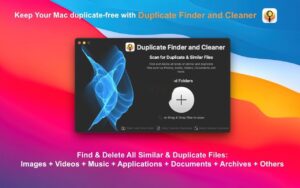
Duplicate Finder and Cleaner is a professional duplicate file finder and cleaner tool, equipped with an advanced file content comparison algorithm that can quickly and accurately locate various duplicate files and similar media resources within the system, remove redundant files with one click to free up a large amount of disk space, and help users efficiently organize files and optimize storage order.
Features:
– Full-category file coverage: Supports detection of duplicate files in all formats such as images, videos, music, applications, documents, and archives, and can also identify similar media resources like similar photos and near-identical audio; compatible with various storage locations including local hard drives, external storage devices, system photo libraries, and mobile device backups, meeting cleanup needs in different scenarios.
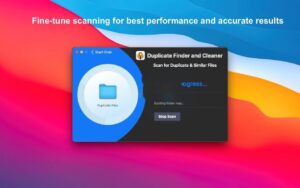
– Efficient and accurate scanning: Uses a deep content comparison algorithm, different from simple detection that only matches by file name and size, greatly improving the accuracy of duplicate file identification; supports simultaneous batch scanning of multiple folders and paths, and can also perform layer-by-layer deep scanning of specified directories, efficiently handling large-capacity disks and large files.
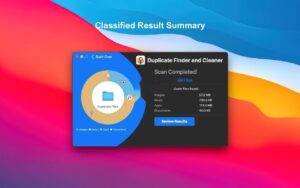
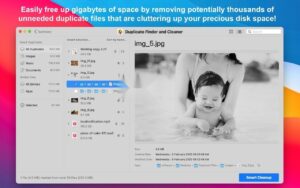
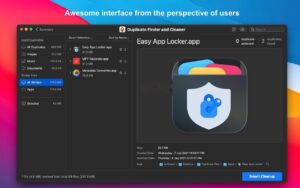
– Clear result presentation: After scanning, results are automatically grouped and displayed by file type, with core data such as total number of duplicate files and recoverable storage space counted simultaneously, making cleanup benefits clear at a glance; supports multiple view modes such as list view and thumbnail view, with built-in file preview function, allowing content verification without jumping, avoiding accidental deletion.
– Flexible and controllable cleanup: Supports manual selection of files to be cleaned, and can also automatically mark duplicates through smart rules, keeping one original file in each group by default; customizable scan exclusion list to specify file formats and folder paths not to be detected, protecting important data; cleanup operations are executed with one click, and deleted files can be restored, making usage more reassuring.
– Lightweight and easy-to-use design: Simple and intuitive interface, supports drag-and-drop to add scan folders, no threshold to get started; small software size, low resource usage during operation, will not affect normal device use, easily handling both daily file organization and deep storage cleanup.
Software screenshots:
This resource requires login to download
Log in
Enhance Your Mouse and Trackpad on Mac: Activated Download for Version 1.6.6
Downloads:1445 | 2026-10-19

Alfred 5 for Mac v5.0.3: Office Efficiency Software Activation Download
Downloads:3128 | 2026-10-18

Unclutter for Mac v2.2.5 – Drop-down Menu Efficiency Tool | Chinese Activated Version Download
Downloads:241 | 2026-10-17

MacPilot for Mac v16.2 Unlock 1200 Hidden Features Activated Version Download
Downloads:2565 | 2026-10-17


Ratings & reviews
4.6
(Maximum 5 ratings, total 85 user reviews)
Let’s rate it.