

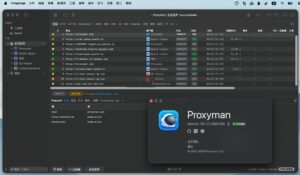
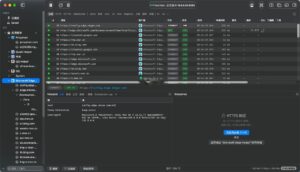
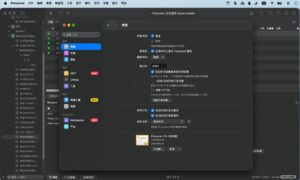
Proxyman for Mac v26.2.0 Professional HTTP Packet Capture Tool Chinese Activated Version Download
Proxyman is a professional-grade HTTP/HTTPS network debugging proxy tool designed for developers, testers, and network operations personnel. It provides full-link traffic capture, data decryption, interface simulation, and request rewriting capabilities, covering core R&D and testing scenarios such as API integration, Mock testing, troubleshooting, and performance verification.
Features:
I. Core Traffic Capture and Analysis Capabilities
1. **Full HTTP/HTTPS Traffic Capture**
As a man-in-the-middle proxy service, it fully captures all HTTP/HTTPS traffic between client applications and remote servers; one-click SSL certificate configuration and traffic decryption, displaying the complete content of requests and responses in plaintext.
2. **Multi-dimensional Traffic Classification Management**
Supports automatic classification of traffic by application, domain, request method, status code, request type, etc., enabling quick location of target APIs, one-click blocking of irrelevant noise traffic, and focus on core debugging objects.
3. **Multi-format Structured Preview**
Built-in full-scenario syntax highlighting, supporting structured tree preview of mainstream data formats such as JSON, XML, Form Data, JWT, Cookie, GraphQL, MessagePack, Protobuf, while retaining raw message viewing capability, balancing readability and accuracy.
4. **Full-link WebSocket Support**
Fully supports traffic capture and real-time preview of WS/WSS long connection protocols, allowing frame-by-frame viewing of complete communication messages, with message filtering and history backtracking.
II. Core Debugging Toolset
1. **Breakpoint Debugging**
Without modifying any client code, it can intercept specified requests and responses in real time, supporting dynamic modification of all fields such as URL, request headers, response headers, request body, response body, status code; supports wildcard and regex matching rules for precise targeting of APIs.
2. **Map Local**
Replace the response of specified APIs with local files or directory contents to quickly simulate backend return results; customize status codes, response headers, and response bodies, enabling independent frontend development and testing without waiting for backend API completion.
3. **Map Remote**
Seamlessly redirect request addresses to other target APIs or servers, quickly switch between test environments, staging environments, and production environments without modifying code, adapting to multi-environment integration scenarios.
4. **Request Construction and Replay**
Supports creating custom HTTP requests from scratch, or quickly editing and modifying based on existing traffic, sending directly and viewing response results; supports importing cURL commands for one-click request construction. Also supports single or batch request resending to quickly reproduce API scenarios.
5. **Traffic Diff Comparison**
Built-in comparison tool, supports side-by-side or unified view to display content differences between two requests/responses, automatically highlights changed fields, quickly locating API changes, parameter anomalies, and other issues.
III. Advanced Extended Debugging Capabilities
1. **Scripting Automation**
Supports writing custom processing logic in JavaScript to batch rewrite, inject, filter requests/responses, enabling complex scenarios such as parameter encryption/decryption, automatic signing, batch header modification; built-in common code snippets and JS utility libraries greatly improve debugging efficiency.
2. **Cache and Request Control**
One-click disable local cache for specified requests, or one-click clear system and browser caches to ensure always getting the latest API responses during debugging; supports custom request header injection, disabling cookies, and other fine-grained controls.
3. **Allow/Block List Rules**
Supports dual-mode configuration of allow list and block list, precisely controlling domains, paths, and request types to capture or block, flexibly adapting to different debugging needs.
4. **Multi-level Proxy Chaining**
Supports various external proxy protocols such as HTTP/HTTPS/SOCKS/PAC, can chain multiple proxies to meet debugging needs in complex network environments such as corporate intranets and VPNs.
5. **GraphQL Specific Debugging**
Supports matching rules by GraphQL query name, can combine breakpoints, mapping, and scripting tools for precise debugging of GraphQL APIs, solving the pain point that traditional proxy tools cannot distinguish different queries under the same path.
IV. Multi-device Debugging Support
1. **Physical Mobile Device Debugging**
Supports full traffic proxying for iOS and Android physical devices, provides companion mobile assistant apps, guiding configuration to quickly complete device certificate installation and proxy settings, enabling mobile app network debugging without complex operations.
2. **One-click Proxy for Simulators**
Supports one-click capture of network traffic from iOS Simulator and Android Emulator, no additional system proxy configuration required, adapting to daily debugging scenarios in mobile development.
V. Workspace and Efficiency Optimization
1. **Advanced Traffic Filtering**
Supports multi-condition combined filtering, precisely filtering traffic by domain, path, request method, status code, keywords, response time, etc.; supports saving common filter rules for one-click switching of debugging perspectives.
2. **Session and Multi-task Management**
Pin key debugging domains, hide irrelevant noisy traffic, focus on current tasks; supports multiple tabs to open multiple debugging sessions simultaneously, processing multiple projects or debugging scenarios in parallel.
3. **Highly Customizable Layout**
Freely customize toolbar, information panel, list column fields, and tab layout, supports horizontal/vertical split-screen mode switching, adapting to different work habits and screen sizes.
4. **Data Import and Export**
Supports exporting single or batch request/response data, compatible with common formats such as HAR; supports importing Charles Proxy configuration files and rules for smooth migration of existing debugging configurations.
5. **Team Collaboration Capabilities**
Supports unified workspace management and debugging log sharing, team members can synchronize debugging rules, traffic records, and problem scenarios, improving collaborative troubleshooting efficiency.
Version 26.2.0 Update Contents:
## New Features
[NEW] Overview Dashboard: Get a complete overview of the entire session at a glance. Covers request count, data volume, error information, slowest requests, top apps and domains, status codes, and traffic trends over time. Open via Capture > Overview in the sidebar.
Overview Dashboard: Supports freely adding or removing chart cards such as bandwidth, response time, content type, errors by domain, largest response body, and SSL proxy status. Click on apps, domains, or slow requests to jump directly.
Overview Dashboard: Supports copying, saving, or sharing reports as Markdown. The report is also saved in exported session files.
[NEW] Refactored Timing View: Each phase of a request (DNS, Connect, TLS, Wait, Download) now has its own row, hover to view detailed information. This feature is now moved to the top of the Summary tab and is free for all users.
Multi-select requests: After selecting multiple requests, you can view summary information and a waterfall chart of all requests.
Scripting: Added 10 out-of-the-box script templates, including modifying request headers, modifying JSON request bodies, intercepting requests, bypassing CORS restrictions, and simulating server errors.
Proxyman MCP: Added get_traffic_overview interface, making it easy for AI tools to directly read overview reports.
proxyman-cli: Supports enabling or disabling Network Extension via command line, and switching between HTTP/2 and HTTP/1.
## ️ Optimizations and Improvements
More accurate request timing: The “Connecting” phase no longer includes TLS handshake time; HTTPS tunnels and WebSocket now also display complete timing details.
Upgraded SwiftNIO and related dependencies, improving overall stability.
## Issues Fixed
Fixed an issue where requests failed when URLs contained special characters.
Fixed an issue where requests were rejected when headers were too large.
Fixed an issue where busy gRPC and HTTP/2 connections were unexpectedly closed.
Fixed an issue where DNS errors did not correctly display the “Could not resolve host” message.
Software Screenshots:
This resource requires login to download
Log in
Postico for Mac v1.5.15 Database Application Software Activated Version Download
Downloads:328 | 2026-10-17

Bootstrap Studio for Mac v5.1.1 Create Responsive Websites Activated Version Download_macOS
Downloads:1707 | 2026-10-17
Bootstrap Studio for Mac v5.6.0 Create Responsive Websites Activated Version Download
Downloads:3062 | 2026-10-17

Dash for Mac v6.0.5 API Documentation and Code Snippet Manager Activated Version Download
Downloads:1459 | 2026-10-17


Ratings & reviews
4.9
(Maximum 5 ratings, total 31 user reviews)
Let’s rate it.