

Microsoft Excel for Mac v16.110.1 Chinese Activation Edition Download
| Microsoft Excel for Mac is a core tool for electronic spreadsheets and data analysis within the Microsoft Office suite, serving as the industry standard for table processing globally. It is deeply native to the macOS system, catering to a wide range of office needs including finance, statistics, data summarization, report creation, and business analysis. It boasts robust computational capabilities, rich visual effects, and collaborative features, complemented by its integration with the Apple ecosystem.
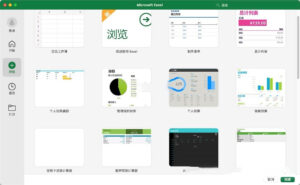
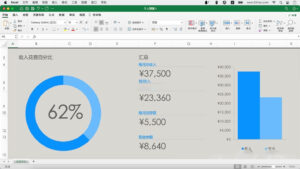
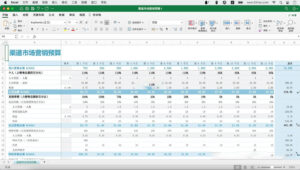
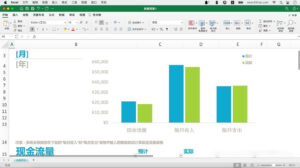
## One. Professional Spreadsheet Editing and Precise Data Management The software features a comprehensive system for managing cell formats, supporting over 30 types of display rules for numbers, dates, currencies, percentages, and fractions. It allows for the addition of data bars, color scales, icon sets, and custom highlight rules via conditional formatting, making data differences and trends clear at a glance. The data validation feature enables the setting of dropdown lists, numerical ranges, text length restrictions, and error messages, thereby standardizing data entry and reducing input errors. It supports structured tables, allowing for the creation of smart tables with structured references using a single keyboard shortcut. These tables feature automatic expansion, filtering, sorting, and summarization capabilities, ensuring that formulas and formats are automatically synchronized when new data is added. On the view layer, it offers features such as frozen panes, split windows, and side-by-side viewing of multiple workbooks, making long tables and cross-table comparisons more efficient. It also includes a quick fill tool that can intelligently recognize data patterns, automatically performing batch cleaning operations like text splitting, merging, and format conversion, in conjunction with tools like find and replace, locate conditions, and batch deduplication, to significantly enhance data organization efficiency. In terms of capacity, it supports spreadsheets with millions of rows, maintaining stable and smooth operations for regular calculations, filtering, and sorting, which can meet the needs of processing entire data sets for small to medium-sized datasets. ## Two. Comprehensive Function Set and Professional Data Analysis Capabilities It comes equipped with hundreds of standard functions, covering all categories including finance, statistics, logic, lookup, text processing, date and time, and mathematical and trigonometric functions. It fully supports modern computational capabilities such as XLOOKUP, XMATCH, dynamic array overflow formulas, LAMBDA custom functions, and regular expression functions, with function calculation logic aligned with the Windows version, ensuring consistent results across platforms. Core analytical tools are fully implemented, including comprehensive data透视 tables and data透视 charts, which can quickly perform multi-dimensional data aggregation and analysis, paired with slicers and calendars for interactive filtering. It supports grouping, calculated fields, and various display modes, making it a core tool for business statistics and quick analysis. It also includes planning and solving tools, simulation analysis tools, and statistical analysis tools, such as descriptive statistics, regression, sampling, and ANOVA, which can meet professional scenarios like financial modeling, scenario calculation, and statistical research. ## Three. Rich Data Visualization and Professional Report Presentation It comes with dozens of chart types, including basic charts like bar charts, line charts, pie charts, bar charts, scatter plots, and radar charts, as well as advanced statistical charts like waterfall charts, funnel charts, tree charts, sunburst charts, histograms, and box plots. It supports dynamic array-linked dynamic charts, which can automatically adjust data ranges when the data set used in formulas changes, without requiring manual adjustments. It provides lightweight visualization capabilities within cells, allowing mini charts (line, bar, profit-loss types) to be embedded within cells to display data trends, and combined with conditional formatting, to quickly build dashboard-style visual reports. It also supports inserting SmartArt logical graphics, vector shapes, high-definition images, and 3D models, allowing for custom chart color schemes, axis, data labels, and legend styles, and supports the reuse of chart templates to ensure visual consistency across multiple reports. It comes with a vast library of official templates, covering over a hundred scenarios including financial budgeting, sales reports, project tracking, inventory management, and calendar scheduling, enabling quick application and output of professional and standardized spreadsheet files. ## Four. Collaborative Editing and Cloud Data Synchronization It supports real-time collaborative editing via OneDrive or SharePoint, allowing multiple users to simultaneously edit the same workbook, with real-time display of collaborators’ cursor positions and editing content, effectively avoiding version conflicts. It includes thread-based commenting features, enabling the @mentioning of collaborators, ensuring that comments are precisely targeted at specific cells, and making the discussion process clear and traceable. It also provides automatic version saving, allowing for the viewing and restoration of past edits at any time, reducing the risk of accidental operations. It offers fine-grained permission management, allowing files to be shared via links with different access permissions, and workbooks and cell regions to be protected with restrictions, ensuring the security of core data. It integrates with Office’s entire suite, allowing table data and chart data to be pasted across Word and PowerPoint while maintaining data synchronization updates. It also supports publishing data to the Power BI service, enabling advanced visualization and enterprise-level data analysis. Version 16.110.1 Update Content: ### 1. Quality and Performance Optimization ### 2. Function Detail Fixes Software Screenshot:
|
This resource requires login to download
Log in
Blackwind for Mac v1.0.10 Chinese Edition Download and Activation Version
Downloads:2600 | 2026-10-23

NBA 2K14 for Mac – Chinese Version Download – El Capitan Compatible – Activated Version
Downloads:359 | 2026-10-23

Posterino 3 for Mac v3.7.3 Photo Sticker Maker Activation Download
Downloads:1253 | 2026-10-21

Ghost Buster Pro for Mac v3.3.2 Computer Cleaning and Optimization Software Chinese Activated Version Download
Downloads:1534 | 2026-10-17


Ratings & reviews
No rating
Let’s rate it.