


Keynote Presentation Software for Mac v15.3 Download and Activate Chinese Version

  • Introduction
Download
Download now
Join VIP Free download

Description

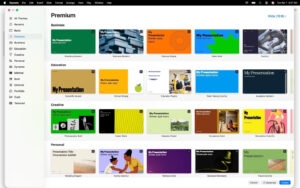
Creating unforgettable presentations on Mac. Start with Apple-designed themes, then add text, images, charts, and shapes. Bring content to life with cinematic animations and transitions. Present confidently in person or online, and control the presentation in a multi-speaker slideshow from anywhere.

  • Quick Start: Access iCloud.com from iPhone, iPad, Mac, Apple Vision Pro, or PC to handle work. Choose from various Apple-designed themes. Import and edit Microsoft PowerPoint presentations.

Creating Stunning Presentations:

  • Easy to change slide layouts and backgrounds.
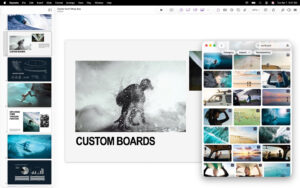
  • Add recorded audio, live video, and image galleries.
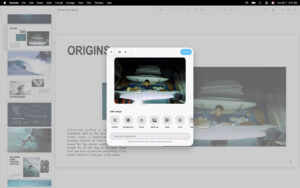
  • Use powerful graphics tools, including background removal and masks.
  • Draw or write on iPad using Apple Pencil.

Cinematic Animations:

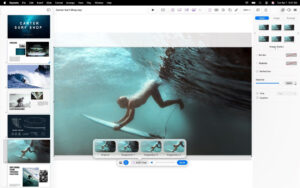
  • Beautiful cinematic transitions and stunning animations.
  • Highlight components and magical movements to add effects easily.
  • Preview slides with real-time previews on the canvas when adding animations.
  • Draw motion paths on iPad using Apple Pencil.

Present to Your Audience:

  • Customize the speaker display for rehearsals.
  • Practice in immersive meeting rooms or theaters on Apple Vision Pro.
  • Highlight key points during presentations on iPad using Apple Pencil or hand gestures.
  • Control the presentation from iPhone, iPad, or Apple Watch.

Share with Anyone:

  • Share presentations publicly or collaborate with specific users using iCloud or Box.
  • View changes made by others in real-time on any device.
  • Export presentations as Microsoft PowerPoint, PDF, HTML, videos, and images.

Apple Smart Features:

  • Use writing tools to proofread, rewrite, summarize, and create text.
  • Generate editable custom shapes based on text descriptions to explain presentations.

Version 15.3 Updates:

  • For Apple Creative Workshop subscribers: Open Keynote presentations in iPad Pixelmator Pro and view edited versions.
  • For everyone: Attract audiences with new transitions and components, including flips, radial erasure, and character blurring.

Software Screenshots:


Download info

This resource requires login to download

Log in
Note: This resource is for informational purposes. By using this resource, you agree that you accept full responsibility to the copyright holder. For questions, please contact us.

Ratings & reviews

No rating

Let’s rate it.

  • 5 stars
  • 4 stars
  • 3 stars
  • 2 stars
  • 1 stars

You may also like

More
×
Keynote Presentation Software for Mac v15.3 Download and Activate Chinese Version
iMac — One-stop Mac Software Download Platform
Social login
captcha
Social login