
FSNotes for Mac v7.3.0: High-Efficiency Note Manager Download with Chinese Activation

  • Introduction
Download
Download now
Join VIP Free download

Description

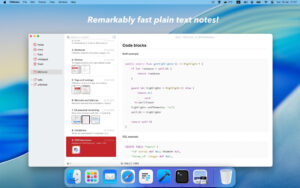
FSNotes is a modern open-source note manager tailored for the macOS platform, inheriting the efficient keyboard operation philosophy from Notational Velocity (nvALT), using plain text and Markdown as the core carriers. It offers an极致 lightweight performance and a rich set of professional features, making it a mainstream note tool for knowledge workers, developers, and writers.

## Open Format and Data Autonomy
FSNotes natively supports GitHub Flavored Markdown (GFM), plain text, and RTF formats. All notes are stored in the local file system in standard file formats, without using any private closed formats. Users have full control over their data. The software supports TextBundle container format, allowing text and accompanying images to be bundled into a single file for material management. It also seamlessly integrates with external editors, ensuring that any changes made to notes in Finder or other tools are immediately synchronized in the FSNotes interface.

## Professional Editing and Creation Capabilities
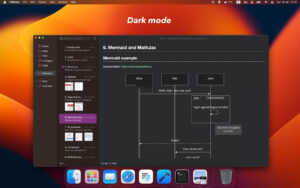
The software comes equipped with a complete Markdown editing and real-time preview system, supporting features like task lists, tables, strikethroughs, and GFM extensions. The code block module supports syntax highlighting for over 170 programming languages, catering to the needs of documenting technical documents and code snippets. Additionally, FSNotes supports Mermaid flowchart rendering and MathJax for mathematical formula parsing, meeting the needs of academic writing and technical document creation. It also offers features like contextual smart word completion, automatic link recognition, and inline image insertion to enhance editing efficiency.

The software supports multi-window independent note opening, allowing for a split-screen workflow where one can edit Markdown source code while the other previews the rendered effects. Each note’s preview state can be independently remembered, accommodating different editing habits.

## Flexible Note Organization and Search
FSNotes employs a flexible dual-pane view design, supporting vertical and horizontal layouts, which can be adjusted according to screen size and usage habits. In content management, the software supports multi-folder storage, enabling categorization and archiving of notes by project or theme. It also integrates a tagging system, allowing for multi-tag combinations (AND logic) to facilitate multi-dimensional content categorization and search.

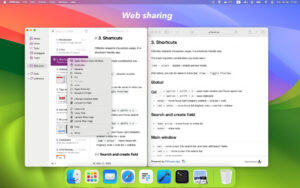
Users can quickly create cross-note links using [[double brackets]], building a personal knowledge network. Important notes can be pinned to the top to ensure frequent core content is always accessible. Leveraging a lightweight architecture, the software’s full-text search is extremely fast, maintaining a smooth search experience even when managing thousands of notes. It also supports global keyboard shortcuts for quick search or clipboard content saving.

## Synchronization Mechanism and Data Security
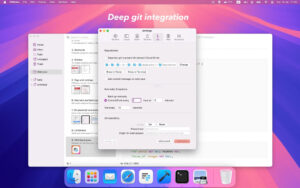
FSNotes supports iCloud Drive cross-device synchronization, ensuring that macOS and iOS notes are automatically updated. It also integrates with Dropbox and other local folder synchronization solutions, accommodating different users’ cloud storage habits. For privacy-sensitive content, the software provides AES-256 encryption, allowing sensitive notes to be easily encrypted and decrypted with Touch ID. It also offers the option to integrate Git version control systems, enabling automatic commits, scheduled pushes and pulls, and remote repository synchronization. This allows for the backup and tracing of important document versions and the comparison of modification differences.

##极致 Efficiency and Native Experience
FSNotes adheres to a keyboard-first design philosophy, inheriting Notational Velocity’s quick operation logic. Most operations can be completed using keyboard shortcuts, significantly reducing the interruption caused by mouse operations. The software is deeply integrated with macOS system features, supporting Touch Bar quick editing buttons, system dark mode, and other visual and interaction characteristics. The interface is clean and restrained, free from redundant functions.

The overall architecture is lightweight and efficient, ensuring smooth operations even when managing over 10,000 note files. The software starts, searches, and edits without any lag, balancing functionality and performance.

Version 7.3.0 Update Highlights:

– Fixed some minor errors to enhance a more fluid and enjoyable experience.

Software Screenshots:

Download info

This resource requires login to download

Log in
Note: This resource is for informational purposes. By using this resource, you agree that you accept full responsibility to the copyright holder. For questions, please contact us.

Ratings & reviews

No rating

Let’s rate it.

  • 5 stars
  • 4 stars
  • 3 stars
  • 2 stars
  • 1 stars

You may also like

More
×
FSNotes for Mac v7.3.0: High-Efficiency Note Manager Download with Chinese Activation
iMac — One-stop Mac Software Download Platform
Social login
captcha
Social login