| App Cleaner & Uninstaller is a professional Mac application lifecycle management tool that focuses on deep uninstallation, integrating practical features such as performance optimization, update management, and security auditing to help users efficiently manage their software assets, free up disk space, and improve system performance while ensuring security.
Tip: Be cautious with cracked versions, as they may not work without a firewall to block network connections.
## One – Core Features: Complete Application Uninstallation
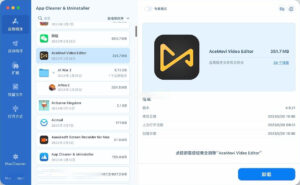
– **Deep and Residue-Free Cleanup**: Breaks through the limitations of dragging and dropping, thoroughly scanning and removing the application itself, along with all associated hidden caches, preference configurations, service files, and log data, ensuring no redundant files remain.
– **Drag-and-Click Quick Uninstallation**: Supports dragging applications directly to the software interface, triggering a complete uninstallation process with a single click, making the process convenient and efficient.
– **Expert-Level Fine-Tuning Control**: Offers expert mode, allowing users to break down the items to be deleted by category (such as executable files, cache directories, support files, etc.), and customize the uninstallation process according to their needs.
– **Uninstallation History and Restored Mistakes**: Automatically retains all uninstallation operation records, allowing files moved to the trash to be quickly restored through historical records, reducing the risk of accidental deletion.
## Two – System Performance Optimization
### Smart Management of Startup Items
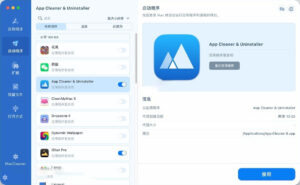
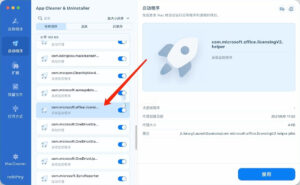
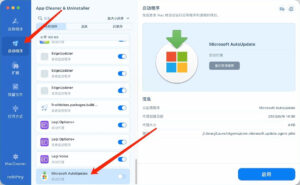
– Displays all programs that start at boot, background agents, and login items in a centralized manner, enabling the quick activation or deactivation of any startup item with a single click.
– By shutting down unnecessary startup processes, system boot speed can be effectively improved, reducing the consumption of background resources.
### Unified Management of Extensions
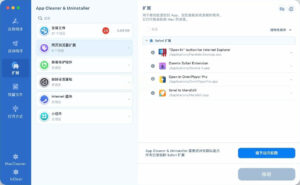
– Covers all types of extensions: supports managing browser extensions, background agents, login items, installation package files, screen protection programs, system preference panels, internet plugins, and desktop widgets, among others.
– Quickly identifies and cleans up redundant or unnecessary extensions, reducing system inefficiencies and maintaining smooth operation.
## Three – One-Stop Application Updates
– **Unified Aggregate of All Installed Applications’ Updates**: Consolidates all available updates for all installed applications, eliminating the need to manually search across the App Store and individual developer websites.
– **Single-Click Batch Updates**: Supports a single operation to complete the upgrade of all applications, significantly reducing the time required for software maintenance.
## Four – Security and Privacy Protection
### Application Safety Verification
– **Apple Certification Identification**: Automatically detects and marks trusted applications that have passed Apple’s official certification, warning users about unverified software and helping them avoid security risks.
– **AI Functionality Analysis**: Smartly analyzes the actual functions and behavior of applications to assist users in judging the value and safety of applications, aiding in the decision-making process for cleanup.
### Permission and Privacy Auditing
– Displays all applications’ sensitive permissions, covering camera, microphone, location services, full disk access, and file access permissions from download folders.
– Allows direct adjustment of permission settings within the software, quickly revoking unnecessary permissions to protect personal data privacy.
### Application Network Management
– Displays the network traffic usage for each application, enabling flexible control over the network status of applications, allowing for targeted network access management.
## Five – Comprehensive Application Asset Management
– **Unified Software List**: Presents a clear and complete list of all installed applications on the Mac in a single interface.
– **Multi-Dimensional Sorting and Filtering**: Supports sorting and filtering applications based on their size, last usage time, certification status, and other dimensions, facilitating quick identification of target applications.
– **Default File Association Settings**: Allows customization of default applications for various file formats, enabling flexible adjustment of file association rules.
Version 10.0 Update Content:
A new “Network Access” tab page has been introduced: view the internet traffic usage for each application and block applications you do not want to connect to. The menu bar application has been redesigned, now also controlling network traffic.
The database has been updated with 1200 more applications, supporting Safari extensions and Homebrew command-line tools, making the update process faster and more reliable.
Additionally, the new “Incompatible Applications” filter helps you identify applications that cannot run on the current macOS version, and localizations and stability have been further improved.
Software Screenshots:
|




Ratings & reviews
No rating
Let’s rate it.