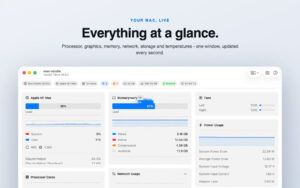
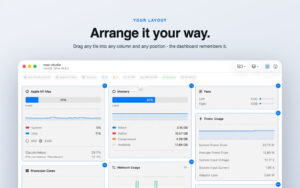
| System Dashboard Pro is a modern system monitoring tool that presents the internal hardware performance in real-time through a panelized dashboard, with all data refreshed every second, allowing users to clearly grasp the device’s performance and pinpoint resource usage and system bottlenecks.
#### Processor Performance Monitoring
– Real-time display of CPU current load, with a curve chart showing the trend of load changes over the past few seconds, distinguishing between system usage and user usage ratios.
– Supports displaying the occupancy status of performance and efficiency cores per core, making multi-core performance distribution clear at a glance.
– Automatically lists the top processes by CPU usage, quickly identifying high-load programs and performance anomalies.
#### Graphics Processing Unit (GPU) Monitoring
– Real-time tracking of GPU usage and memory occupancy, clearly presenting the load intensity of the graphics card.
– Displays a list of applications currently using GPU resources, facilitating the identification of graphics performance consumption.
#### Memory Usage Management
– Real-time display of memory usage rate and historical fluctuation curve, clearly showing the trend of memory occupancy changes.
– Provides a list of top memory-occupying processes, helping to quickly locate memory leaks or high-memory-consuming programs.
– Completes the display of memory allocation structure, aiding in judging the rationality of memory resource allocation.
#### Network Status Monitoring
– Displays the local IP address, external IP address, and corresponding location information, as well as network card device and host name information.
– For wireless networks, real-time displays the transmission rate, signal strength, and noise level.
– Real-time monitors upload and download speeds, presenting traffic change curves, and simultaneously counts the current active network connections.
#### Battery Health Management
– Automatically identifies notebook devices and displays the basic parameters of the battery and current battery status.
– Displays the number of charging cycles and battery health, helping to assess the battery’s wear and lifespan.
#### Temperature and Fan Monitoring
– Reads data from multiple internal temperature sensors, presenting the temperature of each hardware component in real-time.
– Monitors the real-time changes in fan speed, providing a clear understanding of the cooling system’s operation status.
– Enabling the full temperature monitoring feature requires a free plugin, which helps prevent hardware overheating risks.
#### Storage Device Management
– Displays the used space and remaining capacity of the built-in hard drive, and monitors the disk read/write speed in real-time.
– Automatically identifies SD cards, USB drives, and other external storage devices, supporting the individual removal or the simultaneous removal of all devices.
– Provides a clear overview of storage performance and space availability, allowing timely planning for disk cleanup and expansion.
#### Personalization and Practical Features
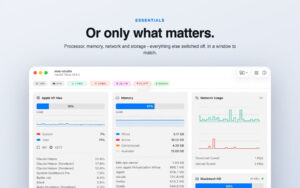
– All monitoring panels support independent on/off switches, allowing users to customize the display content according to their needs.
– Supports setting custom threshold alerts for CPU usage, memory occupancy, and disk space, among other metrics.
– Alerts are automatically pushed when thresholds are triggered, promptly warning of performance anomalies and space shortages.
– The software itself is lightweight and low-power, running in the background silently with minimal resource usage.
– Supports switching between light and dark themes, with a modern and straightforward interface, making data presentation intuitive and readable.
Version 4.3.0 Update Content:
– Table headers can now display your Mac device’s image.
– New size settings allow switching between small and large styles for table headers.
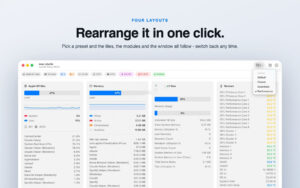
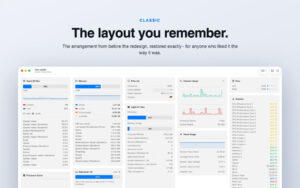
– Four preset layouts: default, classic, streamlined, and performance mode, enabling quick switching of the entire panel style with a single click.
– Editing mode supports direct removal of components, and a new toolbar menu allows for quick recovery of removed components.
– Components adapt to any window height, avoiding layout collapse or overlapping issues.
Software Screenshots:
|

-for-Mac-v1.1.4-丧尸题材的策略RPG游戏.png)


Ratings & reviews
No rating
Let’s rate it.