

Path Finder for Mac v26. 0 Chinese Activation Version Download
Path Finder is a file manager for Mac that offers more features and options than the built-in Finder. Path Finder helps users quickly browse, manage, and operate files, including viewing file properties, editing files, copying and pasting files, searching for files, and compressing files, among others.
Features:
AirDrop Integration
Send files to your other devices or friends (currently only works with “Anyone” discoverable devices).
Local Support for Apple Silicon
Run quickly and smoothly on the latest, most powerful Macs.
Share Menu
Click on a file and share it with AirDrop, Messages, Mail, Notes, etc.
Browse Your iPhone
Browse files and perform file operations on an iOS device connected via USB.
Dropbox Integration
Complete Dropbox integration. Just link your account and set everything up.
Universal Module System
Customize your browser windows using our new simple drag-and-drop module system.
FolderSync
FolderSync is Cocoatech’s “folder comparison and synchronization” tool, with powerful features.
Folder Merge
Merge the contents of two folders without overwriting.
Schedule and Group Projects
Group files based on specific file properties.
Editable Path Navigator
Type directly into the path navigator to quickly access files.
One-Click Dual Pane Copy
Use Path Finder’s intuitive dual-pane browser to copy files between panes with a single click.
Secure Erase
Perform secure erasure of any volume type with 1, 7, or 35 passes.
File Transfer Queue
Access current file operations from the toolbar item or a unified window.
ACL Editor
Create and modify Access Control Lists, an advanced alternative to macOS’s standard Unix permissions.
Calculate File Checksums
MD2, MD4, MD5, SHA-1, SHA224, SHA-256, SHA384, SHA-512.
File Tags
Use OpenMeta’s tagging functionality to tag files and share tags between applications.
Bulk Rename
Rename a group of files at once.
Hex Editor
Edit files without leaving the browser.
Dual Pane Browser
View the contents of two folders side by side in a single window.
Tags and Bookmarks
Bring your web browser workflow into the file browser.
Low-Level Search
Like Spotlight, use a database for searches, or perform low-level scans of files.
File List Filtering
Quickly filter file lists by name, extension, or type.
Smart Sorting
First sort by folder, package, or file.
Version 26.0 Update Highlights:
– Improved module drag-and-drop interactions: No longer need to hold `command` to move or rearrange modules, only the copy module requires holding `option`.
– Optimized UI layout: Improved layout and reordering experience for the “Show Summary” window and inspectors.
– Enhanced preview bar file preview and information display.
– Significantly improved file preview performance on network storage volumes.
– Fixed long-standing issues with previewing large text files causing the app or system to freeze or crash.
– Optimized preview bar experience for text file previews.
– Improved preview speed for previews based on QuickLook.
– Optimized preview bar experience for preview panels.
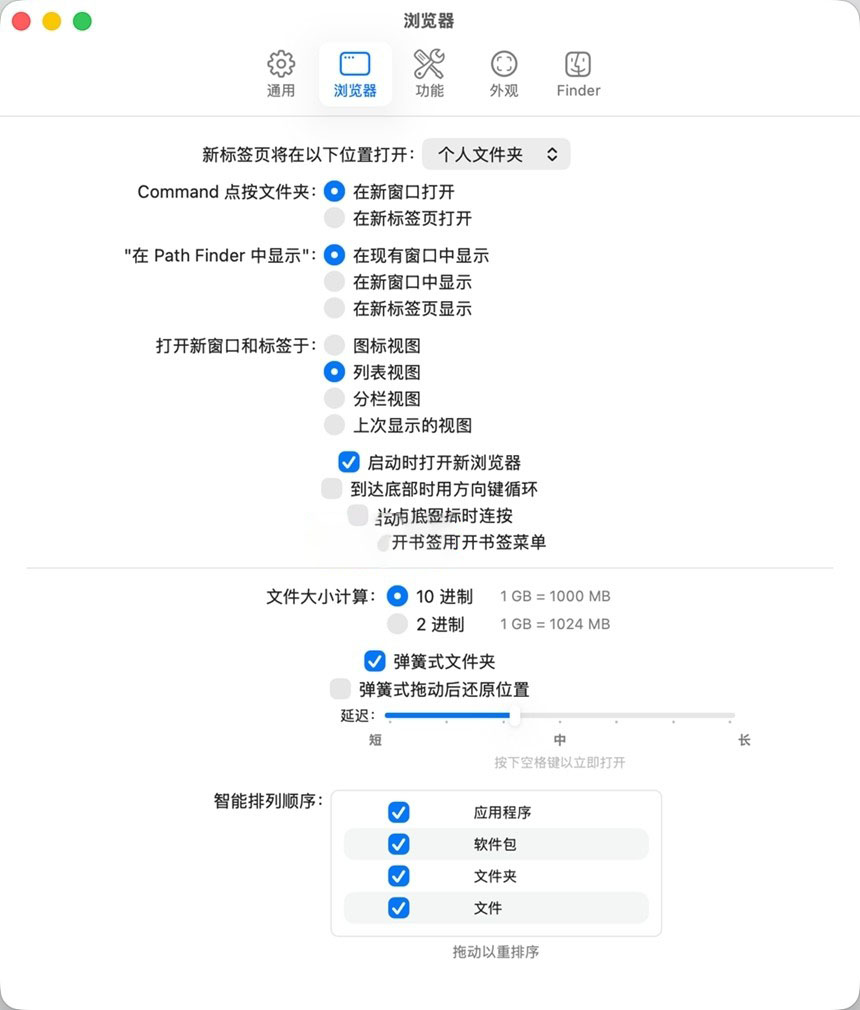
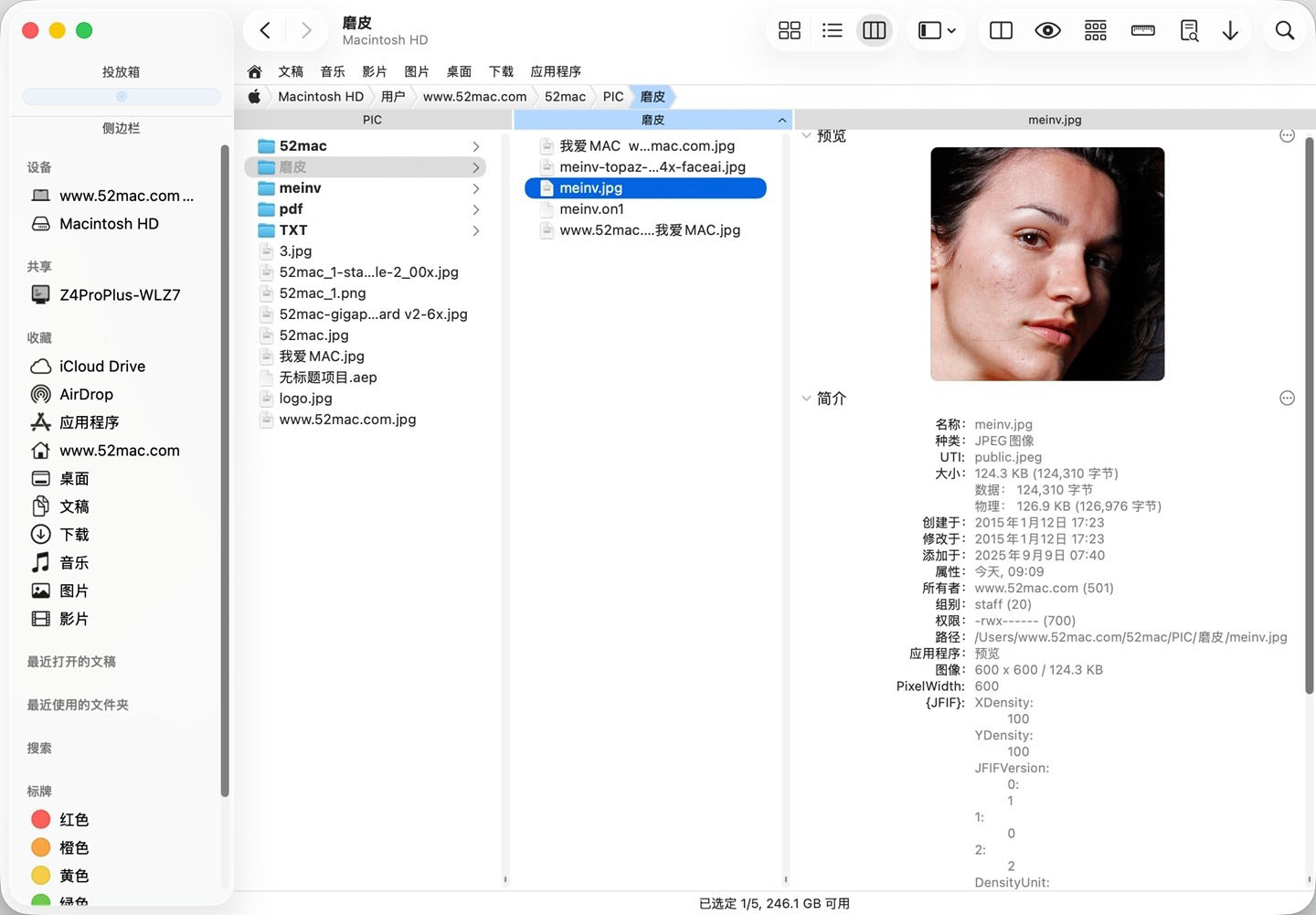
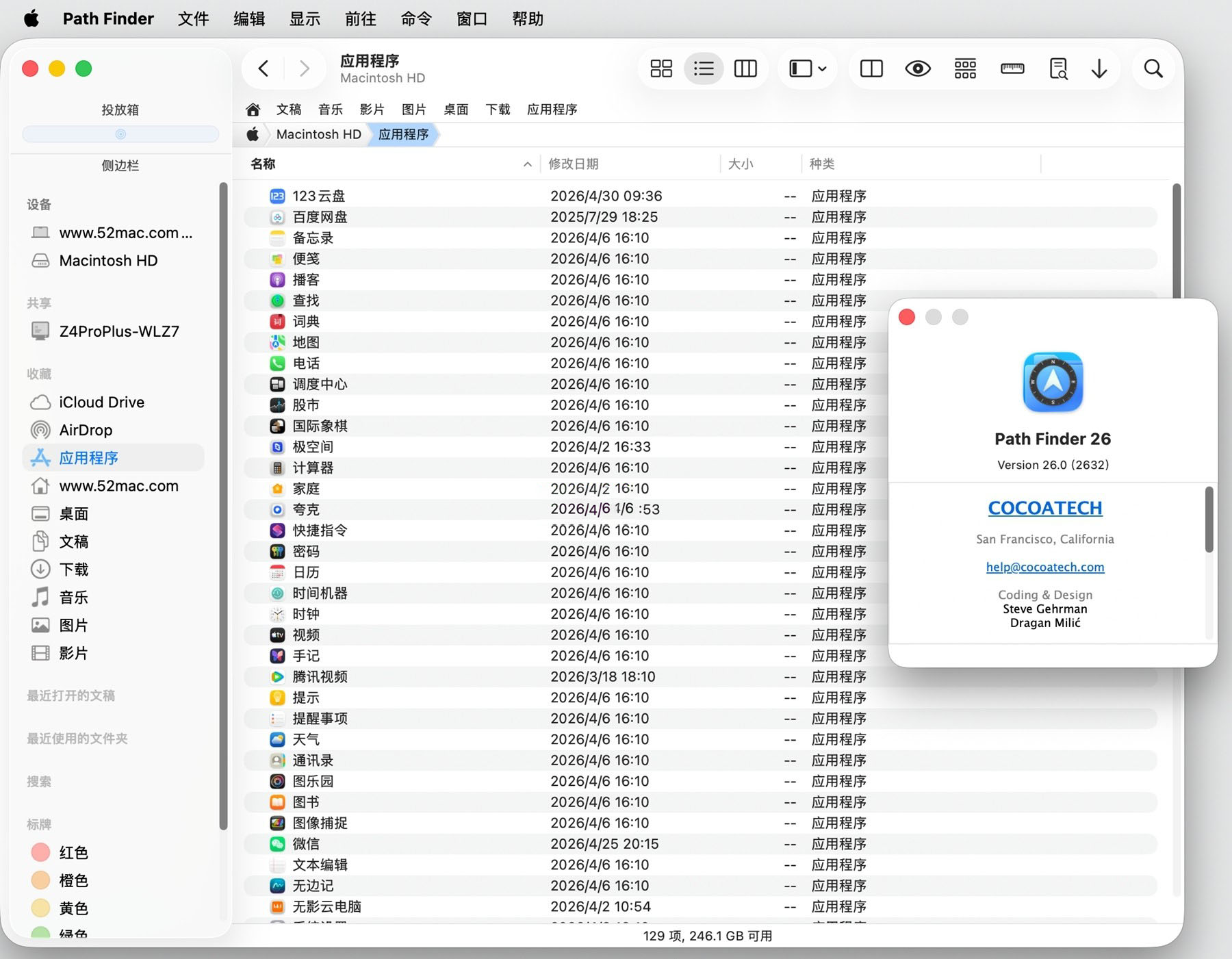
Software Screenshot:
This resource requires login to download
Log in
Dropshare for Mac v6.15 Activation Download
Downloads:0 | 2026-10-27

DaVinci Resolve Studio for Mac v16.2.7 Chinese Activation Download
Downloads:398 | 2026-10-24

High-Endimensional Side-scrolling Sandbox Game: Terraria for Mac v1.4 Download and Activation Version
Downloads:591 | 2026-10-23

LIMBO+ for Mac: An Adventure and Puzzle Game – Download and Activation Version
Downloads:3084 | 2026-10-23


Ratings & reviews
No rating
Let’s rate it.