

Picmal for Mac v1.7.0 Media Batch Processing Tool Activation Download
Picmal is a localized media batch processing tool tailored for the macOS platform, focusing on the conversion, lossless compression, and advanced parameter handling of images, videos, and audio files. The software employs native macOS design language, runs entirely offline, and prioritizes lightweight, efficiency, and privacy security as core advantages, covering all scenarios for media file processing for designers, content creators, and daily office users.
#### 一、全品类媒体格式转换能力
The software supports bidirectional conversion of over a hundred media formats, covering a vast majority of file types in both everyday and professional scenarios. It enables conversion and compression in a single step:
– **Images**: Compatible with JPEG, PNG, GIF, BMP, and modern high-efficiency formats such as HEIC, WebP, and AVIF. It also supports professional design formats like PSD, AI, EPS, SVG, and PDF, as well as camera RAW formats such as CR2, NEF, ARW, and DNG. It supports PSD to PNG, AI to SVG, and PDF to image conversions, which are frequently needed.
– **Videos**: Supports popular container formats like MP4, MOV, MKV, AVI, and WebM, and handles HEVC and H.264 encodings. It can quickly handle MOV to MP4 conversions and format standardization.
– **Audio**: Covers common audio formats such as MP3, WAV, AAC, M4A, FLAC, OGG, and OPUS, meeting audio transcoding and compression needs.
#### 二、批量处理与精细化参数控制
Picmal’s core strength lies in its efficient batch processing and flexible parameter customization, balancing quick output and professional optimization needs:
– **Efficient Batch Processing**: Supports drag-and-drop import of hundreds of files or entire folders, or quick import via Finder’s right-click menu. Single-file progress tracking is supported during the processing process.
– **Lossless Compression Optimization**: Allows for reducing file size while maintaining the original format, reducing file size within the range of imperceptible quality loss, suitable for scenarios with file size constraints like web uploads, email attachments, and social media posts.
– **Advanced Image Adjustments**: Offers five size adjustment modes (percentage, fixed width and height, maximum size, and precise size), supports color space conversion between sRGB, Display P3, Adobe RGB, and ProPhoto RGB. It allows customization of 72-600 DPI metadata, supports metadata retention, removal, and other modes, balancing file size and security.
– **Advanced Video and Audio Features**: Supports subtitle burn-in for videos and adjustable playback speeds (0.25x to 4x) for videos and audio, allowing customization of encoding, bitrate, and other parameters to meet professional output standards.
– **Watermark and Preset Systems**: Supports adding PNG watermarks to images and videos, with 9 anchor points, adjustable transparency, and preset saving. It includes preset systems for web publishing, social media, and file archiving, and allows users to save custom parameters as exclusive presets for repeated use.
#### 三、macOS 原生深度生态集成
As a pure macOS software, Picmal deeply integrates system features, aligning with native workflows:
– **Native macOS Interface Design**: Supports drag-and-drop functionality, divided into simple and advanced modes to cater to both beginners and advanced users.
– **Finder Right-Click Menu, Quick Actions, and macOS Shortcuts Integration**: Seamlessly integrates with Finder’s right-click menu, quick actions, and macOS shortcuts, allowing file processing without opening the main program. It also supports integration into automation workflows.
– **Watched Folders Functionality**: Supports setting up watched folders, where new files automatically follow preset rules, enabling batch automated processing without human intervention.
– **Clipboard Image Optimization**: Includes a built-in clipboard image optimization feature, allowing users to compress screenshots and directly paste them for efficient sharing.
– **Before and After Effect Comparison Slider**: Provides a slider for直观查看压缩和调整前后画质与文件的变化,便于把控处理效果。
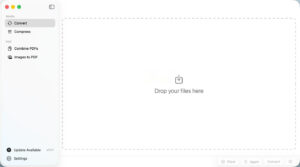
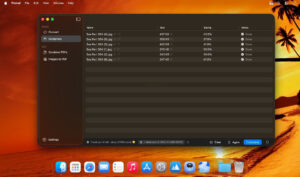
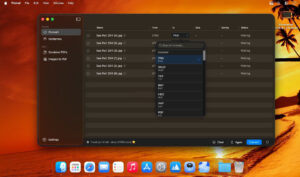
Software Screenshots:
This resource requires login to download
Log in
Multifunction Image Browser: GraphicConverter 12 for Mac v12.5.2 Activation Download
Downloads:1 | 2026-10-27

Dead in Vinland for Mac v1.3: RPG Survival Management Game – Download & Activation Version
Downloads:3411 | 2026-10-23

CameraBag Pro for Mac v2023.4.0: Photo Filters & Editor Activation Download
Downloads:2024 | 2026-10-21

Magic Disk Cleaner for Mac v2.8.1 System Cleaner Chinese Activated Version Download
Downloads:1608 | 2026-10-17


Ratings & reviews
No rating
Let’s rate it.